소개
Follow this replacement guide to replace or upgrade your RAM stick.
Adding memory is one of the easiest ways to boost your Gateway Solo 1200’s performance. To find how much RAM your computer has, go to the device specifications in your PC’s settings. This will not only tell you how much RAM your computer has but also how much RAM it can support for possible upgrades.
필요한 것
-
-
Locate the battery latch on the bottom of the laptop.
-
Release the latch by pressing it with your thumb and sliding it to the right.
-
Slide the battery out of its compartment.
-
-


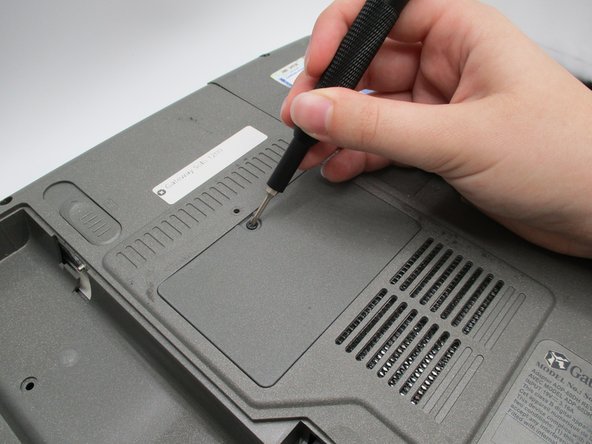


To reassemble your device, follow these instructions in reverse order.
다른 5명이 해당 안내서를 완성하였습니다.


팀

University of North Texas, Team S1-G3, Friess Fall 2019 University of North Texas, Team S1-G3, Friess Fall 2019 회원
UNT-FRIESS-F19S1G3
3 회원들
안내서 38개를 작성함
