주요 콘텐츠로 건너뛰기

Graco Secure Coverage Vibrator Replacement on Parent Unit

필요한 것

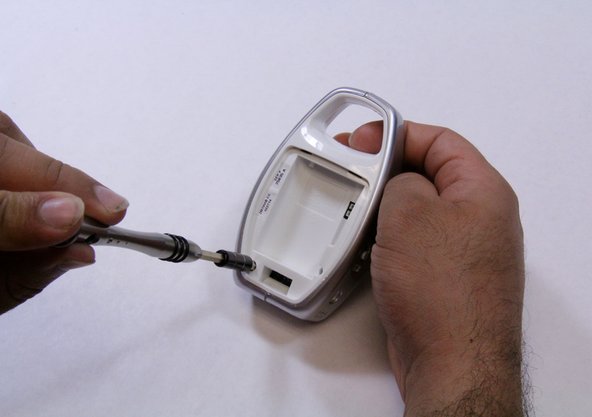
  1. Graco Secure Coverage Vibrator Replacement on Parent Unit, Parent Unit Battery: 1 단계, 이미지 3개 중 1개 Graco Secure Coverage Vibrator Replacement on Parent Unit, Parent Unit Battery: 1 단계, 이미지 3개 중 2개 Graco Secure Coverage Vibrator Replacement on Parent Unit, Parent Unit Battery: 1 단계, 이미지 3개 중 3개
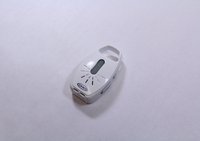
    • Using plastic opening tool, pry and remove the battery lid.

  2. Graco Secure Coverage Vibrator Replacement on Parent Unit: 2 단계, 이미지 1개 중 1개
    • Remove the battery by holding the device with one hand and pulling the battery out with other hand carefully.

    • Make sure that you disconnect the battery's wire before you remove the battery.

  3. Graco Secure Coverage Vibrator Replacement on Parent Unit, Parent Unit Vibrator: 3 단계, 이미지 2개 중 1개 Graco Secure Coverage Vibrator Replacement on Parent Unit, Parent Unit Vibrator: 3 단계, 이미지 2개 중 2개
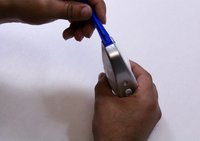
    • There are two screws on the rare case of the device. For the one shown in blue marker requires either an extended screwdriver or putting on a little pressure on a regular screwdriver.

    • Remove the two 9mm Phillips #1 screws from the rare case of the device.

    • If you cannot remove the screw with low pressure, do not use high pressure to remove it. It may cause a damage on the device case. Use an extended screwdriver instead.

  4. Graco Secure Coverage Vibrator Replacement on Parent Unit: 4 단계, 이미지 2개 중 1개 Graco Secure Coverage Vibrator Replacement on Parent Unit: 4 단계, 이미지 2개 중 2개
    • Using opening plastic tool, pry the two grey cases from both sides of the device.

    • Take your time and apply constant force to avoid breaking or damaging any other plastic parts.

    • While pry off the grey cases, hold the device with your other hand to remove the cases.

  5. Graco Secure Coverage Vibrator Replacement on Parent Unit: 5 단계, 이미지 1개 중 1개
    • Pry the edges of the device to separate the front case away from the rare case.

    • While prying the edges, hold the device with one hand to pull out each case a part.

    • Make sure you use a constant force, and the pushbuttons are pried off completely.

  6. Graco Secure Coverage Vibrator Replacement on Parent Unit: 6 단계, 이미지 2개 중 1개 Graco Secure Coverage Vibrator Replacement on Parent Unit: 6 단계, 이미지 2개 중 2개
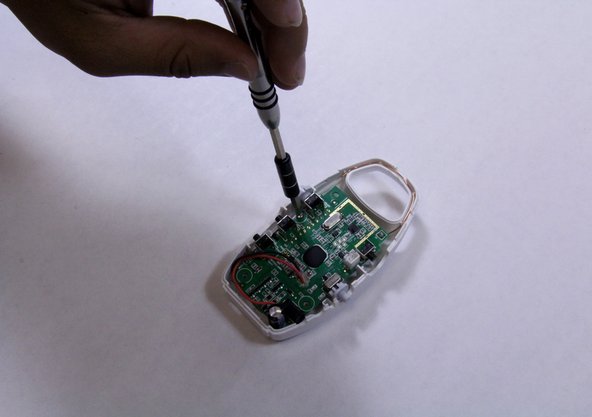
    • Remove the 7mm Phillips #1 screw from the mother board.

    • Place the screw in a secure place.

  7. Graco Secure Coverage Vibrator Replacement on Parent Unit: 7 단계, 이미지 1개 중 1개
    • Pick up the motherboard carefully.

    • Using plastic opening tool, pry and remove the vibrator part.

  8. Graco Secure Coverage Vibrator Replacement on Parent Unit: 8 단계, 이미지 1개 중 1개
    • Solder off vibrator from the motherboard.

    • There are many pins attached to the motherboard, make sure you solder off the proper pins that attached to the vibrator wires.

    • Replace the vibrator.

결론

To reassemble your device, follow these instructions in reverse order.

작성자

3다른 기여자 명과 함께

Ahmed Elshaer

회원 가입일: 09/09/15

201 평판

안내서 2개를 작성함

USF Tampa, Team 6-5, Remmell Fall 2015 USF Tampa, Team 6-5, Remmell Fall 2015 회원

USFT-REMMELL-F15S6G5

4 회원들

안내서 8개를 작성함

0가이드 댓글

댓글 쓰기

조회 통계:

지난 24시간: 1

지난 7일: 3

지난 30일: 10

전체 시간: 619