주요 콘텐츠로 건너뛰기

HP Chromebook 14-Q070NR Battery Replacement

필요한 것

  1. HP Chromebook 14-Q070NR Battery Replacement, Keyboard: 1 단계, 이미지 1개 중 1개
    • At this point, the white caps that hide the top-most screws marked with red circles have been removed.

    • Using the Phillips #1 screwdriver, remove the (10) ten screws from the bottom of the device.

    • After removing the white caps covering the screws, use the Phillips #1 screwdriver to remove the (3) three screws indicated with red circles.

  2. HP Chromebook 14-Q070NR Battery Replacement: 2 단계, 이미지 3개 중 1개 HP Chromebook 14-Q070NR Battery Replacement: 2 단계, 이미지 3개 중 2개 HP Chromebook 14-Q070NR Battery Replacement: 2 단계, 이미지 3개 중 3개
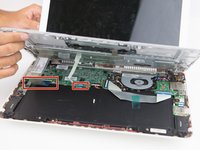
    • Open the laptop and place it upright. Remove the keyboard from the device using a plastic spudger or opening tool.

    • Carefully remove as there are ribbons attached to the keyboard that is connected to the components inside.

    • Gently lift the keyboard just enough to expose the ribbons.

  3. HP Chromebook 14-Q070NR Battery Replacement: 3 단계, 이미지 3개 중 1개 HP Chromebook 14-Q070NR Battery Replacement: 3 단계, 이미지 3개 중 2개 HP Chromebook 14-Q070NR Battery Replacement: 3 단계, 이미지 3개 중 3개
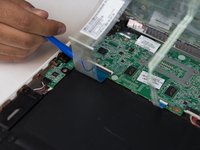
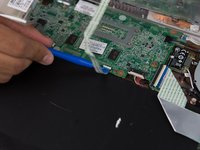
    • Hold the keyboard up to remove the ribbons from the circuit board.

    • To remove each individual ribbon, grab the blue portion of each ribbon and pull it towards your direction until it is fully detached.

  4. HP Chromebook 14-Q070NR Battery Replacement: 4 단계, 이미지 3개 중 1개 HP Chromebook 14-Q070NR Battery Replacement: 4 단계, 이미지 3개 중 2개 HP Chromebook 14-Q070NR Battery Replacement: 4 단계, 이미지 3개 중 3개
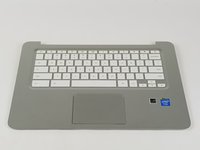
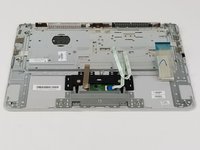
    • Once the ribbons are detached, remove the keyboard from the device.

  5. HP Chromebook 14-Q070NR Battery Replacement, Battery: 5 단계, 이미지 1개 중 1개
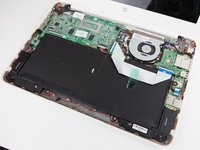
    • Using the Phillips #0 screwdriver, remove the (2) two screws at the bottom of the device.

    • Once removed, separate the screws from previous ones. They are different!

  6. HP Chromebook 14-Q070NR Battery Replacement: 6 단계, 이미지 2개 중 1개 HP Chromebook 14-Q070NR Battery Replacement: 6 단계, 이미지 2개 중 2개
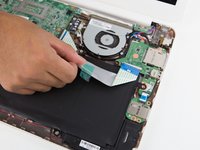
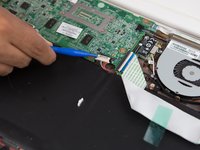
    • Remove the taped flat wire from the top of the battery.

    • Carefully pull away the connector from the top of the battery to the motherboard.

  7. HP Chromebook 14-Q070NR Battery Replacement: 7 단계, 이미지 1개 중 1개
    • Carefully lift the battery and remove it from the device.

결론

To reassemble your device, follow these instructions in reverse order.

작성자

1다른 기여자 명과 함께

Andres Martinez

회원 가입일: 10/02/17

101 평판

안내서 1개를 작성함

USF Tampa, Team S9-G5, Remmell Fall 2017 USF Tampa, Team S9-G5, Remmell Fall 2017 회원

USFT-REMMELL-F17S9G5

5 회원들

안내서 5개를 작성함

0가이드 댓글

댓글 쓰기

조회 통계:

지난 24시간: 1

지난 7일: 7

지난 30일: 14

전체 시간: 522