소개
If your HP Compaq NC6120 is overheating, it might be time to clean or replace the fan. This repair is usually needed when the internal cooling system isn't working properly due to dust buildup or when the fan is malfunctioning. A fan that isn't working properly can lead to reduced performance or even permanent damage to the laptop's components.
Removing and servicing the fan can resolve these issues. The process is relatively straightforward after disassembling the laptop, but it requires careful handling of delicate internal parts. No special skills are required, but it's important to ensure you have the correct replacement fan.
Before you begin this repair, power off and unplug your laptop.
필요한 것
-
-
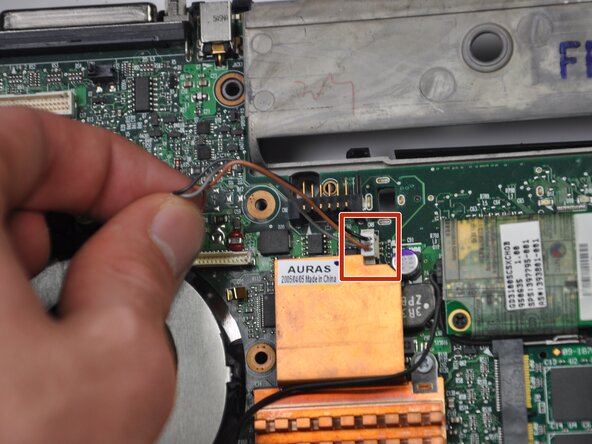
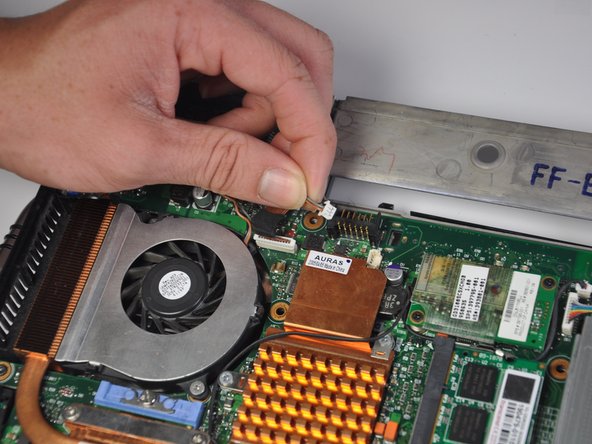
Use the point of a spudger to push on alternating sides of the fan connector to "walk" it out of its socket.
-
Place the cable off to the side so that it is out of the way.
 FixBot에 문의하기
-
-
-
-
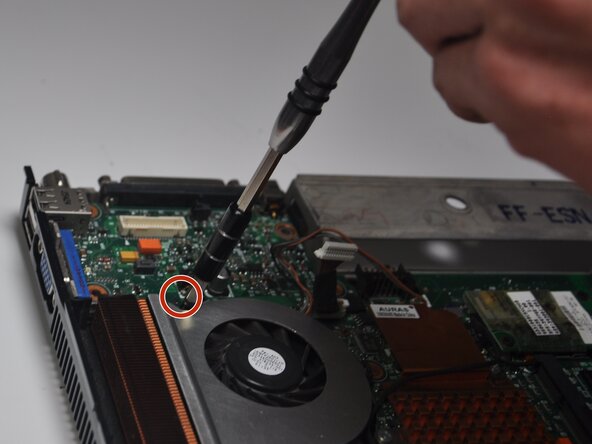
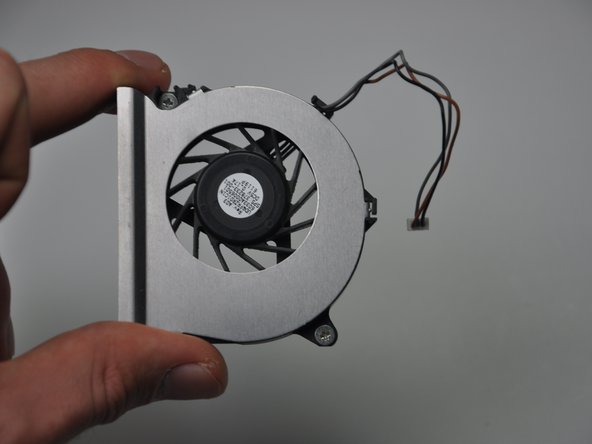
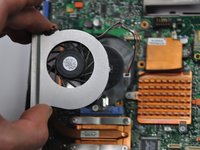
Use a Phillips #1 screwdriver to remove the two 7.0 mm screws on the top left and top right corners of the cooling fan.
-





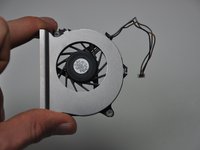
To reassemble your device, follow these instructions in reverse order. Take your e-waste to an R2 or e-Stewards certified recycler.

팀

Cal Poly, Team 17-4, Forte Spring 2015 Cal Poly, Team 17-4, Forte Spring 2015 회원
CPSU-FORTE-S15S17G4
3 회원들
안내서 6개를 작성함
