주요 콘텐츠로 건너뛰기

HP Media Center 876x Optical Drive Replacement

필요한 것

  1. HP Media Center 876x Optical Drive Replacement, Side Panel: 1 단계, 이미지 2개 중 1개 HP Media Center 876x Optical Drive Replacement, Side Panel: 1 단계, 이미지 2개 중 2개
    • Remove the two (9 mm) hand screws on the back panel.

  2. HP Media Center 876x Optical Drive Replacement: 2 단계, 이미지 3개 중 1개 HP Media Center 876x Optical Drive Replacement: 2 단계, 이미지 3개 중 2개 HP Media Center 876x Optical Drive Replacement: 2 단계, 이미지 3개 중 3개
    • Place the tower on its side.

    • Slide the side panel horizontally to detach, and pull upward to remove.

  3. HP Media Center 876x Optical Drive Replacement, Front Cover: 3 단계, 이미지 2개 중 1개 HP Media Center 876x Optical Drive Replacement, Front Cover: 3 단계, 이미지 2개 중 2개
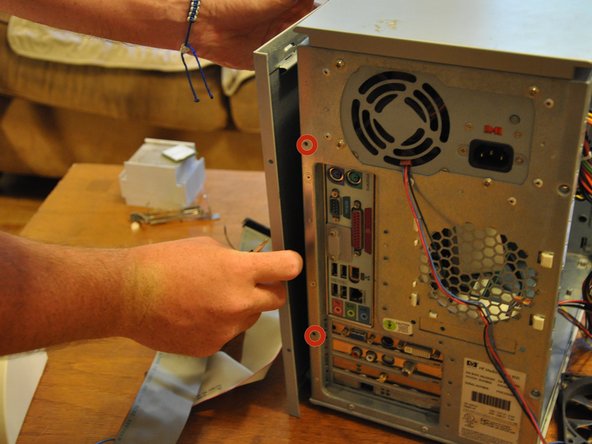
    • Orient the tower vertically.

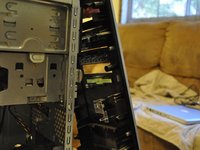
    • Using the #0 Phillips head screwdriver, unscrew and remove the two (5 mm) screws that fasten the remaining side panel to the tower.

    • Slide the side panel out of its notches, and pull it gently off of the tower.

  4. HP Media Center 876x Optical Drive Replacement: 4 단계, 이미지 1개 중 1개
    • Gently move the tower so that it is in the horizontal orientation.

    • Press down the black tabs (proximal to you) that fasten the front panel to the tower.

    • Press down on the distal, black tabs (symmetric with respect to the previous tabs).

    • Pull front panel forward slightly.

  5. HP Media Center 876x Optical Drive Replacement: 5 단계, 이미지 2개 중 1개 HP Media Center 876x Optical Drive Replacement: 5 단계, 이미지 2개 중 2개
    • Orient the tower vertically.

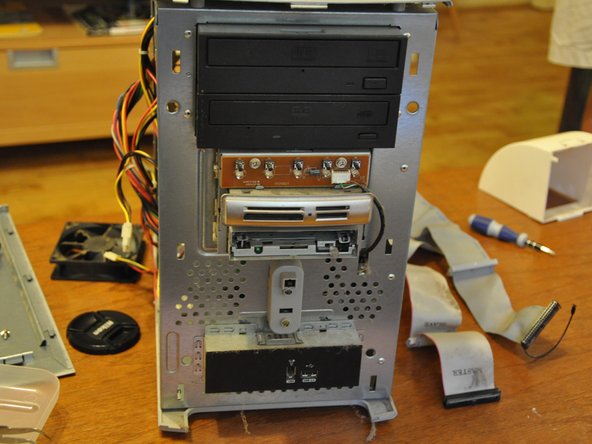
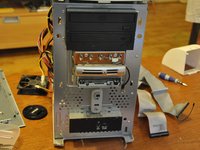
    • The front panel will come off in a hinge-like fashion, exposing the drives underneath.

  6. HP Media Center 876x Optical Drive Replacement, Optical Drive: 6 단계, 이미지 3개 중 1개 HP Media Center 876x Optical Drive Replacement, Optical Drive: 6 단계, 이미지 3개 중 2개 HP Media Center 876x Optical Drive Replacement, Optical Drive: 6 단계, 이미지 3개 중 3개
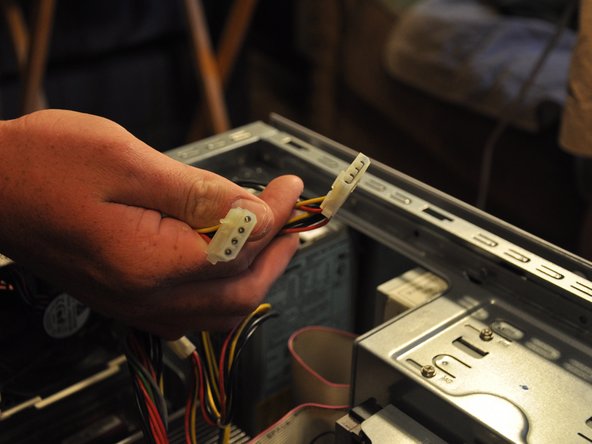
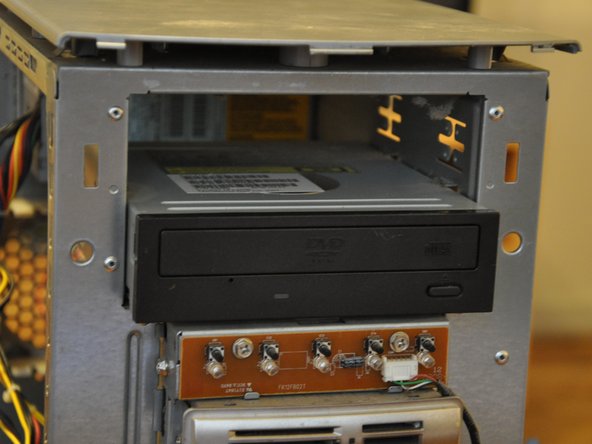
    • Identify the optical drive.

    • Pull the molex connectors out of the posterior end of the optical drive.

  7. HP Media Center 876x Optical Drive Replacement: 7 단계, 이미지 3개 중 1개 HP Media Center 876x Optical Drive Replacement: 7 단계, 이미지 3개 중 2개 HP Media Center 876x Optical Drive Replacement: 7 단계, 이미지 3개 중 3개
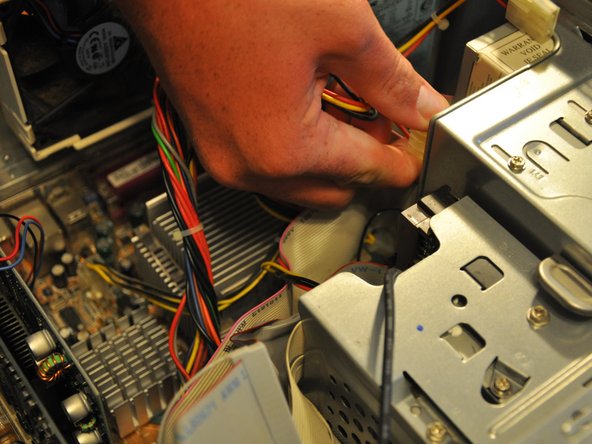
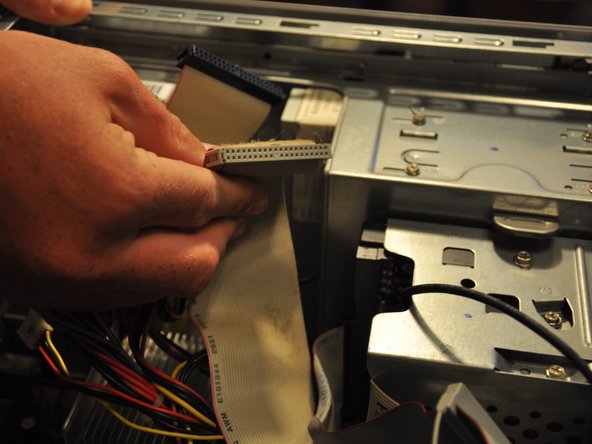
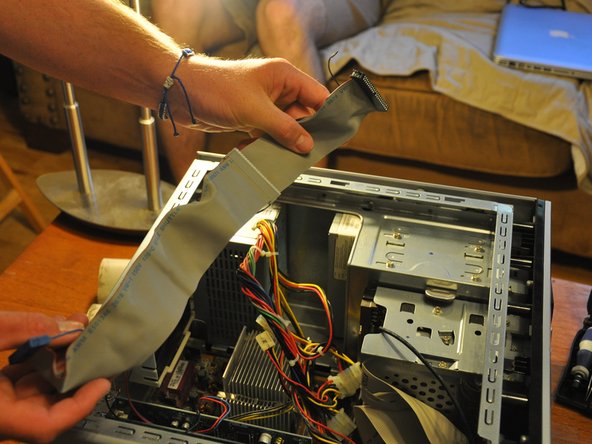
    • Pull the ribbon cable out of the back of the optical drive.

  8. HP Media Center 876x Optical Drive Replacement: 8 단계, 이미지 3개 중 1개 HP Media Center 876x Optical Drive Replacement: 8 단계, 이미지 3개 중 2개 HP Media Center 876x Optical Drive Replacement: 8 단계, 이미지 3개 중 3개
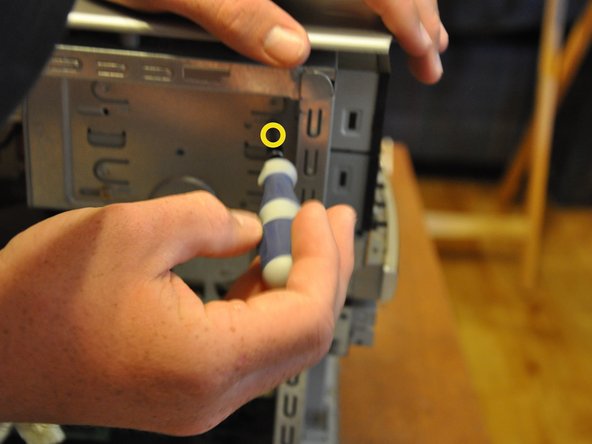
    • Using the Phillips #0 screwdriver, remove the two 5 mm screws that fasten the optical drive into its port.

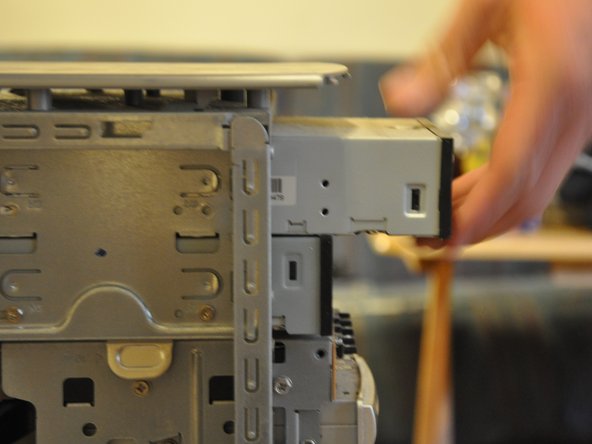
    • Gently pull the optical drive through the front cavity.

  9. HP Media Center 876x Optical Drive Replacement: 9 단계, 이미지 2개 중 1개 HP Media Center 876x Optical Drive Replacement: 9 단계, 이미지 2개 중 2개
    • Remove the optical drive completely from its port.

결론

To reassemble your device, follow these instructions in reverse order.

다른 2명이 해당 안내서를 완성하였습니다.

작성자

4다른 기여자 명과 함께

Balakrishnan Pillai

회원 가입일: 03/26/14

1,003 평판

안내서 8개를 작성함

Clemson, Team 6-1, Benson Spring 2014 Clemson, Team 6-1, Benson Spring 2014 회원

CLEM-BENSON-S14S6G1

3 회원들

안내서 15개를 작성함

0가이드 댓글

댓글 쓰기

조회 통계:

지난 24시간: 0

지난 7일: 3

지난 30일: 5

전체 시간: 527