주요 콘텐츠로 건너뛰기

HP Pavilion 15-ab243cl Battery Replacement

필요한 것

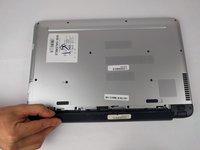
  1. HP Pavilion 15-ab243cl Battery Replacement, Battery: 1 단계, 이미지 2개 중 1개 HP Pavilion 15-ab243cl Battery Replacement, Battery: 1 단계, 이미지 2개 중 2개
    • Slide the battery lock tab toward the center of the battery to the unlock position.

  2. HP Pavilion 15-ab243cl Battery Replacement: 2 단계, 이미지 3개 중 1개 HP Pavilion 15-ab243cl Battery Replacement: 2 단계, 이미지 3개 중 2개 HP Pavilion 15-ab243cl Battery Replacement: 2 단계, 이미지 3개 중 3개
    • Slide the battery release switch to the right until the battery pops out.

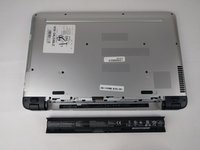
  3. HP Pavilion 15-ab243cl Battery Replacement: 3 단계, 이미지 2개 중 1개 HP Pavilion 15-ab243cl Battery Replacement: 3 단계, 이미지 2개 중 2개
    • Grabbing the top edge of the battery, rotate it toward you and then lift upward to relieve the battery from its slot.

결론

To reassemble your device, follow these, instructions in reverse order.

다른 한 분이 해당 안내서를 완성하였습니다.

작성자

4다른 기여자 명과 함께

Martic Smith

회원 가입일: 05/29/16

124 평판

안내서 1개를 작성함

USF Tampa, Team S6-G3, Eyestone Spring 2018 USF Tampa, Team S6-G3, Eyestone Spring 2018 회원

USFT-EYESTONE-S18S6G3

3 회원들

안내서 7개를 작성함

0가이드 댓글

댓글 쓰기

조회 통계:

지난 24시간: 1

지난 7일: 1

지난 30일: 9

전체 시간: 899