소개
This guide provides detailed instruction on battery replacement for the HP Prime Graphing Calculator G8X92AA. The battery is considered hazardous material as it is lithium ion. If the device fails to power on or if the device fails to maintain a charge battery replacement may be required.
There are Multiple parts shown. Choose only ONE.
9/24/2025 - Updated the Parts Link to the possible correct parts
Added Flags Incorrect Tools (To verify the parts purchase link provided works with the calculator).
필요한 것
-
-
Power down the device.
-
Flip the device face side down so the back of the device is facing up.
-
-
-
-
Using a Phillips #00 screwdriver, remove the two 4.5 mm screws securing the battery cover located at the bottom center of the device.
-
Remove the cover.
-


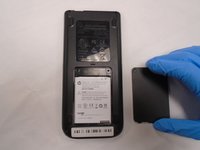
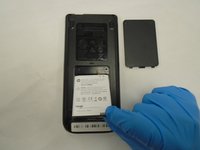
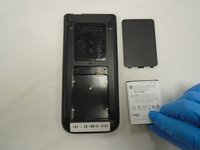
To reassemble your calculator, follow these instructions in reverse order. Power on the Calculator to make sure it works.
다른 3명이 해당 안내서를 완성하였습니다.


팀

The Citadel Military College of South Carolina, Team S2-G15, Eggleston Fall 2020 The Citadel Military College of South Carolina, Team S2-G15, Eggleston Fall 2020 회원
CMCSC-EGGLESTON-F20S2G15
3 회원들
안내서 9개를 작성함
2가이드 댓글
The link to the battery in the "what you need" section is not correct. The battery is the same as the Samsung Galaxy S3. It has dimensions of approximately 50mmx63mmx5.5mm, with a 4-terminal connector on the top. it is 3.7VDC/7.4Wh. The one that comes with the calculator is "rated" at 2000mAh (whatever that means these days, as battery specs are often works of fiction).
Thank you!!!
