주요 콘텐츠로 건너뛰기

HP ProBook x360 11 G5 EE Charging Port Replacement

필요한 것

  1. HP ProBook x360 11 G5 EE Charging Port Replacement, Keyboard Assembly: 1 단계, 이미지 3개 중 1개 HP ProBook x360 11 G5 EE Charging Port Replacement, Keyboard Assembly: 1 단계, 이미지 3개 중 2개 HP ProBook x360 11 G5 EE Charging Port Replacement, Keyboard Assembly: 1 단계, 이미지 3개 중 3개
    • Remove the 4.1 mm screws with a T5 Torx screwdriver.

    • Remove the 4.1 mm screws using a JIS #0 screwdriver.

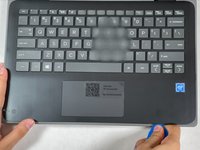
  2. HP ProBook x360 11 G5 EE Charging Port Replacement: 2 단계, 이미지 1개 중 1개
    • Use an opening pick to pry the corners of the keyboard deck.

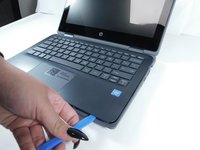
  3. HP ProBook x360 11 G5 EE Charging Port Replacement: 3 단계, 이미지 3개 중 1개 HP ProBook x360 11 G5 EE Charging Port Replacement: 3 단계, 이미지 3개 중 2개 HP ProBook x360 11 G5 EE Charging Port Replacement: 3 단계, 이미지 3개 중 3개
    • Use an opening pick or opening tool to pry around the sides of the keyboard assembly.

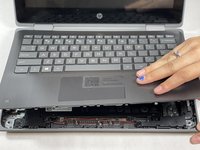
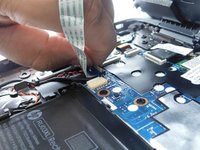
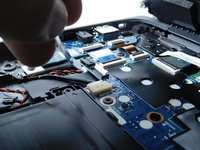
  4. HP ProBook x360 11 G5 EE Charging Port Replacement: 4 단계, 이미지 3개 중 1개 HP ProBook x360 11 G5 EE Charging Port Replacement: 4 단계, 이미지 3개 중 2개 HP ProBook x360 11 G5 EE Charging Port Replacement: 4 단계, 이미지 3개 중 3개
    • Lift the keyboard assembly to expose two ribbon cables.

    • Lift the two plastic tabs that hold the cables in place on the motherboard

    • Slide the ribbon cables out of each connector.

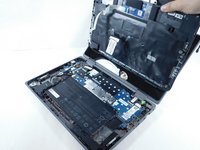
  5. HP ProBook x360 11 G5 EE Charging Port Replacement: 5 단계, 이미지 2개 중 1개 HP ProBook x360 11 G5 EE Charging Port Replacement: 5 단계, 이미지 2개 중 2개
    • Remove the keyboard assembly from the rest of the computer.

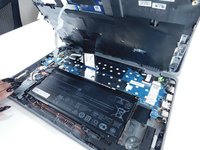
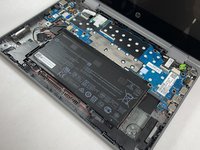
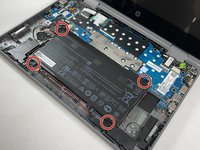
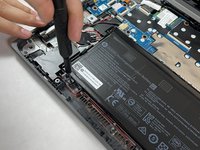
  6. HP ProBook x360 11 G5 EE Charging Port Replacement, Battery: 6 단계, 이미지 2개 중 1개 HP ProBook x360 11 G5 EE Charging Port Replacement, Battery: 6 단계, 이미지 2개 중 2개
    • Remove the four 3 mm screws from the battery with the JIS #0 screwdriver.

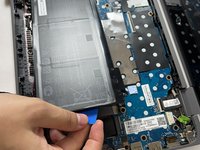
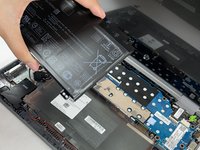
  7. HP ProBook x360 11 G5 EE Charging Port Replacement: 7 단계, 이미지 3개 중 1개 HP ProBook x360 11 G5 EE Charging Port Replacement: 7 단계, 이미지 3개 중 2개 HP ProBook x360 11 G5 EE Charging Port Replacement: 7 단계, 이미지 3개 중 3개
    • Pry the battery up from the laptop using an opening pick.

    • Lift the battery out of its place.

  8. HP ProBook x360 11 G5 EE Charging Port Replacement, Charging Port: 8 단계, 이미지 2개 중 1개 HP ProBook x360 11 G5 EE Charging Port Replacement, Charging Port: 8 단계, 이미지 2개 중 2개
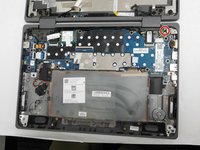
    • Remove the single 3 mm screw from the charging port using a T5 Torx screwdriver.

  9. HP ProBook x360 11 G5 EE Charging Port Replacement: 9 단계, 이미지 3개 중 1개 HP ProBook x360 11 G5 EE Charging Port Replacement: 9 단계, 이미지 3개 중 2개 HP ProBook x360 11 G5 EE Charging Port Replacement: 9 단계, 이미지 3개 중 3개
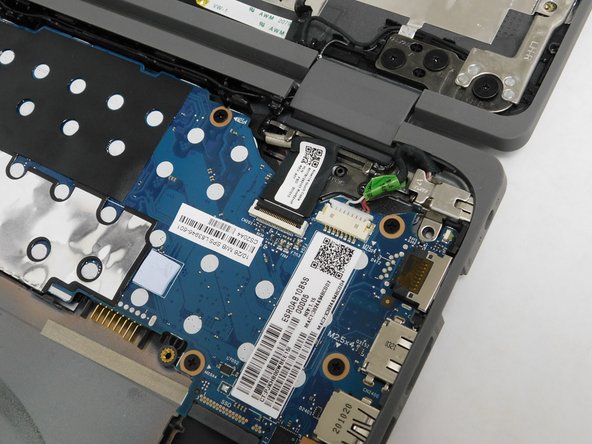
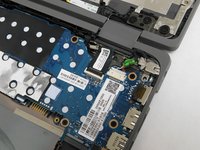
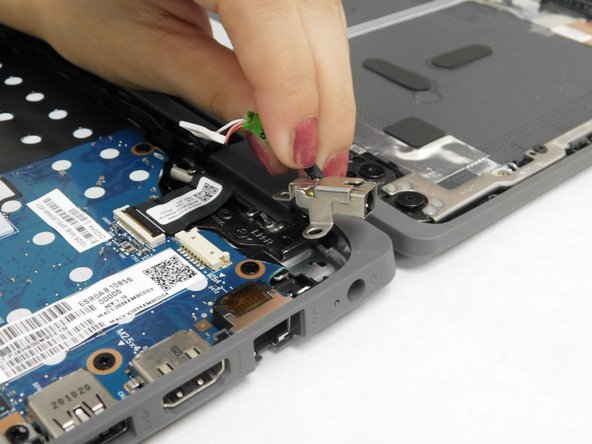
    • Disconnect the charging port wire from the motherboard.

    • Remove the charging port from your device.

결론

To reassemble your device, follow these instructions in reverse order.

다른 한 분이 해당 안내서를 완성하였습니다.

작성자

1다른 기여자 명과 함께

Michelle Pina

회원 가입일: 10/26/21

506 평판

안내서 4개를 작성함

Gateway, Team 1-4, Pee Fall 2021 Gateway, Team 1-4, Pee Fall 2021 회원

GCC-PEE-F21S1G4

5 회원들

안내서 5개를 작성함

2가이드 댓글

Hi!! I have the same model of notebook with 64 giga emmc. Is it possible installing an ssd or an hdd?

Riccardo Insolera - 답글

I followed each and every step, and realised a little too late that my laptop is a HP ProBook x360 11 G1 -and not a G5. The G1 requires the ability to de-solder the built in charging port.

On step 6, I noticed there were 6 screws holding the battery in, not 4.
Then on step 9, I noticed that the charging port is actually soldered to the motherboard and there is no visible cable attaching it to the board which can be unhooked.

Sam T - 답글

댓글 쓰기

조회 통계:

지난 24시간: 2

지난 7일: 11

지난 30일: 35

전체 시간: 1,492