주요 콘텐츠로 건너뛰기

HP Stream 13-c110nr Touchpad Assembly Replacement

필요한 것

  1. HP Stream 13-c110nr Touchpad Assembly Replacement, Keyboard Assembly: 1 단계, 이미지 1개 중 1개
    • Close the device.

    • Remove AC adapter plug from electrical outlet.

    • Remove AC adapter from device.

    • Turn the device off.

    • Unplug all external devices from device.

    • If you are unsure whether the computer is off or in hibernation mode, start the computer and then shutdown the operating system.

  2. HP Stream 13-c110nr Touchpad Assembly Replacement: 2 단계, 이미지 1개 중 1개
    • Turn the device upside down with the back facing towards you.

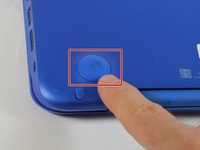
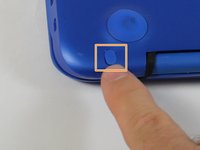
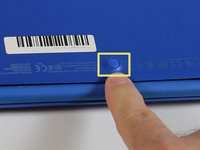
  3. HP Stream 13-c110nr Touchpad Assembly Replacement: 3 단계, 이미지 3개 중 1개 HP Stream 13-c110nr Touchpad Assembly Replacement: 3 단계, 이미지 3개 중 2개 HP Stream 13-c110nr Touchpad Assembly Replacement: 3 단계, 이미지 3개 중 3개
    • Use a pick to remove the two (2) large computer feet along the back edge of the device.

    • Use a pick to remove the two (2) small computer feet.

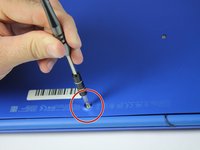
    • Use a pick to remove the one (1) screw cover.

    • Place rubber computer feet in safe place for reassembly.

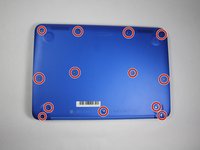
  4. HP Stream 13-c110nr Touchpad Assembly Replacement: 4 단계, 이미지 3개 중 1개 HP Stream 13-c110nr Touchpad Assembly Replacement: 4 단계, 이미지 3개 중 2개 HP Stream 13-c110nr Touchpad Assembly Replacement: 4 단계, 이미지 3개 중 3개
    이 단계에 사용된 도구:
    Magnetic Project Mat
    $19.95
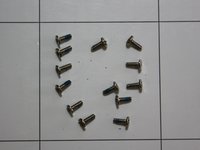
    • Remove the thirteen (13) Phillips P0 PM2.5x6.0 mm screws.

    • Place the thirteen (13) screws on magnetic mat for reassembly.

  5. HP Stream 13-c110nr Touchpad Assembly Replacement: 5 단계, 이미지 1개 중 1개
    • Turn the device over with the front facing towards you.

    • Open the device as shown.

  6. HP Stream 13-c110nr Touchpad Assembly Replacement: 6 단계, 이미지 3개 중 1개 HP Stream 13-c110nr Touchpad Assembly Replacement: 6 단계, 이미지 3개 중 2개 HP Stream 13-c110nr Touchpad Assembly Replacement: 6 단계, 이미지 3개 중 3개
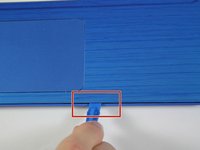
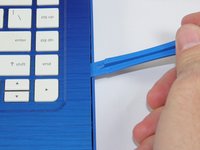
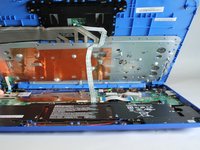
    • Insert the Spudger between the Top Cover and Bottom Cover to lift the front edge until it separates from the Bottom Cover.

    • Do not completely remove the Keyboard/Top cover from the Bottom cover yet.

  7. HP Stream 13-c110nr Touchpad Assembly Replacement: 7 단계, 이미지 1개 중 1개
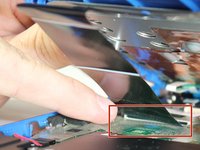
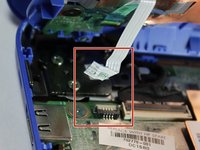
    • Disconnect the Touchpad cable.

  8. HP Stream 13-c110nr Touchpad Assembly Replacement: 8 단계, 이미지 2개 중 1개 HP Stream 13-c110nr Touchpad Assembly Replacement: 8 단계, 이미지 2개 중 2개
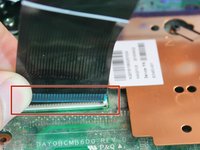
    • Disconnect the Keyboard Cable.

  9. HP Stream 13-c110nr Touchpad Assembly Replacement: 9 단계, 이미지 2개 중 1개 HP Stream 13-c110nr Touchpad Assembly Replacement: 9 단계, 이미지 2개 중 2개
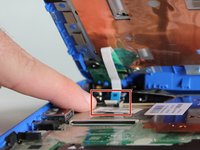
    • Disconnect the Power connector cable.

  10. HP Stream 13-c110nr Touchpad Assembly Replacement: 10 단계, 이미지 1개 중 1개
    • Remove the Keyboard/Top Cover from the device.

  11. HP Stream 13-c110nr Touchpad Assembly Replacement, Touchpad Assembly: 11 단계, 이미지 2개 중 1개 HP Stream 13-c110nr Touchpad Assembly Replacement, Touchpad Assembly: 11 단계, 이미지 2개 중 2개
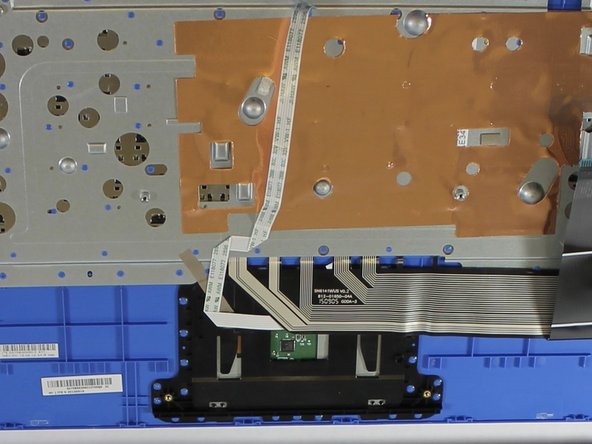
    • Place the Top Cover/Keyboard assembly face down with the front towards you.

  12. HP Stream 13-c110nr Touchpad Assembly Replacement: 12 단계, 이미지 2개 중 1개 HP Stream 13-c110nr Touchpad Assembly Replacement: 12 단계, 이미지 2개 중 2개
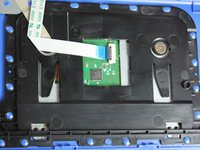
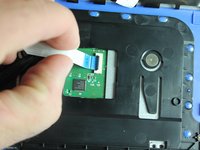
    • Remove the TouchPad cable.

  13. HP Stream 13-c110nr Touchpad Assembly Replacement: 13 단계, 이미지 1개 중 1개
    • Remove two (2) Phillips P0 PM2.5x3.0 mm screws from Touchpad assembly.

    • Place two (2) screws on magnetic mat for reassembly.

  14. HP Stream 13-c110nr Touchpad Assembly Replacement: 14 단계, 이미지 3개 중 1개 HP Stream 13-c110nr Touchpad Assembly Replacement: 14 단계, 이미지 3개 중 2개 HP Stream 13-c110nr Touchpad Assembly Replacement: 14 단계, 이미지 3개 중 3개
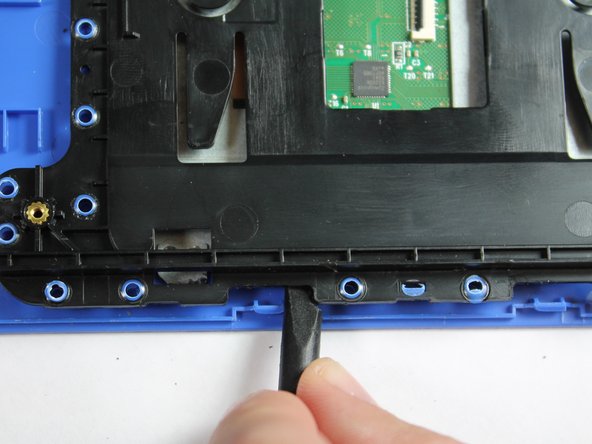
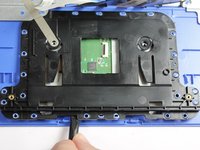
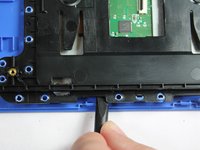
    • Use the plastic pick to pry up the black TouchPad cover from the blue top cover.

    • The TouchPad cover is molded to the Top Cover/Keyboard. Slight pressure must be maintained to release the cover.

    • A popping noise may be heard when prying the touchpad cover off of the top cover.

  15. HP Stream 13-c110nr Touchpad Assembly Replacement: 15 단계, 이미지 2개 중 1개 HP Stream 13-c110nr Touchpad Assembly Replacement: 15 단계, 이미지 2개 중 2개
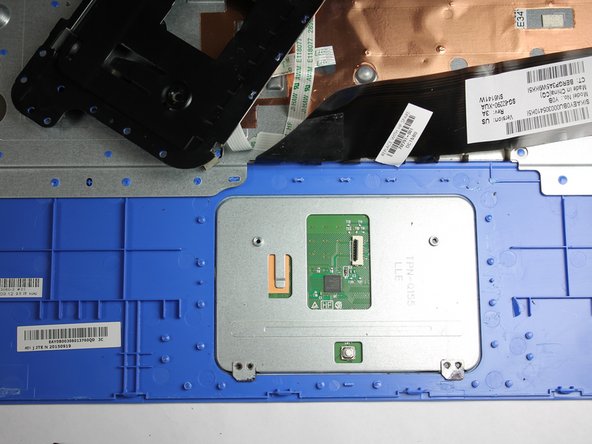
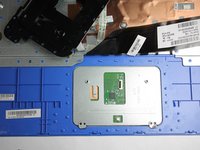
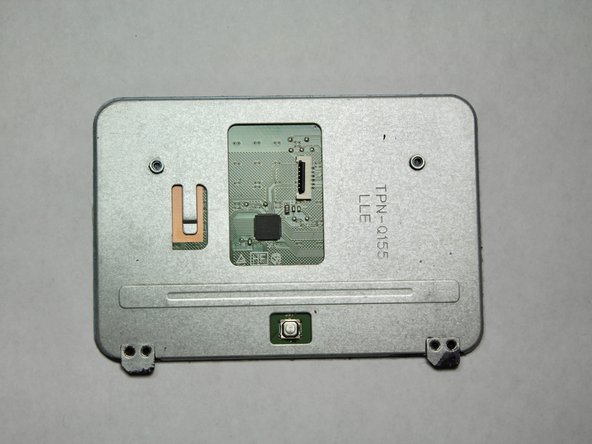
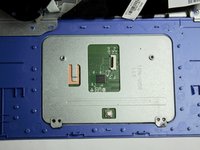
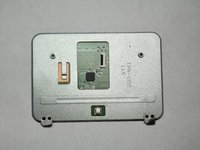
    • Remove the Touchpad assembly from the device.

결론

To reassemble your device, follow these instructions in reverse order.

작성자

3다른 기여자 명과 함께

Stacey Deel

회원 가입일: 01/31/19

1,147 평판

안내서 9개를 작성함

0가이드 댓글

댓글 쓰기

조회 통계:

지난 24시간: 0

지난 7일: 1

지난 30일: 2

전체 시간: 248