주요 콘텐츠로 건너뛰기

HTC Vive Pro 2 Lens Assembly Replacement

필요한 것

  1. HTC Vive Pro 2 Lens Assembly Replacement, Reposition the head strap: 1 단계, 이미지 2개 중 1개 HTC Vive Pro 2 Lens Assembly Replacement, Reposition the head strap: 1 단계, 이미지 2개 중 2개
    • Rotate the head strap forward as far as it will go.

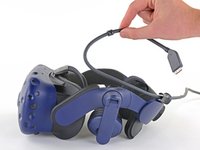
  2. HTC Vive Pro 2 Lens Assembly Replacement, Unplug the All-In-One Cable: 2 단계, 이미지 2개 중 1개 HTC Vive Pro 2 Lens Assembly Replacement, Unplug the All-In-One Cable: 2 단계, 이미지 2개 중 2개
    • Unplug the All-In-One Cable from your headset.

  3. HTC Vive Pro 2 Lens Assembly Replacement, Remove the All-In-One Cable: 3 단계, 이미지 3개 중 1개 HTC Vive Pro 2 Lens Assembly Replacement, Remove the All-In-One Cable: 3 단계, 이미지 3개 중 2개 HTC Vive Pro 2 Lens Assembly Replacement, Remove the All-In-One Cable: 3 단계, 이미지 3개 중 3개
    • Remove the All-In-One Cable from the cable guides along the left side of the head strap.

    • During reassembly, connect the All-In-One Cable to the headset before routing it through the cable guides. This will ensure it has the right amount of slack.

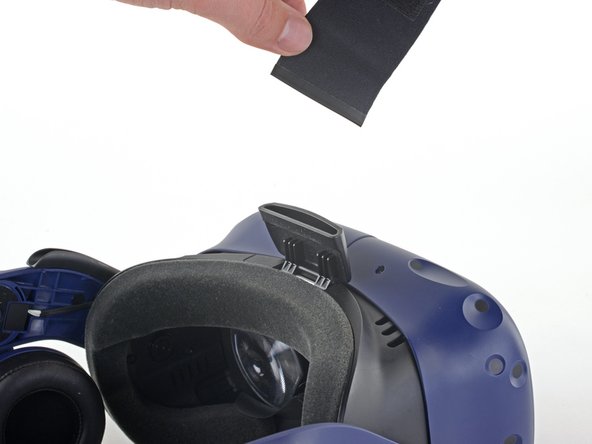
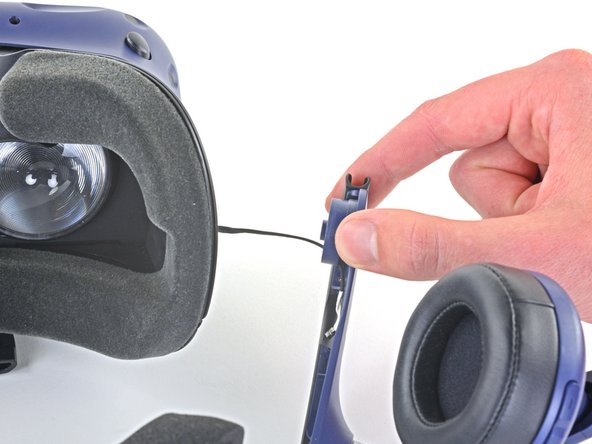
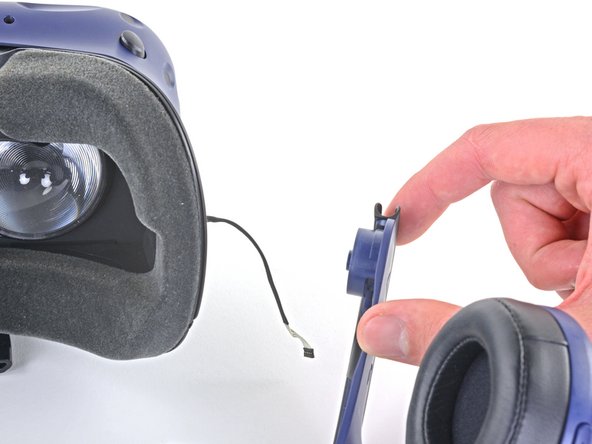
  4. HTC Vive Pro 2 Lens Assembly Replacement, Remove the top strap: 4 단계, 이미지 2개 중 1개 HTC Vive Pro 2 Lens Assembly Replacement, Remove the top strap: 4 단계, 이미지 2개 중 2개
    • Separate the top strap from itself where the Velcro secures it.

  5. HTC Vive Pro 2 Lens Assembly Replacement: 5 단계, 이미지 3개 중 1개 HTC Vive Pro 2 Lens Assembly Replacement: 5 단계, 이미지 3개 중 2개 HTC Vive Pro 2 Lens Assembly Replacement: 5 단계, 이미지 3개 중 3개
    • Peel back the Velcro securing the rear of the top strap.

    • Feed the top strap out through the head strap to partially remove it.

  6. HTC Vive Pro 2 Lens Assembly Replacement: 6 단계, 이미지 3개 중 1개 HTC Vive Pro 2 Lens Assembly Replacement: 6 단계, 이미지 3개 중 2개 HTC Vive Pro 2 Lens Assembly Replacement: 6 단계, 이미지 3개 중 3개
    • Feed the top strap through the clip near the front of headset to fully remove it.

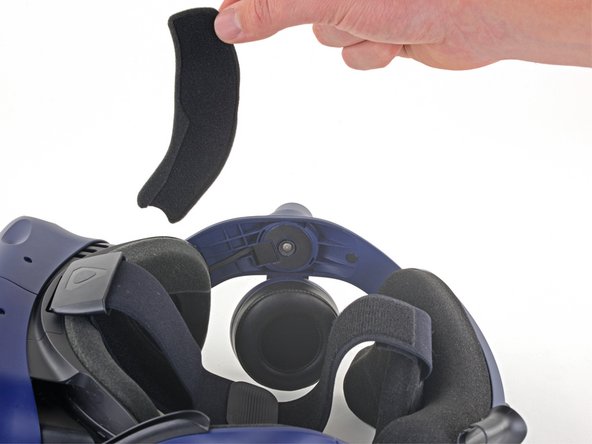
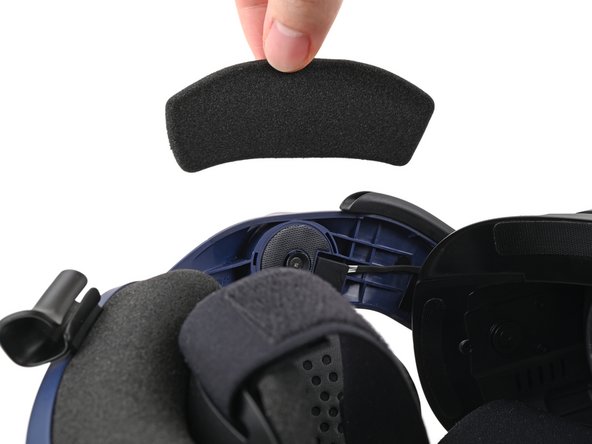
  7. HTC Vive Pro 2 Lens Assembly Replacement, Remove the front side foam pads: 7 단계, 이미지 3개 중 1개 HTC Vive Pro 2 Lens Assembly Replacement, Remove the front side foam pads: 7 단계, 이미지 3개 중 2개 HTC Vive Pro 2 Lens Assembly Replacement, Remove the front side foam pads: 7 단계, 이미지 3개 중 3개
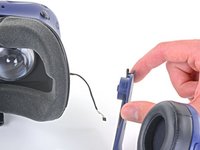
    • Peel off both front side foam pads to uncover the speaker wires.

  8. HTC Vive Pro 2 Lens Assembly Replacement, Remove the two rubber spacers: 8 단계, 이미지 3개 중 1개 HTC Vive Pro 2 Lens Assembly Replacement, Remove the two rubber spacers: 8 단계, 이미지 3개 중 2개 HTC Vive Pro 2 Lens Assembly Replacement, Remove the two rubber spacers: 8 단계, 이미지 3개 중 3개
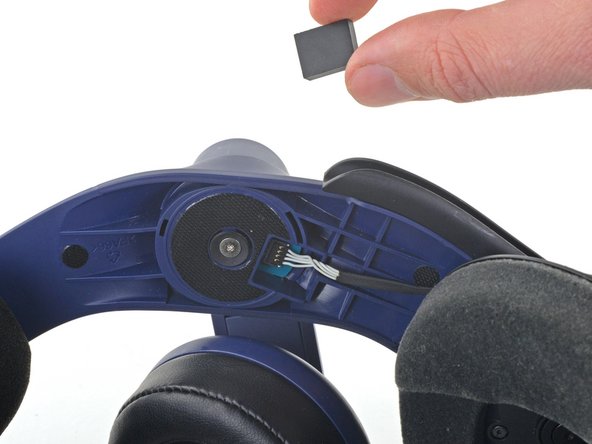
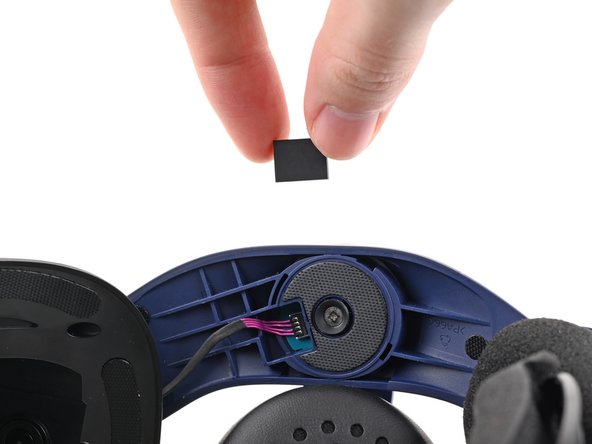
    • Use the point of your spudger to pry out the two rubber spacers next to the headphone screws.

    • Be careful not to accidentally pry any of the speaker wires under the rubber spacer.

  9. HTC Vive Pro 2 Lens Assembly Replacement, Disconnect the speaker wires: 9 단계, 이미지 3개 중 1개 HTC Vive Pro 2 Lens Assembly Replacement, Disconnect the speaker wires: 9 단계, 이미지 3개 중 2개 HTC Vive Pro 2 Lens Assembly Replacement, Disconnect the speaker wires: 9 단계, 이미지 3개 중 3개
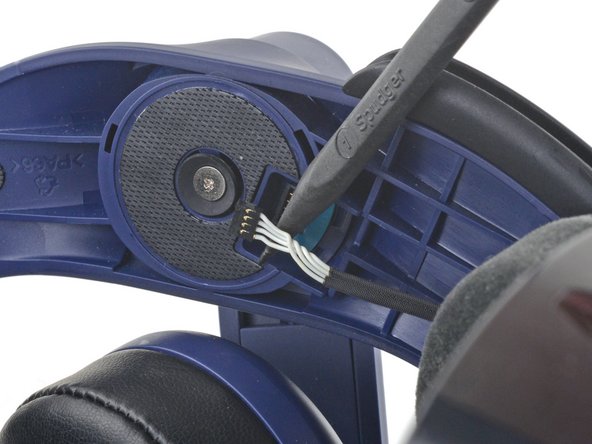
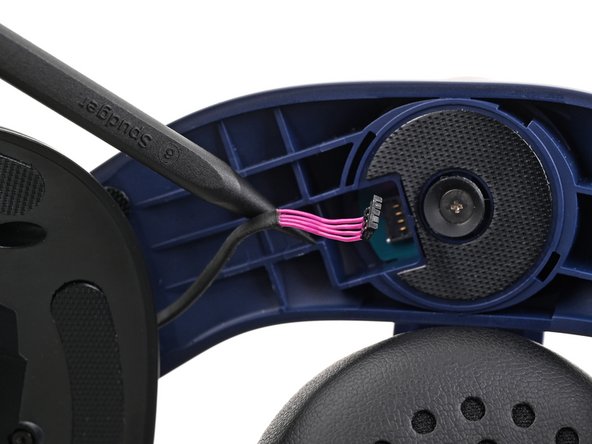
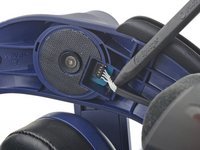
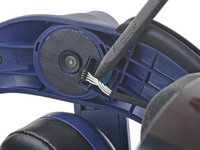
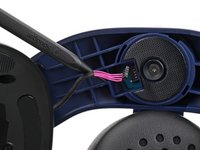
    • Use the point of your spudger to pry up and disconnect both the left and right headphone speaker wires.

  10. HTC Vive Pro 2 Lens Assembly Replacement, Remove the head strap: 10 단계, 이미지 2개 중 1개 HTC Vive Pro 2 Lens Assembly Replacement, Remove the head strap: 10 단계, 이미지 2개 중 2개
    • Use a T6 Torx screwdriver to remove the two 12.1 mm screws (one on each side) securing the head strap to the headset.

    • Use a T5 Torx screwdriver to remove the following screws securing the head strap to the headset:

    • Four 3.9 mm screws (two on each side)

    • Two 4.1 mm screws (one on each side)

  11. HTC Vive Pro 2 Lens Assembly Replacement: 11 단계, 이미지 1개 중 1개
    • Remove the two plastic spacers underneath the previously removed Torx T6 screw.

  12. HTC Vive Pro 2 Lens Assembly Replacement: 12 단계, 이미지 3개 중 1개 HTC Vive Pro 2 Lens Assembly Replacement: 12 단계, 이미지 3개 중 2개 HTC Vive Pro 2 Lens Assembly Replacement: 12 단계, 이미지 3개 중 3개
    • Thread the headphone speaker wires out through both ends of the head strap.

  13. HTC Vive Pro 2 Lens Assembly Replacement, Remove the outer shell: 13 단계, 이미지 3개 중 1개 HTC Vive Pro 2 Lens Assembly Replacement, Remove the outer shell: 13 단계, 이미지 3개 중 2개 HTC Vive Pro 2 Lens Assembly Replacement, Remove the outer shell: 13 단계, 이미지 3개 중 3개
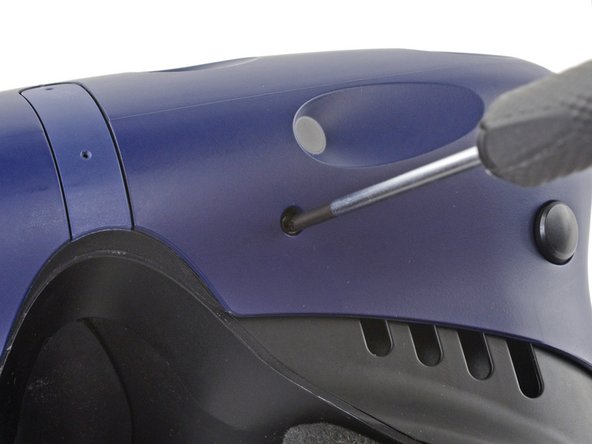
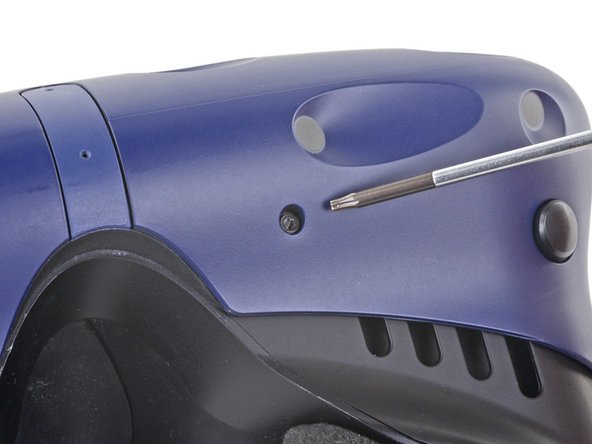
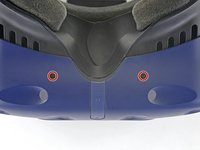
    • The four screws securing the outer shell are covered with black stickers. If the stickers are difficult to remove, simply press your T6 Torx driver through them.

  14. HTC Vive Pro 2 Lens Assembly Replacement: 14 단계, 이미지 2개 중 1개 HTC Vive Pro 2 Lens Assembly Replacement: 14 단계, 이미지 2개 중 2개
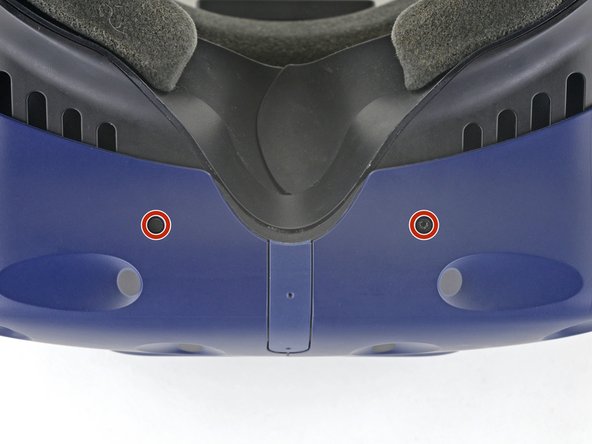
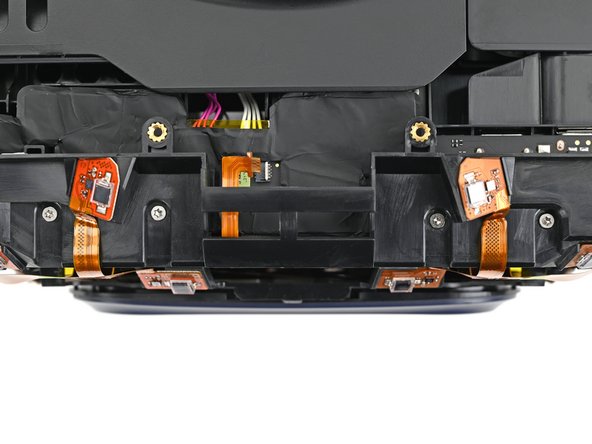
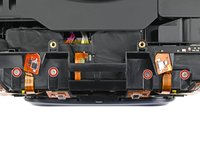
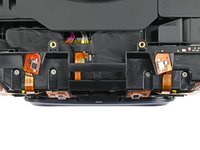
    • Use a T6 Torx screwdriver to remove the four 3.9 mm screws (two on top, two on bottom) securing the outer shell to the headset.

  15. HTC Vive Pro 2 Lens Assembly Replacement: 15 단계, 이미지 3개 중 1개 HTC Vive Pro 2 Lens Assembly Replacement: 15 단계, 이미지 3개 중 2개 HTC Vive Pro 2 Lens Assembly Replacement: 15 단계, 이미지 3개 중 3개
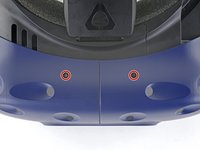
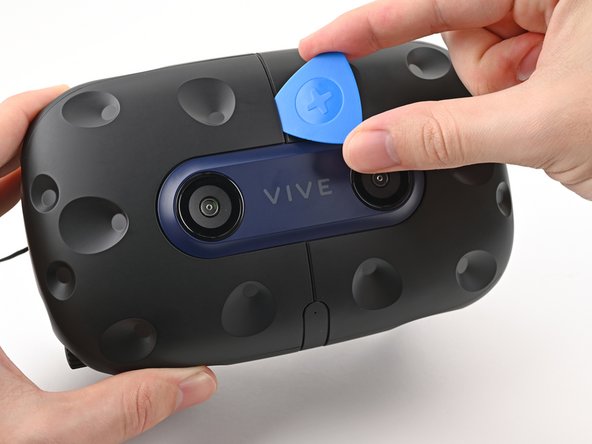
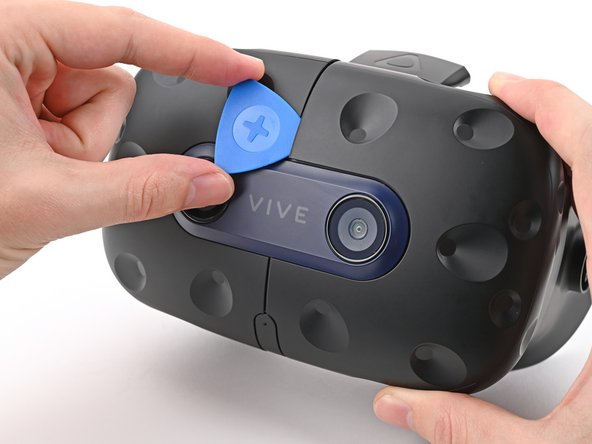
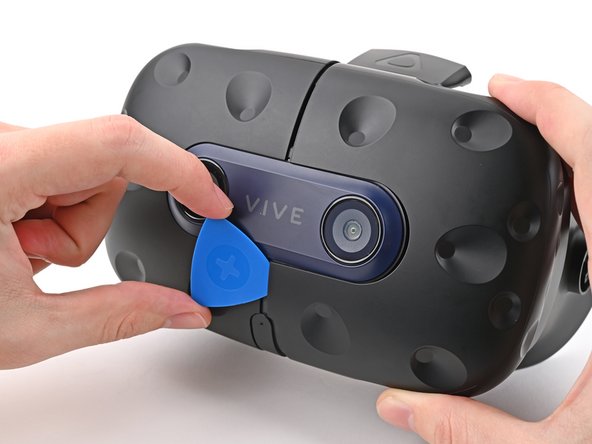
    • Insert an opening pick into the seam between the two halves of the outer shell.

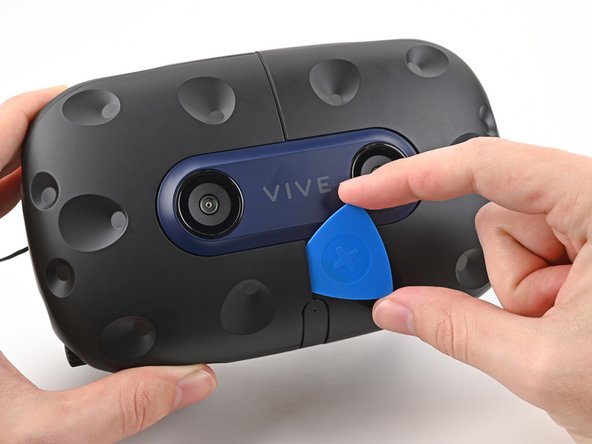
    • Slide the opening pick through the seam to dislodge the clips securing it to the headset.

    • Only insert the opening pick as far as necessary. There are ribbon cables underneath the outer shell.

  16. HTC Vive Pro 2 Lens Assembly Replacement: 16 단계, 이미지 3개 중 1개 HTC Vive Pro 2 Lens Assembly Replacement: 16 단계, 이미지 3개 중 2개 HTC Vive Pro 2 Lens Assembly Replacement: 16 단계, 이미지 3개 중 3개
    • Continue sliding the opening pick through each seam until all clips have been dislodged.

  17. HTC Vive Pro 2 Lens Assembly Replacement: 17 단계, 이미지 3개 중 1개 HTC Vive Pro 2 Lens Assembly Replacement: 17 단계, 이미지 3개 중 2개 HTC Vive Pro 2 Lens Assembly Replacement: 17 단계, 이미지 3개 중 3개
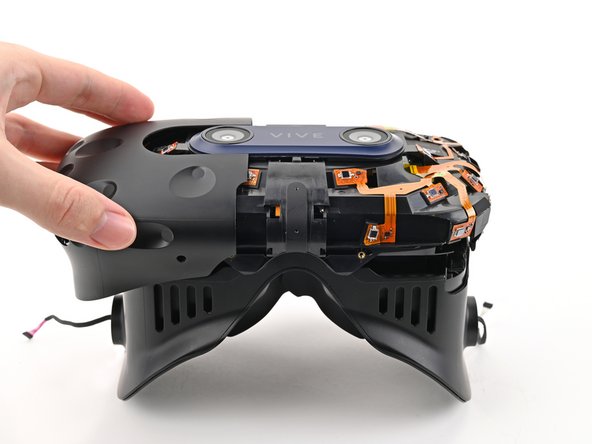
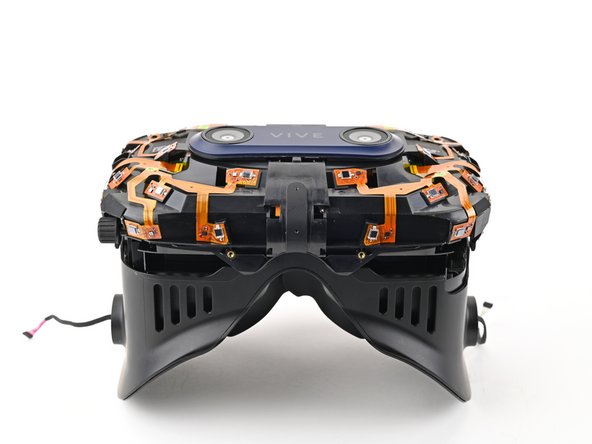
    • Carefully slide each half of the outer shell off of the sensor array.

    • Be careful not to snag any of the ribbon cables underneath.

  18. HTC Vive Pro 2 Lens Assembly Replacement, Remove the face rest cushion: 18 단계, 이미지 3개 중 1개 HTC Vive Pro 2 Lens Assembly Replacement, Remove the face rest cushion: 18 단계, 이미지 3개 중 2개 HTC Vive Pro 2 Lens Assembly Replacement, Remove the face rest cushion: 18 단계, 이미지 3개 중 3개
    • Use your fingers to gently peel the face rest cushion off of the headset.

  19. HTC Vive Pro 2 Lens Assembly Replacement, Disconnect the microphone: 19 단계, 이미지 2개 중 1개 HTC Vive Pro 2 Lens Assembly Replacement, Disconnect the microphone: 19 단계, 이미지 2개 중 2개
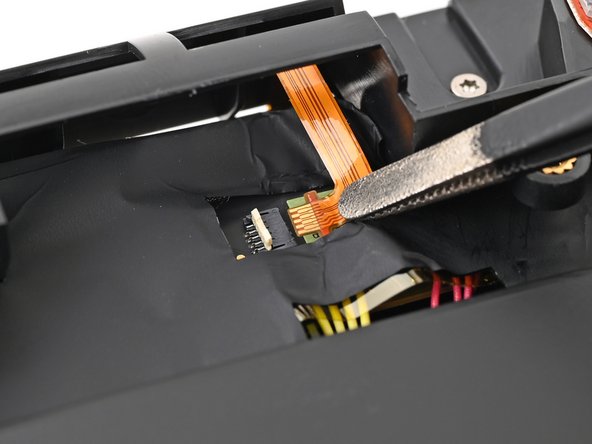
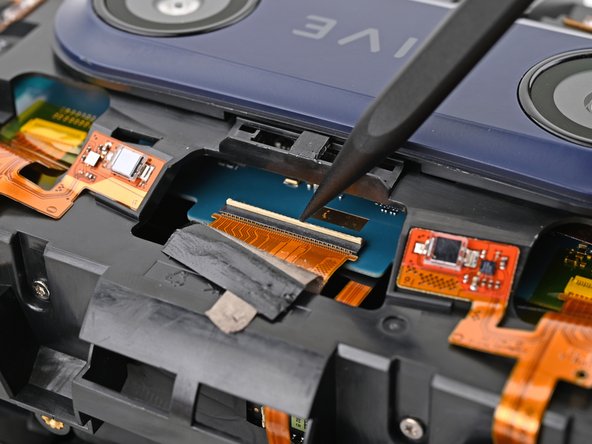
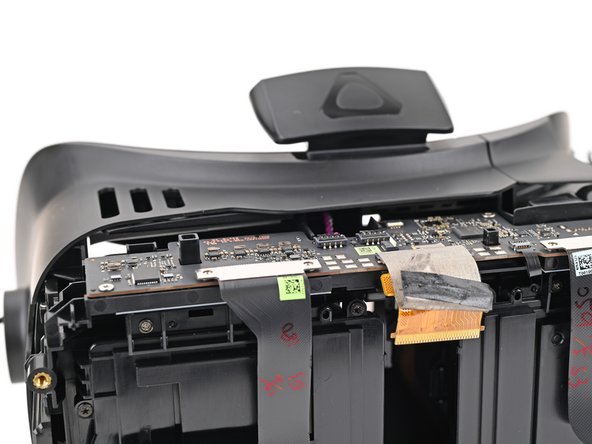
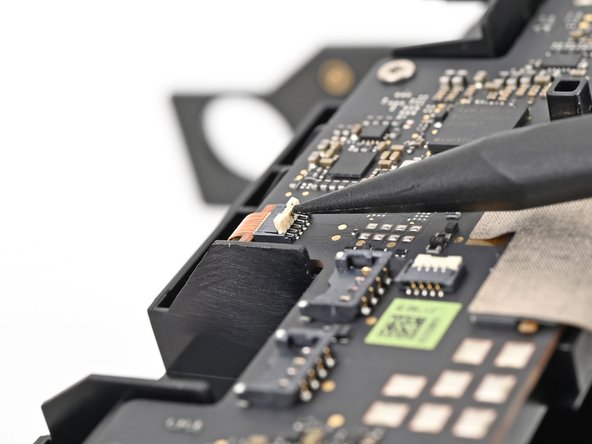
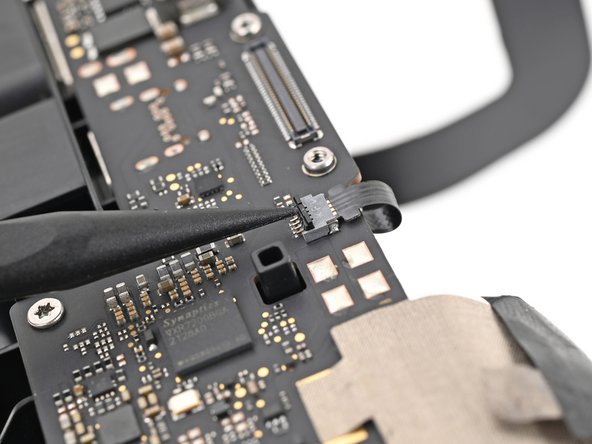
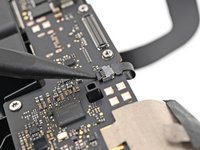
    • Use the point of your spudger, or a clean fingernail, to flip up the locking tab on the microphone ZIF connector on the daughterboard.

  20. HTC Vive Pro 2 Lens Assembly Replacement: 20 단계, 이미지 2개 중 1개 HTC Vive Pro 2 Lens Assembly Replacement: 20 단계, 이미지 2개 중 2개
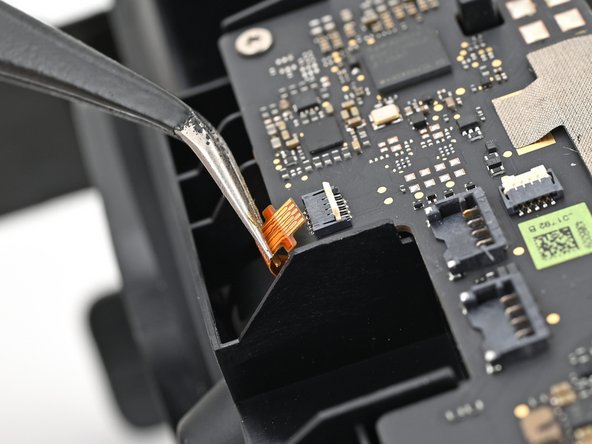
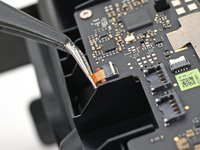
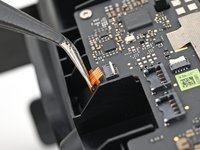
    • Use tweezers, or your fingers, to pull the microphone cable straight out of its socket.

  21. HTC Vive Pro 2 Lens Assembly Replacement, Disconnect the sensor array: 21 단계, 이미지 2개 중 1개 HTC Vive Pro 2 Lens Assembly Replacement, Disconnect the sensor array: 21 단계, 이미지 2개 중 2개
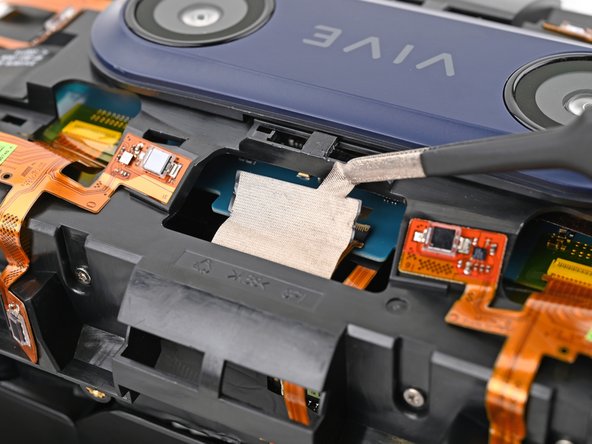
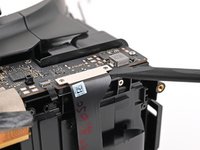
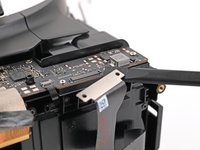
    • Use tweezers, or your fingers, to peel the conductive fabric off the sensor array ZIF connector on the motherboard.

  22. HTC Vive Pro 2 Lens Assembly Replacement: 22 단계, 이미지 2개 중 1개 HTC Vive Pro 2 Lens Assembly Replacement: 22 단계, 이미지 2개 중 2개
    • Use your spudger, or a clean fingernail, to flip up the locking tab on the sensor array ZIF connector.

  23. HTC Vive Pro 2 Lens Assembly Replacement: 23 단계, 이미지 1개 중 1개
    • Use your fingers to grip the left and right sides of the sensor array cable and pull it straight out of its socket.

  24. HTC Vive Pro 2 Lens Assembly Replacement, Remove the sensor array screws: 24 단계, 이미지 2개 중 1개 HTC Vive Pro 2 Lens Assembly Replacement, Remove the sensor array screws: 24 단계, 이미지 2개 중 2개
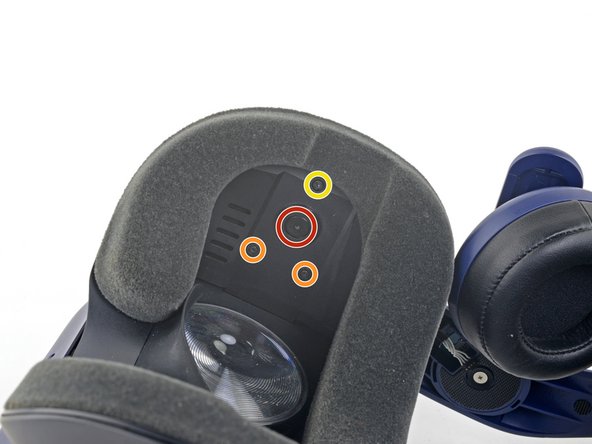
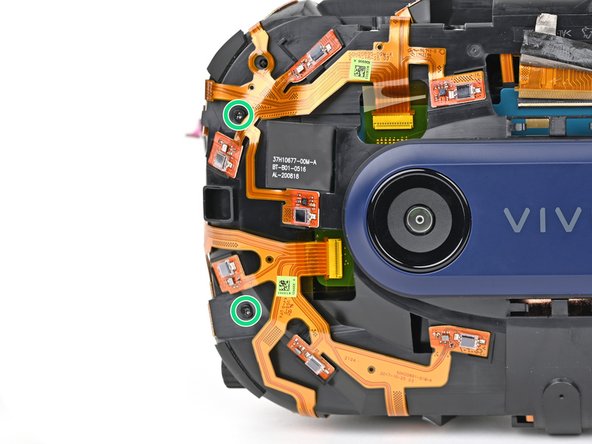
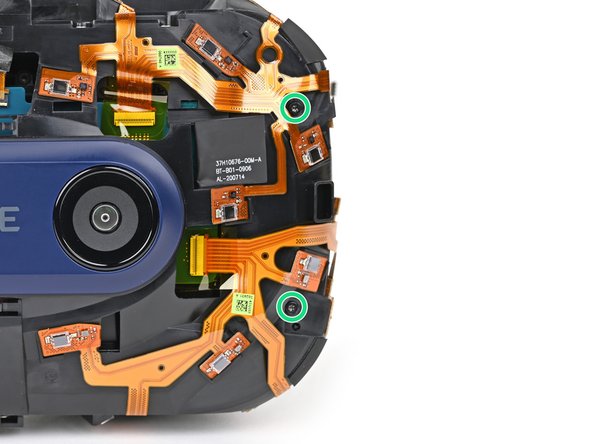
    • Use a T5 Torx screwdriver to remove the four 3.0 mm‑long screws securing the top of the sensor array.

  25. HTC Vive Pro 2 Lens Assembly Replacement: 25 단계, 이미지 3개 중 1개 HTC Vive Pro 2 Lens Assembly Replacement: 25 단계, 이미지 3개 중 2개 HTC Vive Pro 2 Lens Assembly Replacement: 25 단계, 이미지 3개 중 3개
    • Use a T6 Torx screwdriver to remove the four 3.8 mm‑long screws securing the front of the sensor array.

  26. HTC Vive Pro 2 Lens Assembly Replacement, Remove the sensor array: 26 단계, 이미지 2개 중 1개 HTC Vive Pro 2 Lens Assembly Replacement, Remove the sensor array: 26 단계, 이미지 2개 중 2개
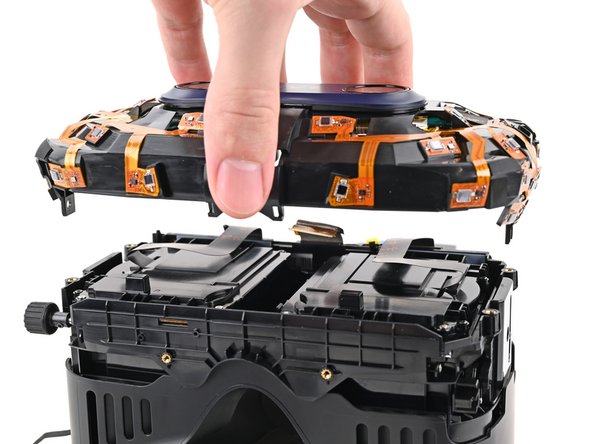
    • Lift the sensor array straight off the lens assembly and remove it, making sure you thread the cable through its slot.

    • During reassembly, make sure the sensor assembly cable is threaded through its slot before continuing.

  27. HTC Vive Pro 2 Lens Assembly Replacement, Remove the thermal pad: 27 단계, 이미지 3개 중 1개 HTC Vive Pro 2 Lens Assembly Replacement, Remove the thermal pad: 27 단계, 이미지 3개 중 2개 HTC Vive Pro 2 Lens Assembly Replacement, Remove the thermal pad: 27 단계, 이미지 3개 중 3개
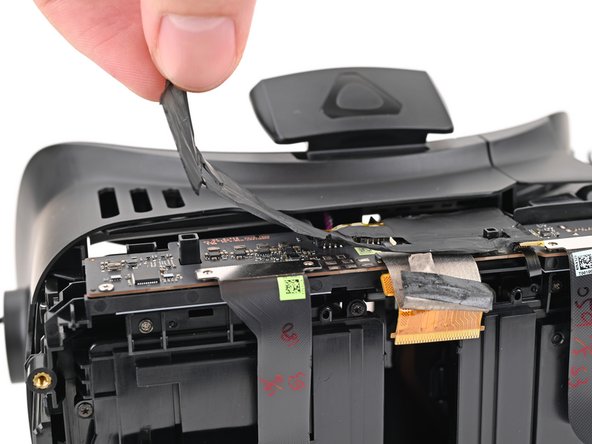
    • Use your fingers to peel up the thermal pad covering the daughterboard.

    • The thermal pad will likely remove the Kapton tape from the ZIF connectors on the daughterboard. Replace the Kapton tape if necessary.

    • Set aside the thermal pad. You'll reuse it during reassembly.

  28. HTC Vive Pro 2 Lens Assembly Replacement, Disconnect the lens assembly: 28 단계, 이미지 3개 중 1개 HTC Vive Pro 2 Lens Assembly Replacement, Disconnect the lens assembly: 28 단계, 이미지 3개 중 2개 HTC Vive Pro 2 Lens Assembly Replacement, Disconnect the lens assembly: 28 단계, 이미지 3개 중 3개
    • Insert the flat end of a spudger under a corner of the lens assembly press connector.

    • Don't insert your spudger anywhere else, as you risk dislodging nearby surface-mounted components.

    • Twist the spudger to lift the press connector up and disconnect it.

    • Repeat the same process to disconnect the other lens assembly press connector.

    • To re-attach press connectors like this one, carefully align and press down on one side until it clicks into place, then repeat on the other side. Don't press down in the middle. If the connector is misaligned, the pins can bend and cause permanent damage.

  29. HTC Vive Pro 2 Lens Assembly Replacement, Disconnect the IPD sensor: 29 단계, 이미지 2개 중 1개 HTC Vive Pro 2 Lens Assembly Replacement, Disconnect the IPD sensor: 29 단계, 이미지 2개 중 2개
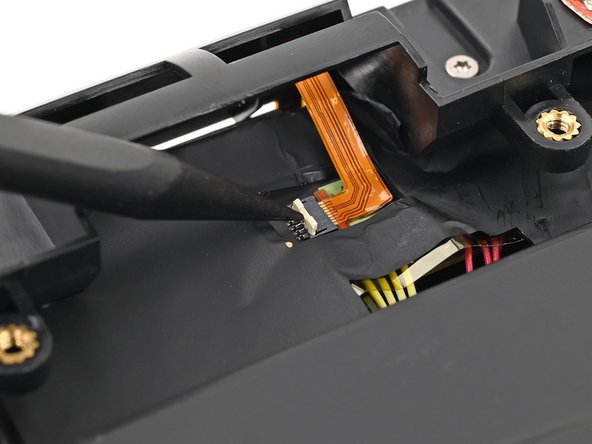
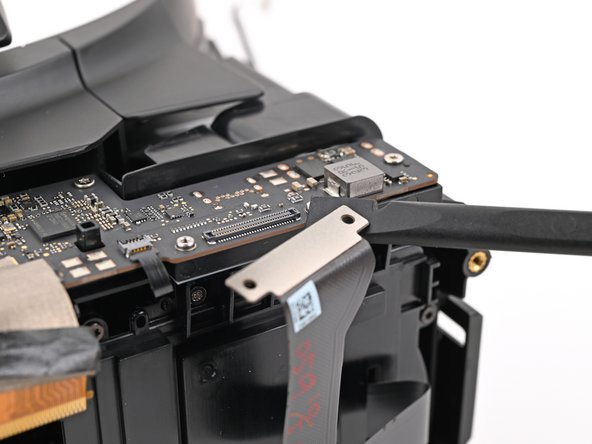
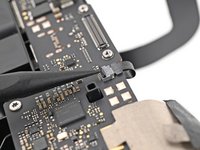
    • Use the point of a spudger to lift up the locking tab on the IPD sensor ZIF connector.

  30. HTC Vive Pro 2 Lens Assembly Replacement: 30 단계, 이미지 2개 중 1개 HTC Vive Pro 2 Lens Assembly Replacement: 30 단계, 이미지 2개 중 2개
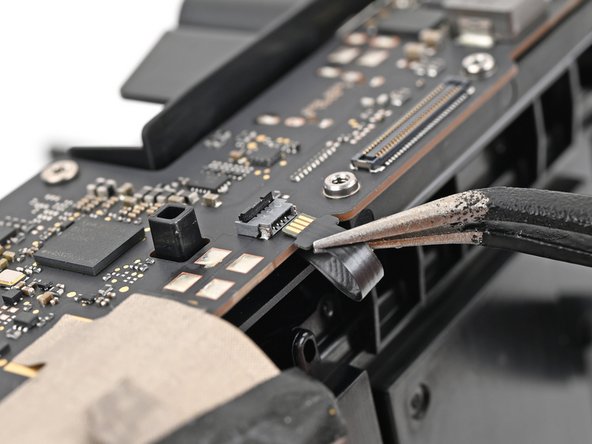
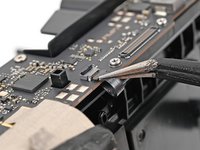
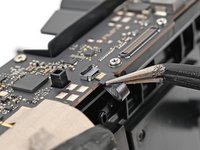
    • Use tweezers, or your fingers, to pull the IPD sensor cable straight out of its socket.

  31. HTC Vive Pro 2 Lens Assembly Replacement, Disconnect the proximity sensor: 31 단계, 이미지 2개 중 1개 HTC Vive Pro 2 Lens Assembly Replacement, Disconnect the proximity sensor: 31 단계, 이미지 2개 중 2개
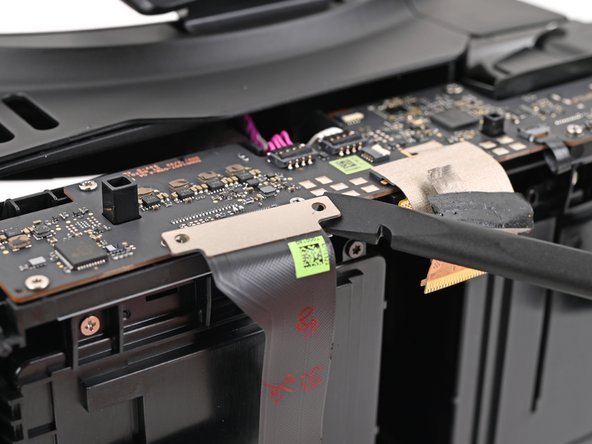
    • Use the point of a spudger to lift up the locking tab on the proximity sensor ZIF connector.

  32. HTC Vive Pro 2 Lens Assembly Replacement: 32 단계, 이미지 2개 중 1개 HTC Vive Pro 2 Lens Assembly Replacement: 32 단계, 이미지 2개 중 2개
    • Use tweezers, or your fingers, to pull the proximity sensor cable straight out of its socket.

  33. HTC Vive Pro 2 Lens Assembly Replacement, Remove the daughterboard screws: 33 단계, 이미지 2개 중 1개 HTC Vive Pro 2 Lens Assembly Replacement, Remove the daughterboard screws: 33 단계, 이미지 2개 중 2개
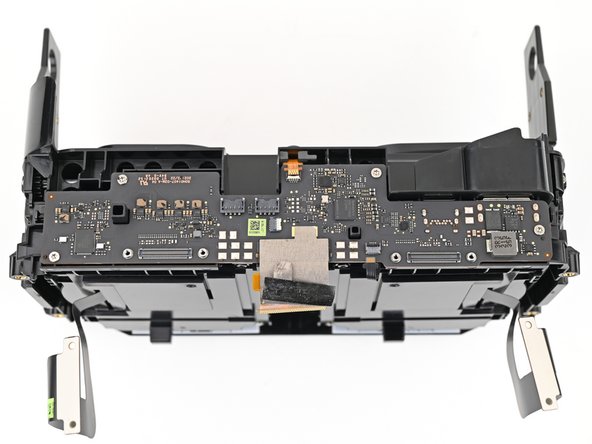
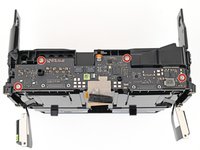
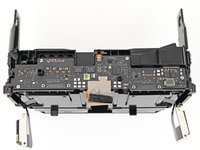
    • Use a T5 Torx screwdriver to remove the four 3.0 mm‑long screws securing the daughterboard.

  34. HTC Vive Pro 2 Lens Assembly Replacement, Remove the daughterboard: 34 단계, 이미지 2개 중 1개 HTC Vive Pro 2 Lens Assembly Replacement, Remove the daughterboard: 34 단계, 이미지 2개 중 2개
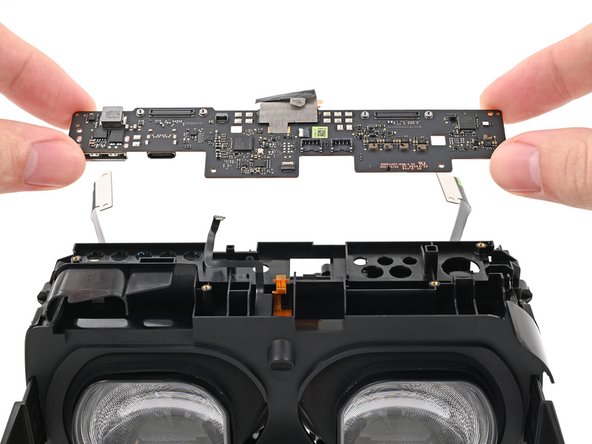
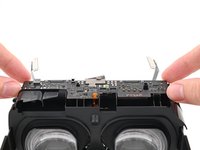
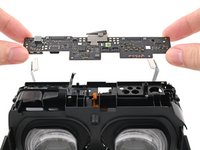
    • Lift the daughterboard straight off the lens assembly and remove it.

    • During reassembly, make sure no cables are trapped under the daughterboard when placing it back on the headset.

  35. HTC Vive Pro 2 Lens Assembly Replacement, The lens assembly remains: 35 단계, 이미지 1개 중 1개
    • Only the lens assembly remains.

결론

Compare your new replacement part to the original part—you may need to transfer remaining components or remove adhesive backings from the new part before installing.

To reassemble your device, follow the above steps in reverse order.

Take your e-waste to an R2 or e-Stewards certified recycler.

Repair didn’t go as planned? Try some basic troubleshooting, or ask our Answers community for help.

다른 2명이 해당 안내서를 완성하였습니다.

Alex Diaz-Kokaisl

회원 가입일: 01/16/22

213,515 평판

안내서 1,040개를 작성함

iFixit iFixit 회원

Staff

123 회원들

안내서 23,648개를 작성함

0가이드 댓글

댓글 쓰기

조회 통계:

지난 24시간: 2

지난 7일: 12

지난 30일: 66

전체 시간: 528