주요 콘텐츠로 건너뛰기

Hannspree SN12E2 RAM Replacement

필요한 것

  1. Hannspree SN12E2 RAM Replacement, Battery: 1 단계, 이미지 1개 중 1개
    • Unplug and power off your laptop.

  2. Hannspree SN12E2 RAM Replacement: 2 단계, 이미지 1개 중 1개
    • Close your laptop .

    • Place your laptop face down on a flat surface.

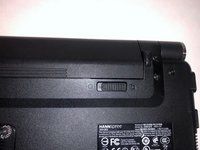
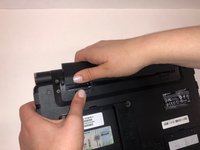
  3. Hannspree SN12E2 RAM Replacement: 3 단계, 이미지 3개 중 1개 Hannspree SN12E2 RAM Replacement: 3 단계, 이미지 3개 중 2개 Hannspree SN12E2 RAM Replacement: 3 단계, 이미지 3개 중 3개
    • Unlatch the lock on the top right of your laptop first.

    • You will need to pull on the lock on the left side and remove the battery at the same time

    • The left lock is a spring lock and needs constant pressure applied in order to stay open.

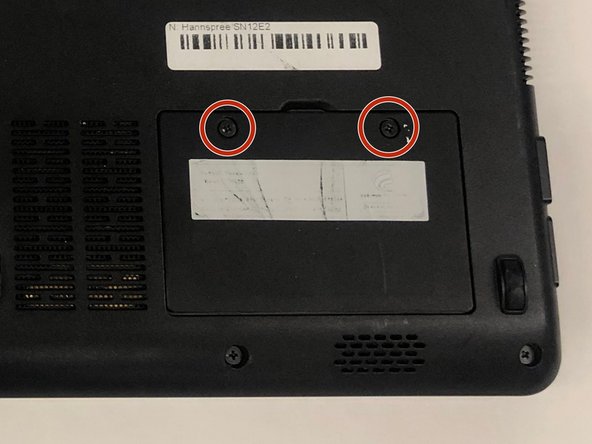
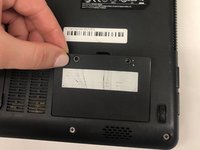
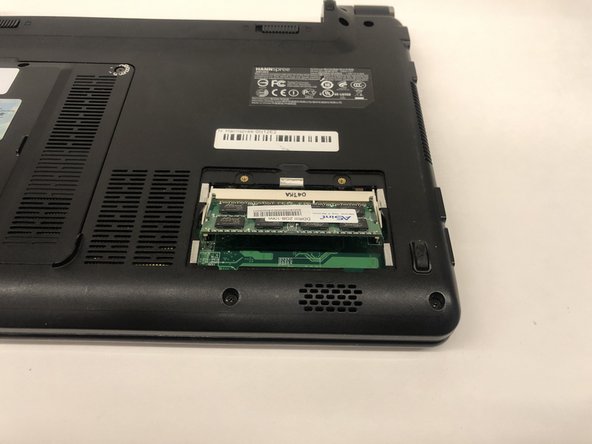
  4. Hannspree SN12E2 RAM Replacement, RAM: 4 단계, 이미지 2개 중 1개 Hannspree SN12E2 RAM Replacement, RAM: 4 단계, 이미지 2개 중 2개
    • Remove the RAM access door.

    • Remove the two 3mm screws using a Phillips #0 screwdriver.

    • Gently lift on the door out of place.

    • When replacing the door it should click into place. Ensure the alignment tabs are correctly seated and gently push until it clicks into place.

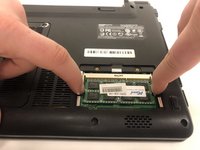
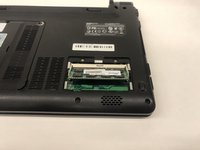
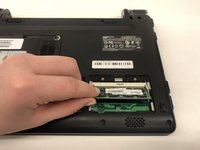
  5. Hannspree SN12E2 RAM Replacement: 5 단계, 이미지 3개 중 1개 Hannspree SN12E2 RAM Replacement: 5 단계, 이미지 3개 중 2개 Hannspree SN12E2 RAM Replacement: 5 단계, 이미지 3개 중 3개
    • Gently push outward on the two retaining clips, being careful not to damage the motherboard.

    • Lift up on the RAM until it makes a 35 degree angle with the board.

    • Remove the RAM by pulling away from the housing at 35 degrees.

결론

To reassemble your device, follow these instructions in reverse order.

다른 한 분이 해당 안내서를 완성하였습니다.

작성자

3다른 기여자 명과 함께

Tim Chase

회원 가입일: 03/25/19

363 평판

안내서 3개를 작성함

UMass Dartmouth, Team S2-G2, Simcock Spring 2019 UMass Dartmouth, Team S2-G2, Simcock Spring 2019 회원

UMASSD-SIMCOCK-S19S2G2

4 회원들

안내서 9개를 작성함

0가이드 댓글

댓글 쓰기

조회 통계:

지난 24시간: 0

지난 7일: 1

지난 30일: 4

전체 시간: 421