주요 콘텐츠로 건너뛰기

Hannspree SN12E2 Wifi Card Replacement

필요한 것

  1. Hannspree SN12E2 Wifi Card Replacement, Battery: 1 단계, 이미지 1개 중 1개
    • Unplug and power off your laptop.

  2. Hannspree SN12E2 Wifi Card Replacement: 2 단계, 이미지 1개 중 1개
    • Close your laptop .

    • Place your laptop face down on a flat surface.

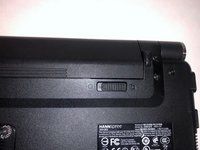
  3. Hannspree SN12E2 Wifi Card Replacement: 3 단계, 이미지 3개 중 1개 Hannspree SN12E2 Wifi Card Replacement: 3 단계, 이미지 3개 중 2개 Hannspree SN12E2 Wifi Card Replacement: 3 단계, 이미지 3개 중 3개
    • Unlatch the lock on the top right of your laptop first.

    • You will need to pull on the lock on the left side and remove the battery at the same time

    • The left lock is a spring lock and needs constant pressure applied in order to stay open.

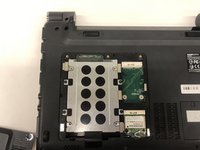
  4. Hannspree SN12E2 Wifi Card Replacement, Hard Drive Access Door: 4 단계, 이미지 1개 중 1개
    • Remove the three 3mm Phillips #0 screws.

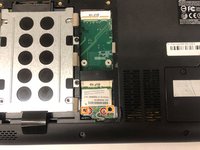
  5. Hannspree SN12E2 Wifi Card Replacement: 5 단계, 이미지 1개 중 1개
    • Gently pull on the access panel to remove it.

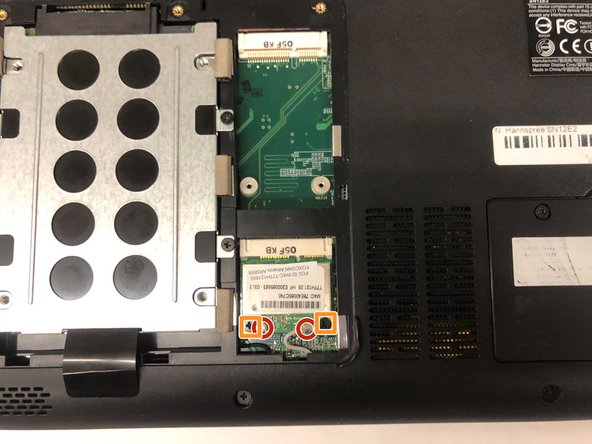
  6. Hannspree SN12E2 Wifi Card Replacement, Wifi Card: 6 단계, 이미지 2개 중 1개 Hannspree SN12E2 Wifi Card Replacement, Wifi Card: 6 단계, 이미지 2개 중 2개
    • Locate the Wifi Card in the bottom right of the hard drive access panel.

    • Remove the two antenna plugged into the the Wifi Card.

    • Remove the two 3.6mm PH0 screws.

  7. Hannspree SN12E2 Wifi Card Replacement: 7 단계, 이미지 1개 중 1개
    • Remove the Wifi Card by pulling it up and out towards yourself.

결론

To reassemble your device, follow these instructions in reverse order.

작성자

2다른 기여자 명과 함께

Kyle Duby

회원 가입일: 03/26/19

193 평판

안내서 2개를 작성함

UMass Dartmouth, Team S2-G2, Simcock Spring 2019 UMass Dartmouth, Team S2-G2, Simcock Spring 2019 회원

UMASSD-SIMCOCK-S19S2G2

4 회원들

안내서 9개를 작성함

0가이드 댓글

댓글 쓰기

조회 통계:

지난 24시간: 0

지난 7일: 0

지난 30일: 3

전체 시간: 205