주요 콘텐츠로 건너뛰기

Hot Wheels AI Intelligent Race System Controller Buttons Replacement

필요한 것

  1. Hot Wheels AI Intelligent Race System Controller Buttons Replacement, Controller Buttons: 1 단계, 이미지 1개 중 1개
    • Remove the six screws located on the back of the controller using a #J1 JIS head screwdriver.

  2. Hot Wheels AI Intelligent Race System Controller Buttons Replacement: 2 단계, 이미지 1개 중 1개
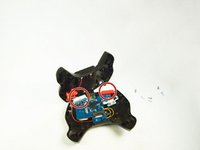
    • Pop the front of the controller casing from the back and carefully lay the controller out with circuits exposed.

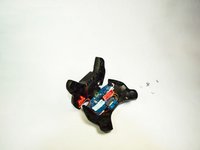
  3. Hot Wheels AI Intelligent Race System Controller Buttons Replacement: 3 단계, 이미지 2개 중 1개 Hot Wheels AI Intelligent Race System Controller Buttons Replacement: 3 단계, 이미지 2개 중 2개
    • Locate controller buttons at the top of the controller. They are blue and red. Check for debris that may be jamming buttons or broken buttons.

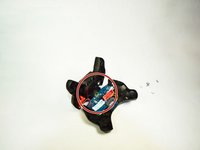
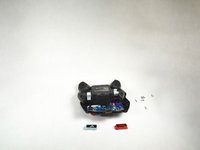
  4. Hot Wheels AI Intelligent Race System Controller Buttons Replacement: 4 단계, 이미지 2개 중 1개 Hot Wheels AI Intelligent Race System Controller Buttons Replacement: 4 단계, 이미지 2개 중 2개
    • If buttons are jammed or broken easily remove them by snapping them up and out of place. Replace buttons with new ones or clear debris and clean buttons.

결론

To reassemble your device, follow these instructions in reverse order.

다른 한 분이 해당 안내서를 완성하였습니다.

작성자

2다른 기여자 명과 함께

Luke Marshall

회원 가입일: 09/07/18

628 평판

안내서 4개를 작성함

0가이드 댓글

댓글 쓰기

조회 통계:

지난 24시간: 0

지난 7일: 5

지난 30일: 10

전체 시간: 400