주요 콘텐츠로 건너뛰기

How To Open A Desktop Hard Drive

필요한 것

  1. How To Open A Desktop Hard Drive, Remove The Front Screws: 1 단계, 이미지 2개 중 1개 How To Open A Desktop Hard Drive, Remove The Front Screws: 1 단계, 이미지 2개 중 2개
    • Use a size 8 Torx screwdriver to remove the front screws. The location and amount may vary depending on your drive, but they are very easy to locate.

  2. How To Open A Desktop Hard Drive, Removing The Hidden Screws: 2 단계, 이미지 2개 중 1개 How To Open A Desktop Hard Drive, Removing The Hidden Screws: 2 단계, 이미지 2개 중 2개
    • There may be a screw hidden under the front sticker, so make sure to peel it off and check before you open it up. Use a spudger to peel off any material in the way of the screw

    • Please check under the sticker before you open up your disk drive. I didn't, and went full brute-force on the hard drive cover. Whoops!

  3. How To Open A Desktop Hard Drive: 3 단계, 이미지 2개 중 1개 How To Open A Desktop Hard Drive: 3 단계, 이미지 2개 중 2개
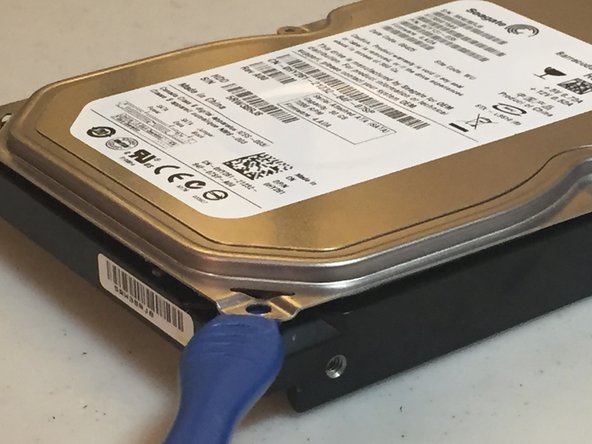
    • Slide a spudger around the front cover to remove any adhesive or rubber insulation before opening.

  4. How To Open A Desktop Hard Drive: 4 단계, 이미지 1개 중 1개
    • Gently remove the cover.

    • Do NOT do what I did, please.

  5. How To Open A Desktop Hard Drive: 5 단계, 이미지 1개 중 1개
    • There you have it! Now you have a fully-opened hard drive. Whether you want to make a pretty cool (and large) paperweight or perma-delete your data, you can now do so.

결론

This is not a reversible process. I am not responsible for any damage done to you or your hard drive while opening it.

다른 10명이 해당 안내서를 완성하였습니다.

작성자

1다른 기여자 명과 함께

gamer_Kat

회원 가입일: 11/11/23

391 평판

안내서 1개를 작성함

0가이드 댓글

댓글 쓰기

조회 통계:

지난 24시간: 7

지난 7일: 19

지난 30일: 90

전체 시간: 1,555