주요 콘텐츠로 건너뛰기

How to Bypass Activation Lock with Lockra1n

  1. How to Bypass Activation Lock with Lockra1n, Disclaimer: 1 단계, 이미지 1개 중 1개
    • Lockra1n is a free tool I found after seven months of searching that creates Activation Files for your iPhone and bypasses the Activation Lock. This tool is completely free of charge and works very well. However, support is still very limited, and your iPhone may not function as normal after the bypass.

    • Please use this tool only for educational purposes. Do not expect a fully functional iPhone after bypass is complete.

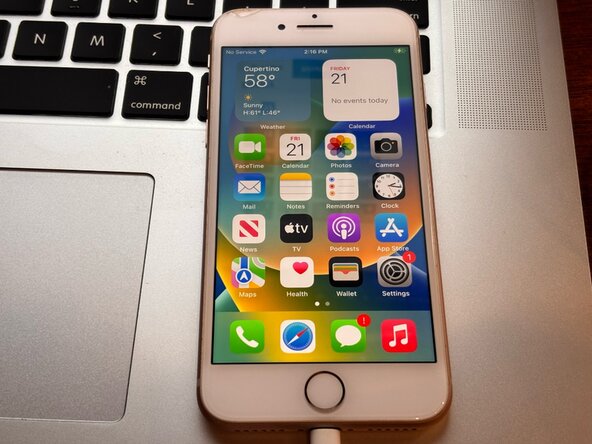
  2. How to Bypass Activation Lock with Lockra1n, Supported Devices: 2 단계, 이미지 1개 중 1개
    • Currently Supported iPhones:

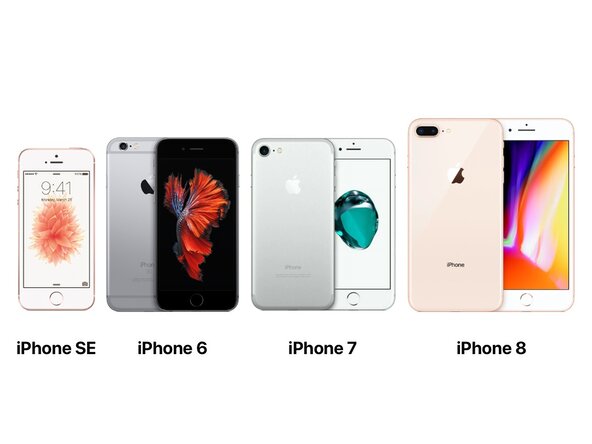
    • iPhone 6s & iPhone 6s Plus

    • iPhone SE (1st generation)

    • iPhone 7 & iPhone 7 Plus

    • iPhone 8 & iPhone 8 Plus

    • iPhone X (Still in active development, expect bugs)

    • This tool claims it can also bypass select iPad models. However, I have not tested this yet and therefore cannot verify.

    • If you have a device older than the A9 chip (such as iPhone 5s), you can bypass the Activation Lock with Passra1n. I will make a guide explaining how to use this software in the future.

  3. How to Bypass Activation Lock with Lockra1n, Restoring the Device: 3 단계, 이미지 1개 중 1개
    • Before attempting to bypass the Activation Lock, it is a good idea to restore your iPhone to make sure it is updated to the latest version.

    • Check out Apple's Support Guide if you do not already know how to do this: Restore iPhone with Mac

    • If you have already restored the iPhone, you can skip this step.

  4. How to Bypass Activation Lock with Lockra1n, Download the Tool: 4 단계, 이미지 2개 중 1개 How to Bypass Activation Lock with Lockra1n, Download the Tool: 4 단계, 이미지 2개 중 2개
    • You need to be running macOS Mojave (10.14) or newer in order to use this tool.

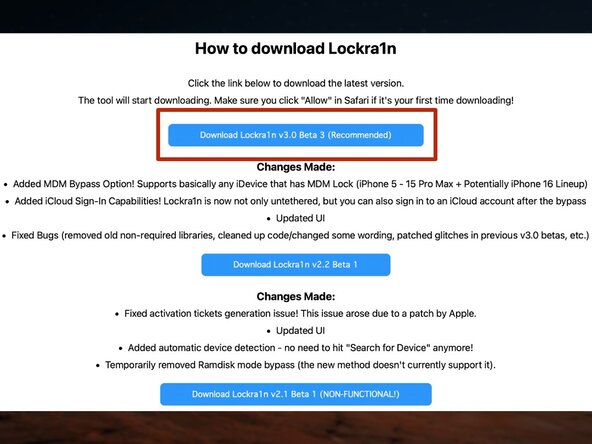
    • Download a copy of the tool from the official website: Lockra1n

    • Choose Download Lockra1n v3.0 Beta 3

    • If there is a later version available, download that version instead.

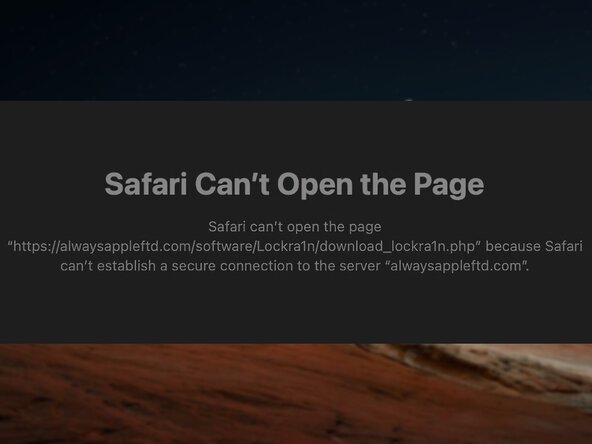
    • Your network environment may restrict access to this site. Therefore your Mac may return the error "Unable to Establish a Secure Connection..." as shown in the picture. If this happens, grant access to the site in your router's security settings.

  5. How to Bypass Activation Lock with Lockra1n, Opening the Tool: 5 단계, 이미지 2개 중 1개 How to Bypass Activation Lock with Lockra1n, Opening the Tool: 5 단계, 이미지 2개 중 2개
    • Once downloaded, unzip the package.

    • If you downloaded this tool with Safari, it will unzip automatically for you.

    • You can then open the app in the folder

    • If macOS does not allow you to open the app, you can still open it by right-clicking the app and choosing "Open."

  6. How to Bypass Activation Lock with Lockra1n: 6 단계, 이미지 2개 중 1개 How to Bypass Activation Lock with Lockra1n: 6 단계, 이미지 2개 중 2개
    • Once the app opens, agree to both disclaimers that appear.

  7. How to Bypass Activation Lock with Lockra1n, Preparing for Bypass: 7 단계, 이미지 1개 중 1개
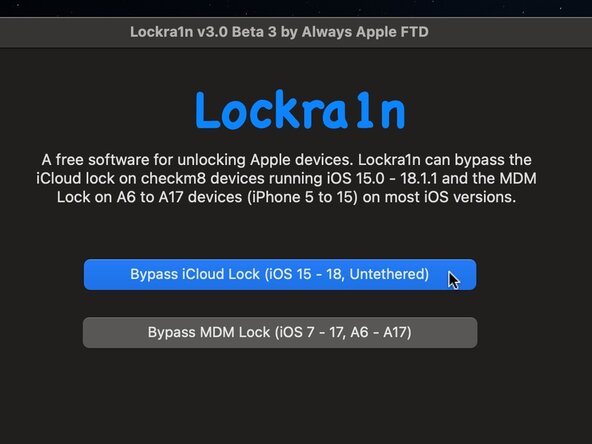
    • At this point, connect the iPhone to your Mac and choose Bypass iCloud Lock (iOS 15 - 18, Untethered)

  8. How to Bypass Activation Lock with Lockra1n: 8 단계, 이미지 3개 중 1개 How to Bypass Activation Lock with Lockra1n: 8 단계, 이미지 3개 중 2개 How to Bypass Activation Lock with Lockra1n: 8 단계, 이미지 3개 중 3개
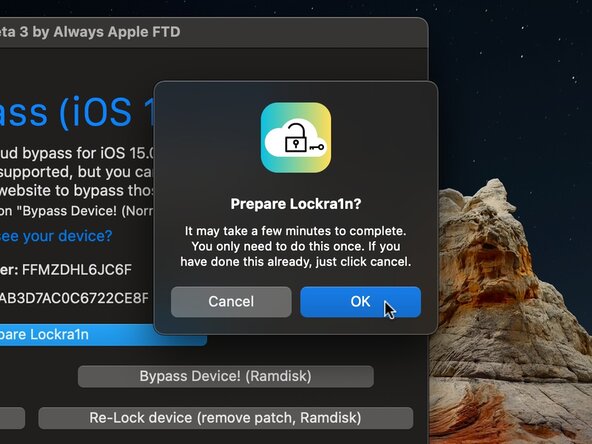
    • Then choose Prepare Lockr1n

    • This will install certain scripts needed to bypass the iPhone.

    • Then choose OK

    • Click OK when finished

    • You may get an error when installing these scripts. If this happens you will need to open a new Terminal window and type these two commands, and then click Prepare Lockra1n again:

    • xcode-select --install

    • brew install libxml2

    • If the second command does not work, you will need to install Homebrew onto your Mac: Install Homebrew

  9. How to Bypass Activation Lock with Lockra1n, Registering your iPhone: 9 단계, 이미지 3개 중 1개 How to Bypass Activation Lock with Lockra1n, Registering your iPhone: 9 단계, 이미지 3개 중 2개 How to Bypass Activation Lock with Lockra1n, Registering your iPhone: 9 단계, 이미지 3개 중 3개
    • Once competed, you will need to register your iPhone in order to create the Activation Records.

    • You do not need to create an account, nor give your card info. This tool is completely free of charge.

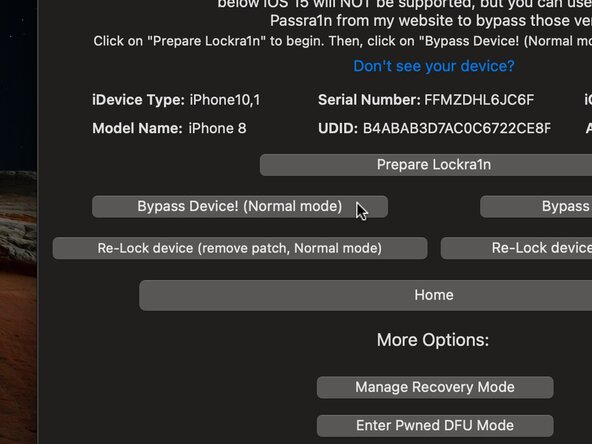
    • Choose Bypass Device! (Normal Mode)

    • Choose Continue in order for the app to verify if your iPhone has been registered

    • Then choose Visit Registration Page in order to register your iPhone. This will open your web browser.

  10. How to Bypass Activation Lock with Lockra1n: 10 단계, 이미지 3개 중 1개 How to Bypass Activation Lock with Lockra1n: 10 단계, 이미지 3개 중 2개 How to Bypass Activation Lock with Lockra1n: 10 단계, 이미지 3개 중 3개
    • Scroll to the bottom of the page. There you will see Enter your Apple Device Serial Number:

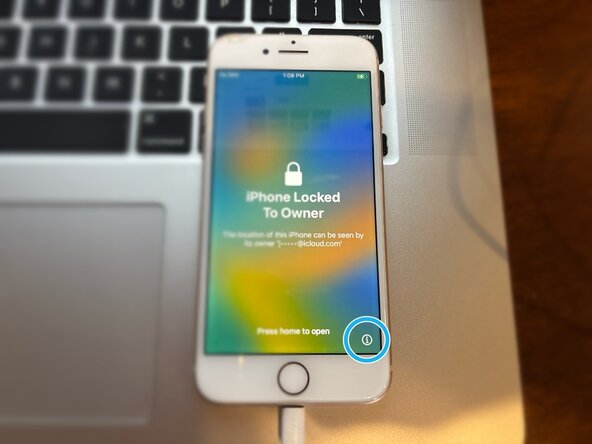
    • To find your iPhone serial number, wake your iPhone and press the i in the bottom right corner of the screen. You will see SN followed by a code containing both numbers and letters. This is the serial number.

    • Type this number into the box on the site

  11. How to Bypass Activation Lock with Lockra1n: 11 단계, 이미지 2개 중 1개 How to Bypass Activation Lock with Lockra1n: 11 단계, 이미지 2개 중 2개
    • Once you have entered in your iPhone serial number, choose Register Device!

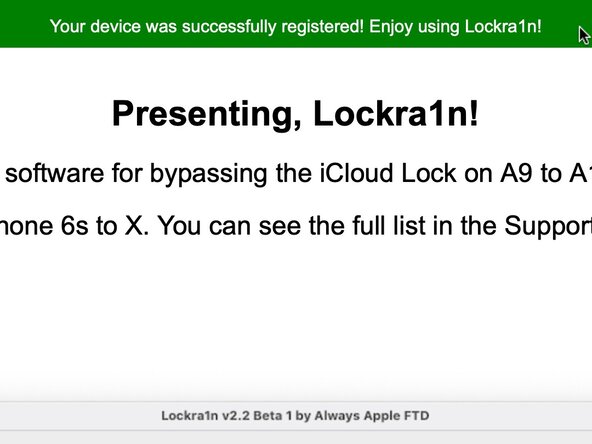
    • The page will refresh and you will see at the top a message that says Your device was successfully registered! Enjoy using Lockra1n!

    • You can now close this window and go back to the app.

  12. How to Bypass Activation Lock with Lockra1n: 12 단계, 이미지 3개 중 1개 How to Bypass Activation Lock with Lockra1n: 12 단계, 이미지 3개 중 2개 How to Bypass Activation Lock with Lockra1n: 12 단계, 이미지 3개 중 3개
    • Due to a weird bug in the app, the option to bypass may be greyed out and unavailable.

    • To fix this, simply quit the app and reopen it. Then choose Bypass iCloud Lock (iOS 15 - 18, Untethered) like before, and the option will be available again.

    • Like before, choose Bypass Device! (Normal Mode), and then choose Continue

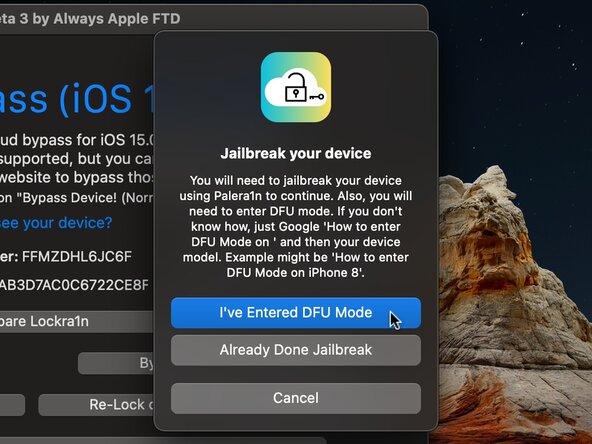
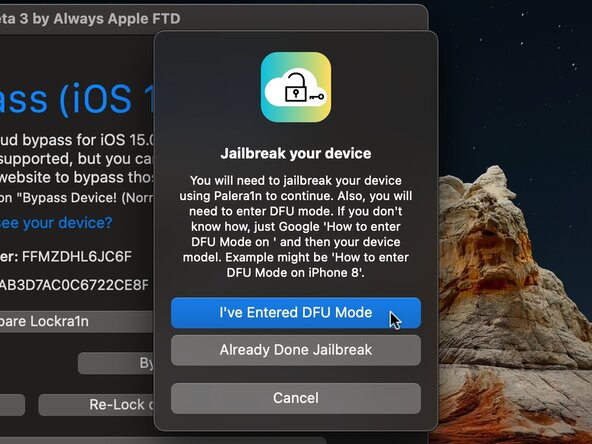
    • Once verification is complete, you will need to Jailbreak the iPhone. To do this, you must enter DFU mode. Do not choose I've Entered DFU Mode until you compete this step.

  13. How to Bypass Activation Lock with Lockra1n, Entering Recovery Mode: 13 단계, 이미지 2개 중 1개 How to Bypass Activation Lock with Lockra1n, Entering Recovery Mode: 13 단계, 이미지 2개 중 2개
    • Entering DFU mode on an iPhone can be quite tricky and require many attempts. Be patient, and read all the steps before attempting.

    • You cannot enter DFU mode with a Mac that only has USB-C. To enter DFU mode, you must connect your iPhone to a Mac via an official Apple Lightning cable using USB-A. If you do not have access to a Mac with USB-A, you must find a Powered USB-C hub that supports USB-A.

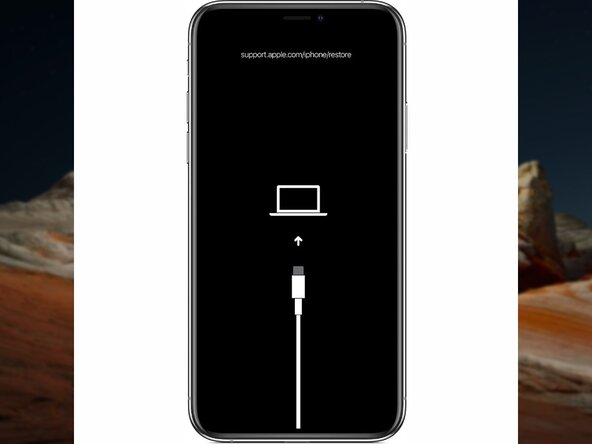
    • To begin, you must put your iPhone in Recovery Mode

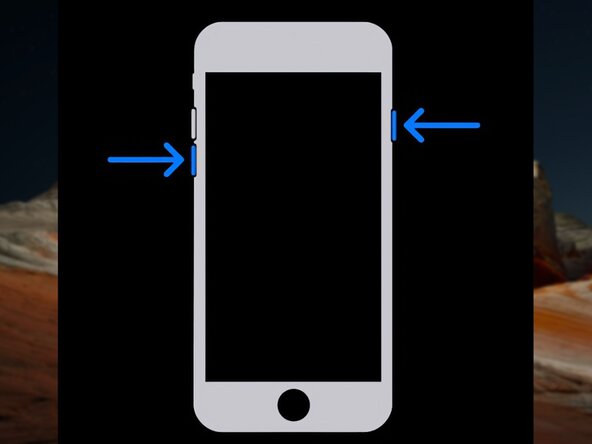
    • For iPhone 6s, 6s Plus, SE models, disconnect the iPhone from your Mac and power it off. Then, reconnect it to your Mac and immediately press and hold the Home Button until the iPhone enters Recovery Mode.

    • For iPhone 7, 7 Plus models, keep your iPhone connected to the Mac and press the Side button and Volume Down button until the device enters Recovery Mode.

    • For iPhone 8, 8 Plus, X models, keep your iPhone connected to the Mac and quick press the Volume Up button, quick press the Volume Down button, then press and hold the Side button until the device enters Recovery Mode.

  14. How to Bypass Activation Lock with Lockra1n: 14 단계, 이미지 1개 중 1개
    • Once in Recovery Mode, follow these steps to enter DFU mode:

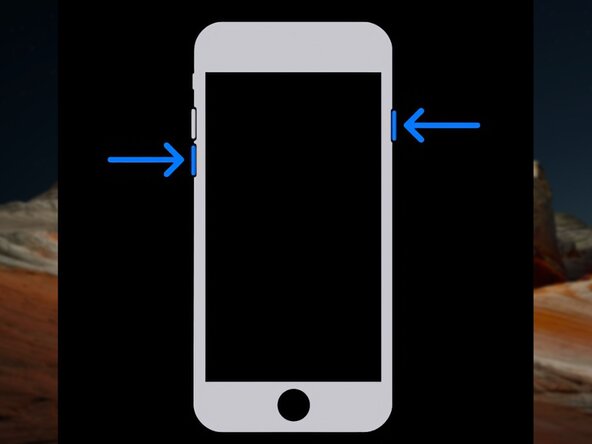
    • For iPhone 6s, 6s Plus, SE models, press and hold both the Home button and the Lock button for 8 seconds. Then release the Lock button but continue to hold the Home button until the device enters DFU.

    • For iPhone 7, 7 Plus models, press and hold both the Side button and the Volume Down button for 8 seconds. Then release the Side button but continue to hold the Volume Down button until the device enters DFU.

    • For iPhone 8, 8 Plus, X models, quick press the Volume Up button, quick press the Volume Down button, press and hold the Side button for 10 seconds. Then press and hold the Volume Down button for five seconds. Then release the Side button and continue to hold the Volume Down button until the device enters DFU.

    • The iPhone will show a black screen when entered DFU. If you see an Apple logo during this process, you will need to retry.

    • I will soon make a guide further explaining DFU mode.

  15. How to Bypass Activation Lock with Lockra1n, Applying the Jailbreak: 15 단계, 이미지 3개 중 1개 How to Bypass Activation Lock with Lockra1n, Applying the Jailbreak: 15 단계, 이미지 3개 중 2개 How to Bypass Activation Lock with Lockra1n, Applying the Jailbreak: 15 단계, 이미지 3개 중 3개
    • Once you have entered DFU mode, you can then apply the jailbreak.

    • Choose I've Entered DFU Mode in the app.

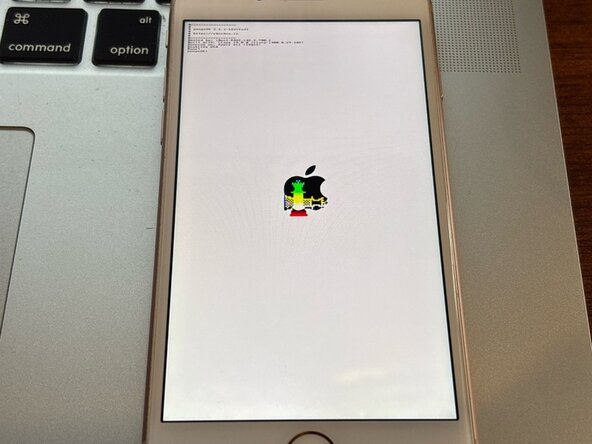
    • The iPhone will boot and show some text.

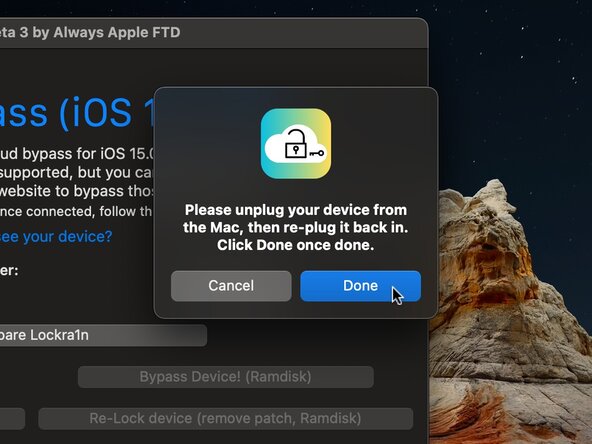
    • When the message appears in the app to unplug your device, disconnect the cable that plugs into your Mac (not your iPhone), and then plug it back in. Choose Done when you finish.

  16. How to Bypass Activation Lock with Lockra1n, Bypassing the Activation Lock: 16 단계, 이미지 3개 중 1개 How to Bypass Activation Lock with Lockra1n, Bypassing the Activation Lock: 16 단계, 이미지 3개 중 2개 How to Bypass Activation Lock with Lockra1n, Bypassing the Activation Lock: 16 단계, 이미지 3개 중 3개
    • Once finished, the iPhone will boot back normally.

    • On iPhone X models, the jailbreak may not work properly. If fails, retry by putting it back into Recovery and starting over.

    • Wait until the hello screen comes back on your iPhone and then choose OK in the app.

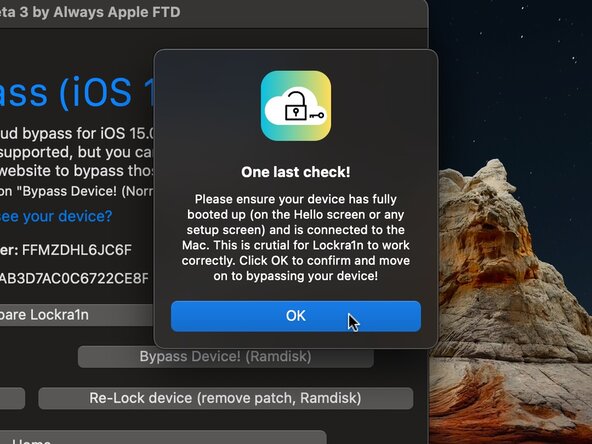
    • Verify once more that the iPhone has fully booted, and choose OK in the app.

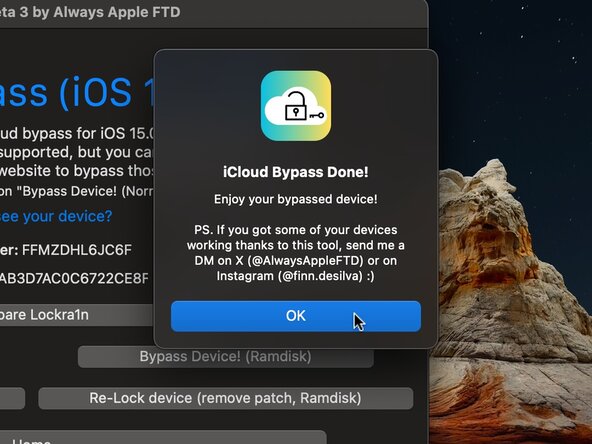
    • The app will bypass the Activation Lock and the iPhone will reboot.

  17. How to Bypass Activation Lock with Lockra1n, Finishing Up: 17 단계, 이미지 2개 중 1개 How to Bypass Activation Lock with Lockra1n, Finishing Up: 17 단계, 이미지 2개 중 2개
    • The app will report the iPhone as Activated.

    • The iPhone may still appear to be locked, because it returns to the setup screen. However, after connecting to the internet, the iPhone will skip activation and go straight to Data and Privacy. You can continue to set up the iPhone.

    • IF YOU ARE RUNNING IPHONE 8, 8 PLUS, OR X MODELS, DO NOT SET A PASSCODE! This will reenable the BaseBand which will re-lock the device and prevent jailbreak. The only way to fix this is to restore the iPhone and start over.

    • You can also sign into iCloud, but do not do it from the setup screen. Instead, sign into iCloud later by going to settings > Sign in to Apple ID.

  18. How to Bypass Activation Lock with Lockra1n, Conclusion: 18 단계, 이미지 1개 중 1개
    • Certain features will still be unavailable after the bypass:

    • Will not be able to activate cellular network

    • This includes all data streaming, SMS messaging, and voice calling will not function on a bypassed iPhone

    • Not all iCloud features will be available.

    • You may experience issues with FaceTime, iMessage, making purchases, etc.

    • You cannot set a passcode on A11 iPhones (iPhone 8, 8 Plus, X)

    • These must require a disabled BaseBand in order to jailbreak, and the passcode reenables the BaseBand.

    • Other tools such as iRemove and Checkm8.info have better functionality; however they are expensive. And they still will not be able to provide 100% functionality. This tool is completely free and offers, in my opinion, the best way to bypass the Activation Lock.

결론

If you have any questions or issues, please let me know in the comments!

다른 2명이 해당 안내서를 완성하였습니다.

Jadon Lyon

회원 가입일: 09/05/23

6,660 평판

안내서 10개를 작성함

0가이드 댓글

댓글 쓰기

조회 통계:

지난 24시간: 73

지난 7일: 834

지난 30일: 1,693

전체 시간: 1,693