주요 콘텐츠로 건너뛰기

How to Clean Dust Out of a Playstation 5 Without Opening It

필요한 것

  1. How to Clean Dust Out of a Playstation 5 Without Opening It, Remove the stand screw: 1 단계, 이미지 1개 중 1개
    • If your PlayStation 5 is in its vertical orientation, flip it upside down so the stand is facing up.

    • If your PlayStation 5 is in its horizontal orientation, skip to Step 6.

    • Work on a flat surface to prevent your PlayStation from falling over.

    • Use a coin or a flathead screwdriver to remove the 26.5 mm-long stand screw.

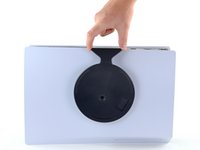
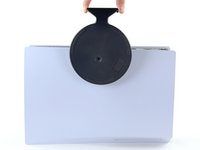
  2. How to Clean Dust Out of a Playstation 5 Without Opening It, Remove the vertical stand: 2 단계, 이미지 2개 중 1개 How to Clean Dust Out of a Playstation 5 Without Opening It, Remove the vertical stand: 2 단계, 이미지 2개 중 2개
    • Lift straight up to remove the stand.

  3. How to Clean Dust Out of a Playstation 5 Without Opening It, Store the stand screw: 3 단계, 이미지 2개 중 1개 How to Clean Dust Out of a Playstation 5 Without Opening It, Store the stand screw: 3 단계, 이미지 2개 중 2개
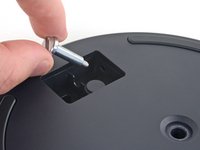
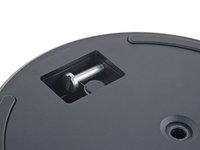
    • Insert the screw into the cubby on the bottom of the stand.

  4. How to Clean Dust Out of a Playstation 5 Without Opening It, Cap the screw hole: 4 단계, 이미지 3개 중 1개 How to Clean Dust Out of a Playstation 5 Without Opening It, Cap the screw hole: 4 단계, 이미지 3개 중 2개 How to Clean Dust Out of a Playstation 5 Without Opening It, Cap the screw hole: 4 단계, 이미지 3개 중 3개
    이 단계에 사용된 도구:
    Tweezers
    $4.99
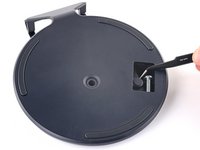
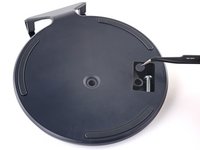
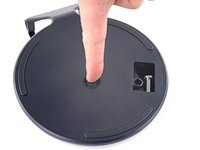
    • Use a pair of tweezers or your fingernail to remove the cap from the cubby.

    • Use your finger to press the cap into the screw hole.

  5. How to Clean Dust Out of a Playstation 5 Without Opening It, Close the cubby: 5 단계, 이미지 3개 중 1개 How to Clean Dust Out of a Playstation 5 Without Opening It, Close the cubby: 5 단계, 이미지 3개 중 2개 How to Clean Dust Out of a Playstation 5 Without Opening It, Close the cubby: 5 단계, 이미지 3개 중 3개
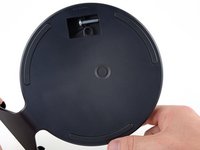
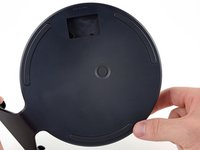
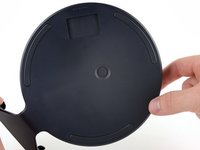
    • Twist the stand counterclockwise to close the cubby.

  6. How to Clean Dust Out of a Playstation 5 Without Opening It, Remove the horizontal stand: 6 단계, 이미지 2개 중 1개 How to Clean Dust Out of a Playstation 5 Without Opening It, Remove the horizontal stand: 6 단계, 이미지 2개 중 2개
    • If your PlayStation 5 is in its horizontal orientation, rest it on its face with the charging port facing up.

    • Lift the stand straight up to remove it.

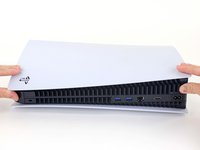
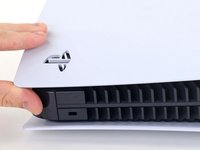
  7. How to Clean Dust Out of a Playstation 5 Without Opening It, Remove the left faceplate: 7 단계, 이미지 3개 중 1개 How to Clean Dust Out of a Playstation 5 Without Opening It, Remove the left faceplate: 7 단계, 이미지 3개 중 2개 How to Clean Dust Out of a Playstation 5 Without Opening It, Remove the left faceplate: 7 단계, 이미지 3개 중 3개
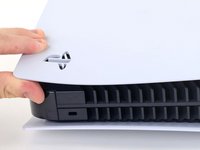
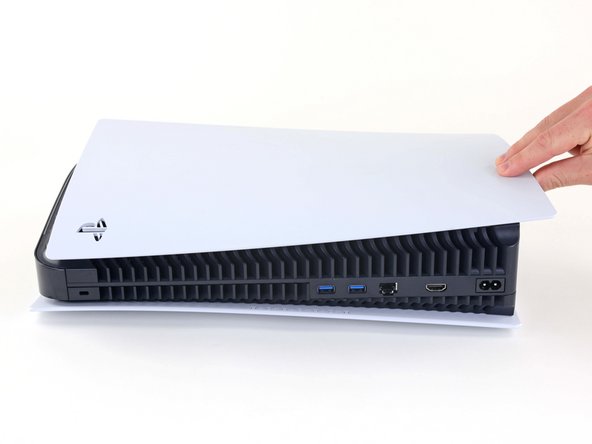
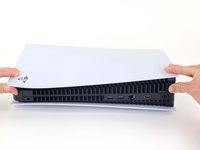
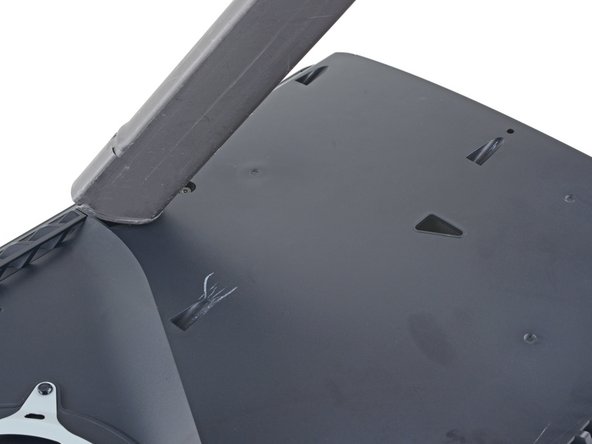
    • Lift up the corner of the faceplate with the PlayStation logo to unclip it from the case.

  8. How to Clean Dust Out of a Playstation 5 Without Opening It: 8 단계, 이미지 2개 중 1개 How to Clean Dust Out of a Playstation 5 Without Opening It: 8 단계, 이미지 2개 중 2개
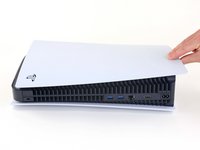
    • While lifting up the corner, slide the faceplate towards the bottom of the device.

    • Remove the left faceplate.

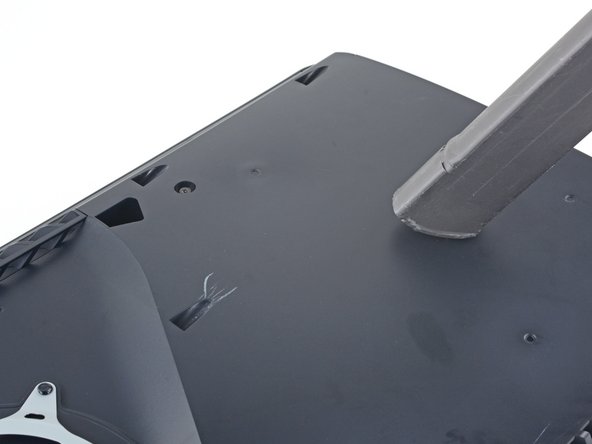
  9. How to Clean Dust Out of a Playstation 5 Without Opening It, Vacuum out the dust: 9 단계, 이미지 3개 중 1개 How to Clean Dust Out of a Playstation 5 Without Opening It, Vacuum out the dust: 9 단계, 이미지 3개 중 2개 How to Clean Dust Out of a Playstation 5 Without Opening It, Vacuum out the dust: 9 단계, 이미지 3개 중 3개
    • Use a vacuum to clean out the two dust catchers.

    • A narrow vacuum attachment would be best.

결론

To reassemble your device, follow these instructions in reverse order.

Take your e-waste to an R2 or e-Stewards certified recycler.
Repair didn’t go as planned? Try some basic troubleshooting, or ask our PlayStation 5 Answers community for help.

다른 50명이 해당 안내서를 완성하였습니다.

작성자

3다른 기여자 명과 함께

Robert Boyd

회원 가입일: 02/01/21

31,545 평판

안내서 94개를 작성함

2가이드 댓글

muchas gracias!!! muy facil acabo de hacerle una limpieza a mi consola

J4s3ph - 답글
댓글 쓰기

조회 통계:

지난 24시간: 74

지난 7일: 644

지난 30일: 2,959

전체 시간: 195,268