주요 콘텐츠로 건너뛰기

How to Clean PDP Afterglow Deluxe+ Button Contacts

필요한 것

  1. How to Clean PDP Afterglow Deluxe+ Button Contacts, How to Clean PDP Afterglow Deluxe+ Button Contacts: 1 단계, 이미지 1개 중 1개
    • Use a screwdriver to remove the six screws from the back of the controller.

  2. How to Clean PDP Afterglow Deluxe+ Button Contacts: 2 단계, 이미지 2개 중 1개 How to Clean PDP Afterglow Deluxe+ Button Contacts: 2 단계, 이미지 2개 중 2개
    • Open up the shell and remove the weights in the grips.

  3. How to Clean PDP Afterglow Deluxe+ Button Contacts: 3 단계, 이미지 3개 중 1개 How to Clean PDP Afterglow Deluxe+ Button Contacts: 3 단계, 이미지 3개 중 2개 How to Clean PDP Afterglow Deluxe+ Button Contacts: 3 단계, 이미지 3개 중 3개
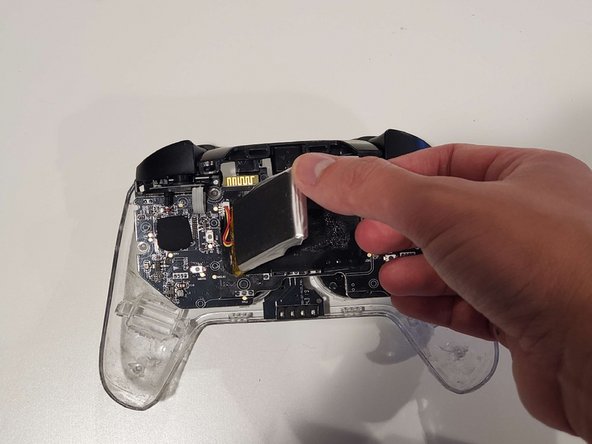
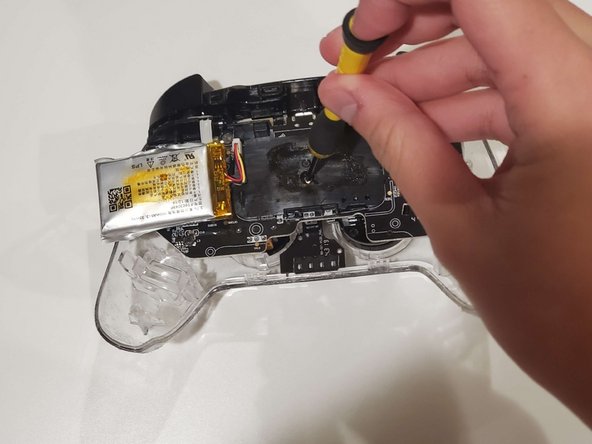
    • Pull out the battery and remove the screws underneath.

    • This component is glued to the controller, so it may take some force to remove.

    • Remove the two screws on the circuit board.

  4. How to Clean PDP Afterglow Deluxe+ Button Contacts: 4 단계, 이미지 2개 중 1개 How to Clean PDP Afterglow Deluxe+ Button Contacts: 4 단계, 이미지 2개 중 2개
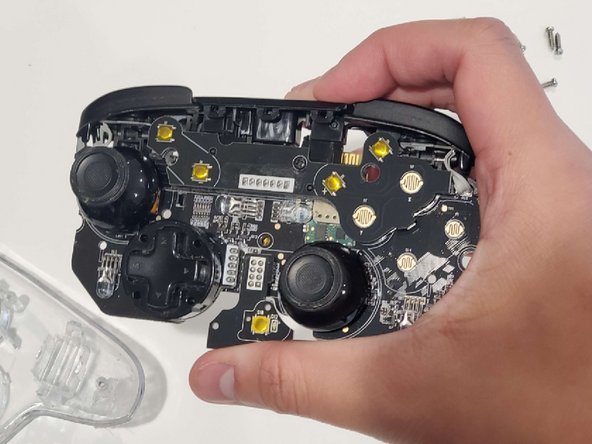
    • Remove the circuit board from the shell.

  5. How to Clean PDP Afterglow Deluxe+ Button Contacts: 5 단계, 이미지 1개 중 1개
    • Use a cotton swab to clean up the areas the buttons come in contact with.

결론

To reassemble your device, follow these instructions in reverse order.

작성자

1다른 기여자 명과 함께

TJay Vitoorakorn

회원 가입일: 10/25/23

137 평판

안내서 1개를 작성함

0가이드 댓글

댓글 쓰기

조회 통계:

지난 24시간: 2

지난 7일: 22

지난 30일: 113

전체 시간: 1,790