주요 콘텐츠로 건너뛰기

How to Fix Roccat Kova Double Clicking

필요한 것

  1. How to Fix Roccat Kova Double Clicking, How to Fix Roccat Kova Double Clicking: 1 단계, 이미지 2개 중 1개 How to Fix Roccat Kova Double Clicking, How to Fix Roccat Kova Double Clicking: 1 단계, 이미지 2개 중 2개
    • Turn the Roccat Kova over, with the bottom facing up.

  2. How to Fix Roccat Kova Double Clicking: 2 단계, 이미지 3개 중 1개 How to Fix Roccat Kova Double Clicking: 2 단계, 이미지 3개 중 2개 How to Fix Roccat Kova Double Clicking: 2 단계, 이미지 3개 중 3개
    • Peel off the four plastic mouse skates.

    • If you plan on reusing the mouse skates, take care not to stretch or tear them.

  3. How to Fix Roccat Kova Double Clicking: 3 단계, 이미지 3개 중 1개 How to Fix Roccat Kova Double Clicking: 3 단계, 이미지 3개 중 2개 How to Fix Roccat Kova Double Clicking: 3 단계, 이미지 3개 중 3개
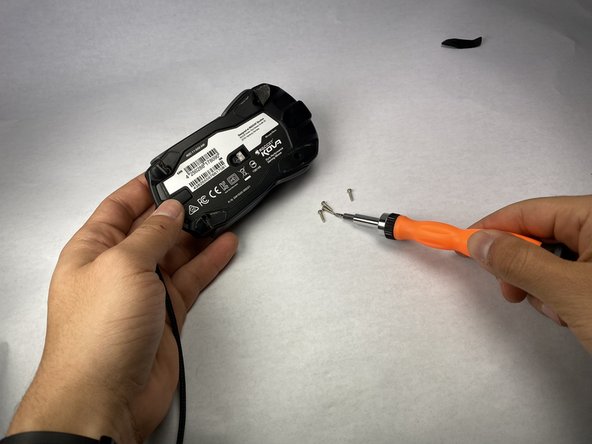
    • Unscrew four screws using a Phillips screwdriver.

  4. How to Fix Roccat Kova Double Clicking: 4 단계, 이미지 3개 중 1개 How to Fix Roccat Kova Double Clicking: 4 단계, 이미지 3개 중 2개 How to Fix Roccat Kova Double Clicking: 4 단계, 이미지 3개 중 3개
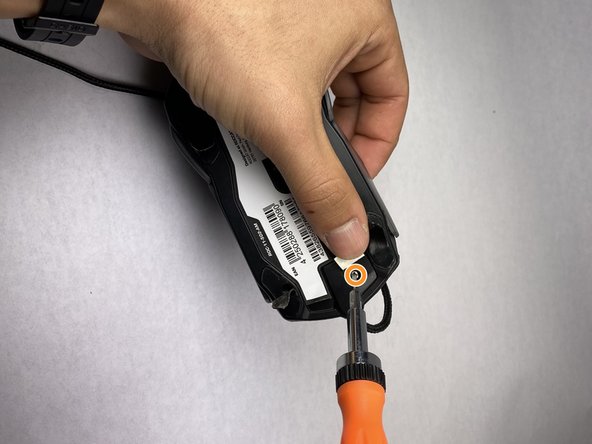
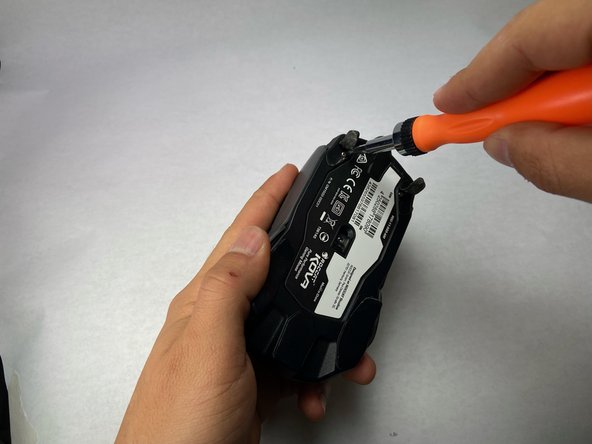
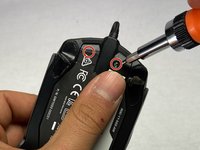
    • Slightly peel back the front edge of the plastic label. You should peel the label from the front of the mouse. This is the end of the mouse that has the attached wire. Keep peeling until you see two screw holes.

    • Use a Phillips #00 screwdriver to remove the two screws.

    • Now you have detached all screws and should have a total of 4 long screws and two small screws

  5. How to Fix Roccat Kova Double Clicking: 5 단계, 이미지 2개 중 1개 How to Fix Roccat Kova Double Clicking: 5 단계, 이미지 2개 중 2개
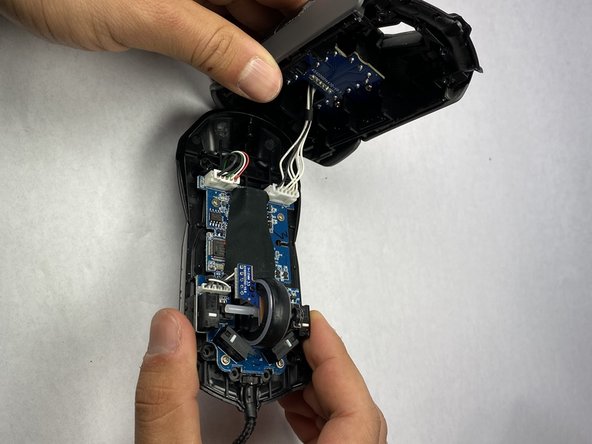
    • After unscrewing the mouse, you will be able to pull the two halves of the mouse apart. Open the mouse carefully until you are able to see the white wires that connect the top case of the mouse to the bottom housing.

    • Do not pull the two halves apart quickly or entirely to avoid damaging the connections and/or motherboard.

    • Carefully set the mouse on your work surface. Move the top casing of the mouse to the side, giving you an unobstructed workspace on the bottom housing.

  6. How to Fix Roccat Kova Double Clicking: 6 단계, 이미지 2개 중 1개 How to Fix Roccat Kova Double Clicking: 6 단계, 이미지 2개 중 2개
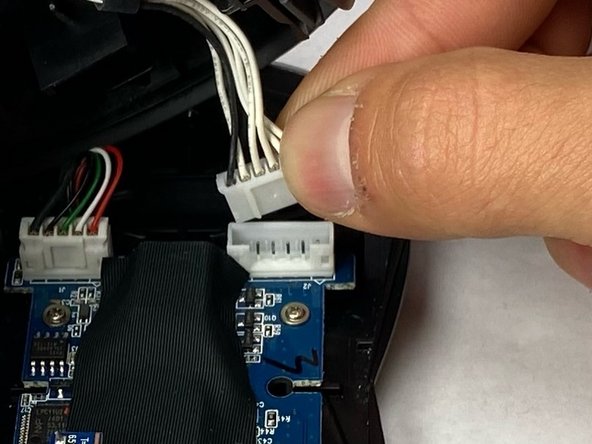
    • Next, detach the wires that hold the top casing and the bottom of the mouse together. Grab the white plastic connector that the wires are attached to and pull it directly up and out of its port.

    • Do not pull from the wires directly as this could cause damage to the connections.

  7. How to Fix Roccat Kova Double Clicking: 7 단계, 이미지 1개 중 1개
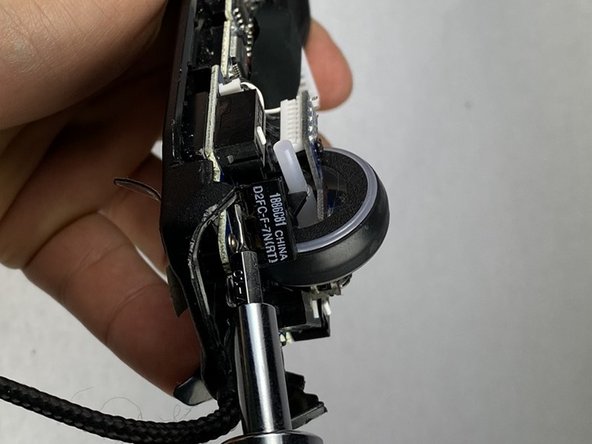
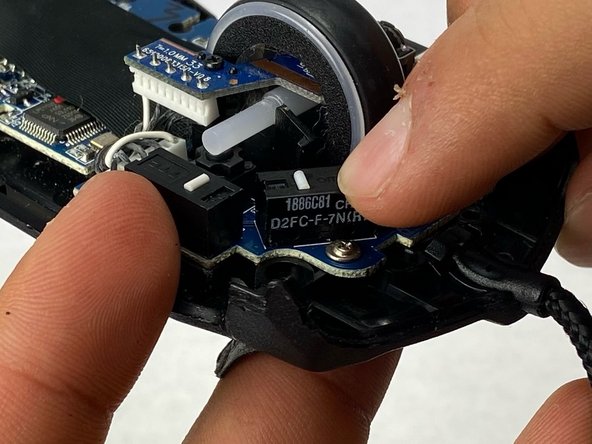
    • Locate the four microswitch boxes at the front edge of the mouse.

    • Each have a little white dash (clicking dash) in the middle.

    • Focus on the two front microswitch boxes and locate the microswitch under the clicker that has been malfunctioning. If you are not sure which is malfunctioning, look for damage, dirt, or a loose connection.

  8. How to Fix Roccat Kova Double Clicking: 8 단계, 이미지 3개 중 1개 How to Fix Roccat Kova Double Clicking: 8 단계, 이미지 3개 중 2개 How to Fix Roccat Kova Double Clicking: 8 단계, 이미지 3개 중 3개
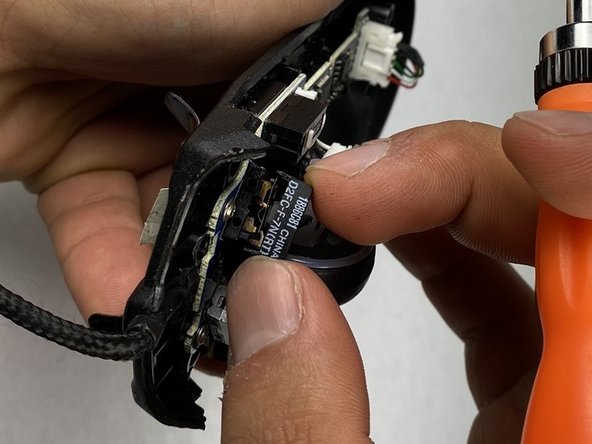
    • Once you have identified the functioning and malfunctioning clicker, remove the functioning clicker's microswitch first.

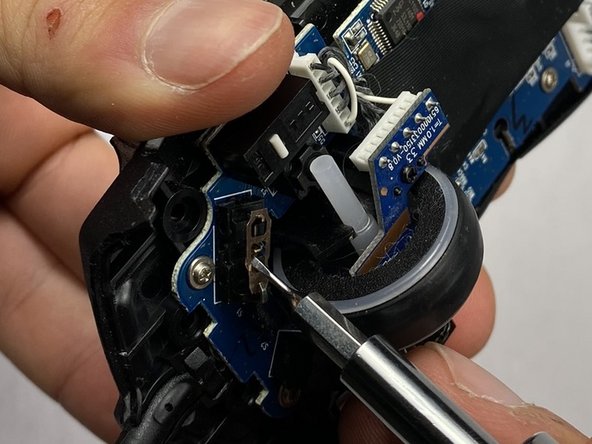
    • Unclip the two edges of the box, using a thin flat head (1.0 mm). Gently push the flat head into the crack from the sides of the black box to pry it loose.

    • The clips of the black box are fragile. Do not over force the clips to bend.

  9. How to Fix Roccat Kova Double Clicking: 9 단계, 이미지 2개 중 1개 How to Fix Roccat Kova Double Clicking: 9 단계, 이미지 2개 중 2개
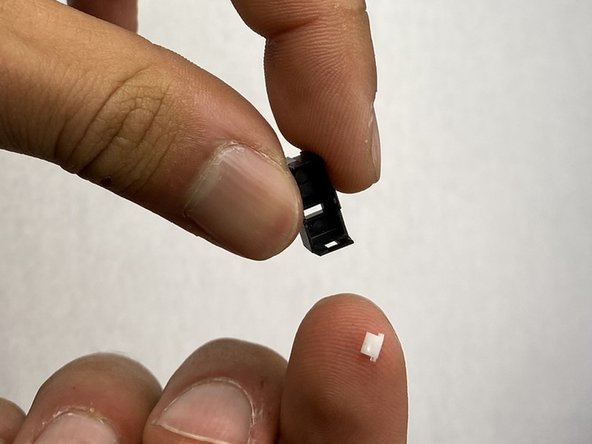
    • When the box has been popped off there will be two pieces: The main black box and a small white piece, make sure to keep all pieces in a safe area to avoid losing them.

    • Gently remove the box while tilting the mouse (45-90 degrees) to avoid losing the small white piece of plastic.

  10. How to Fix Roccat Kova Double Clicking: 10 단계, 이미지 1개 중 1개
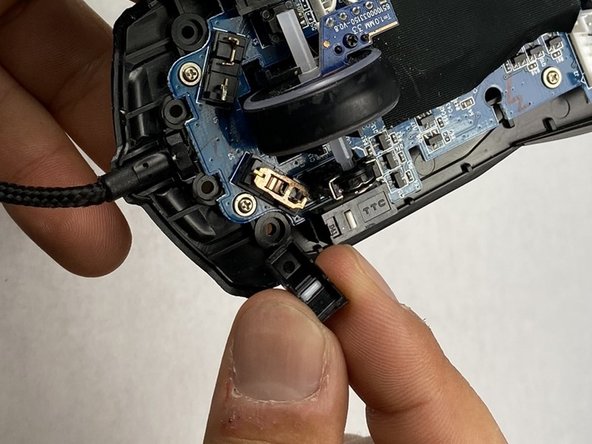
    • Locate the contact plate underneath the box.

    • It is a small gold H shaped piece of metal.

    • Note that this is the good and functioning plate.

  11. How to Fix Roccat Kova Double Clicking: 11 단계, 이미지 2개 중 1개 How to Fix Roccat Kova Double Clicking: 11 단계, 이미지 2개 중 2개
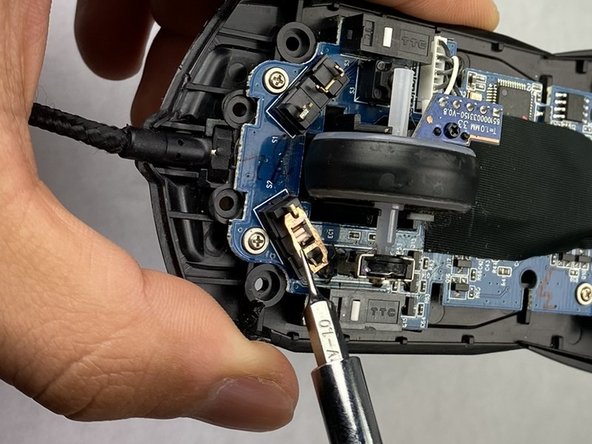
    • Use a flat head (1.0 mm) to carefully remove the plate. You can use the flat head to wiggle the plate out of place, moving it side to side and back and forth to remove it.

    • The plate is very thin and fragile. Do not over stress the plate, and try not to scratch it.

  12. How to Fix Roccat Kova Double Clicking: 12 단계, 이미지 3개 중 1개 How to Fix Roccat Kova Double Clicking: 12 단계, 이미지 3개 중 2개 How to Fix Roccat Kova Double Clicking: 12 단계, 이미지 3개 중 3개
    • Repeat the previous three steps for the other box.

    • Note that the other box is the malfunctioning clicker box.

  13. How to Fix Roccat Kova Double Clicking: 13 단계, 이미지 3개 중 1개 How to Fix Roccat Kova Double Clicking: 13 단계, 이미지 3개 중 2개 How to Fix Roccat Kova Double Clicking: 13 단계, 이미지 3개 중 3개
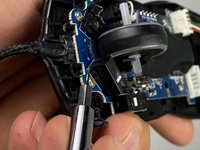
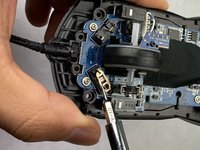
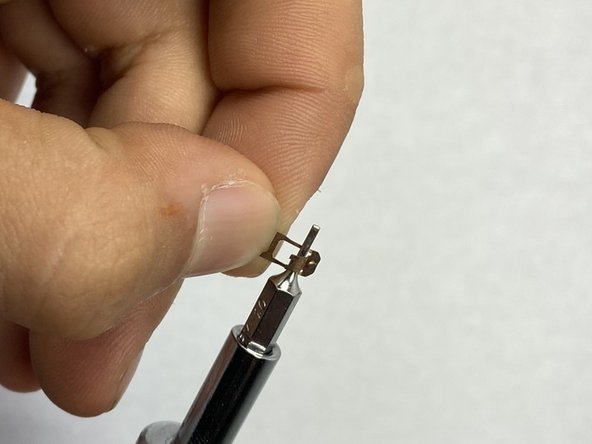
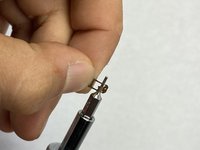
    • Grab the deformed contact plate from under the broken clicker.

    • Insert a thin flat headed (1.0 mm) screwdriver in the arched metal area, and give it a little push as if you are trying to open that arched door.

    • Gently, push the arched area to an angle of 45-80 degrees to try to reinstall its integrity of functioning.

    • Do not over stress the plate, and do not go passed 90 degrees.

  14. How to Fix Roccat Kova Double Clicking: 14 단계, 이미지 2개 중 1개 How to Fix Roccat Kova Double Clicking: 14 단계, 이미지 2개 중 2개
    • Carefully reinstall the metal plate in place. Make sure the arch is snug in place by pushing on it from the top with the flat head, gently and slowly until it clicks in place.

    • You will be swapping the malfunctioning plate with the functioning plate. Reinstall the plate that was previously malfunctioning onto the side that was functioning, and vice versa for the functioning plate. This creates a longer lifespan for the previously malfunctioning plate, as it will be used less on this side of the clicker.

  15. How to Fix Roccat Kova Double Clicking: 15 단계, 이미지 1개 중 1개
    • Re-insert the white plastic piece through the hole in the black cover box by slowly feeding it in.

  16. How to Fix Roccat Kova Double Clicking: 16 단계, 이미지 2개 중 1개 How to Fix Roccat Kova Double Clicking: 16 단계, 이미지 2개 중 2개
    • Tilt the bottom half of the mouse to 45-90 degrees to avoid the white piece falling out.

    • Position the cover so that its aligned with its initial position.

    • Push the cover into the mouse until you feel it clicking in place, and double check the clips are in place.

  17. How to Fix Roccat Kova Double Clicking: 17 단계, 이미지 2개 중 1개 How to Fix Roccat Kova Double Clicking: 17 단계, 이미지 2개 중 2개
    • Similar to Step 15, repeat the process for the other cover.

    • Remember that you are placing the functioning plate in the clicker that was previously malfunctioning.

  18. How to Fix Roccat Kova Double Clicking: 18 단계, 이미지 3개 중 1개 How to Fix Roccat Kova Double Clicking: 18 단계, 이미지 3개 중 2개 How to Fix Roccat Kova Double Clicking: 18 단계, 이미지 3개 중 3개
    • Gently position the top half of the mouse over the bottom.

    • Align the plastic base to the adapter with the white wires.

    • Connect the plastic base into the adapter.

    • Connect the top half and bottom half of the mouse.

  19. How to Fix Roccat Kova Double Clicking: 19 단계, 이미지 3개 중 1개 How to Fix Roccat Kova Double Clicking: 19 단계, 이미지 3개 중 2개 How to Fix Roccat Kova Double Clicking: 19 단계, 이미지 3개 중 3개
    • Screw back the four long screws to each corner by rotating each screw in a clockwise direction until it is tight enough.

    • Do not over tighten the screws as it could damage the plastic threads.

  20. How to Fix Roccat Kova Double Clicking: 20 단계, 이미지 2개 중 1개 How to Fix Roccat Kova Double Clicking: 20 단계, 이미지 2개 중 2개
    • Screw back the two small screws under the front portion of the sticker by turning them in a clockwise direction.

  21. How to Fix Roccat Kova Double Clicking: 21 단계, 이미지 2개 중 1개 How to Fix Roccat Kova Double Clicking: 21 단계, 이미지 2개 중 2개
    • Check if the mouse is working correctly by attaching it to a monitor, computer, etc. and clicking items. If there are no issues with the clicking feature, the repair was successful.

결론

Now that you have repaired your mouse, you have extended its lifespan and corrected any clicking issues. Please let us know if you have any questions, and if there are any suggestions or feedback.

다른 4명이 해당 안내서를 완성하였습니다.

작성자

6다른 기여자 명과 함께

Abanob Yohanna

회원 가입일: 04/16/24

367 평판

안내서 1개를 작성함

UC Davis, Team 2-1, Morris Spring 2024 UC Davis, Team 2-1, Morris Spring 2024 회원

UCD-MORRIS-S24S2G1

3 회원들

안내서 1개 작성

3가이드 댓글

Excellent, thank you very much! This helped me open the mouse. Didn't realize there are two more screws under the sticker.

However, I replaced the switches. There are ones that are 50M rated. They should last much longer that the 5M ones the mouse came with.

Highcarb Schwabe - 답글

Looking to do the same to my Kova, may I ask where you acquired the 50M rated switches from?

GamerGuy - 답글
The six screws under the mouse supriesed me. Couldn't do the bend correcly so I soldered just a new switch, works perfectly. Non then less, thanks ifixit for the guide. It's a quite rare mouse and it's good to see that for this type of devices there is a repair guide.

HiddenBear - 답글

댓글 쓰기

조회 통계:

지난 24시간: 1

지난 7일: 7

지난 30일: 32

전체 시간: 1,345