주요 콘텐츠로 건너뛰기

How to Fix a Thrustmaster Eswap X Pro Controller Trigger

필요한 것

  1. How to Fix a Thrustmaster Eswap X Pro Controller Trigger, How to Fix a Thrustmaster Eswap X Pro Controller Trigger: 1 단계, 이미지 2개 중 1개 How to Fix a Thrustmaster Eswap X Pro Controller Trigger, How to Fix a Thrustmaster Eswap X Pro Controller Trigger: 1 단계, 이미지 2개 중 2개
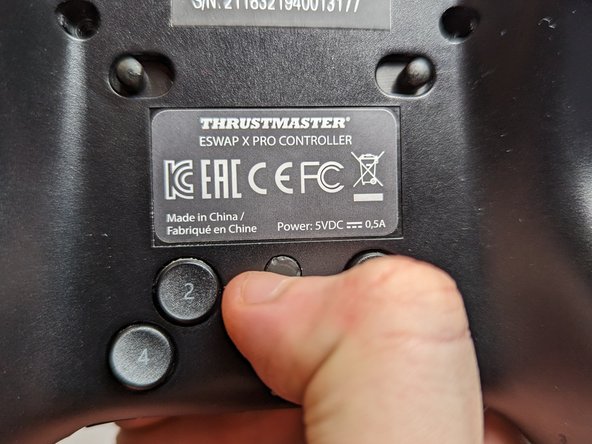
    • Flip the controller so the backside is facing up.

    • Flip both of the switches away from the center.

  2. How to Fix a Thrustmaster Eswap X Pro Controller Trigger: 2 단계, 이미지 3개 중 1개 How to Fix a Thrustmaster Eswap X Pro Controller Trigger: 2 단계, 이미지 3개 중 2개 How to Fix a Thrustmaster Eswap X Pro Controller Trigger: 2 단계, 이미지 3개 중 3개
    • Flip the controller over so the top is facing up.

    • Pull out both the joystick and the directional pad modules.

  3. How to Fix a Thrustmaster Eswap X Pro Controller Trigger: 3 단계, 이미지 3개 중 1개 How to Fix a Thrustmaster Eswap X Pro Controller Trigger: 3 단계, 이미지 3개 중 2개 How to Fix a Thrustmaster Eswap X Pro Controller Trigger: 3 단계, 이미지 3개 중 3개
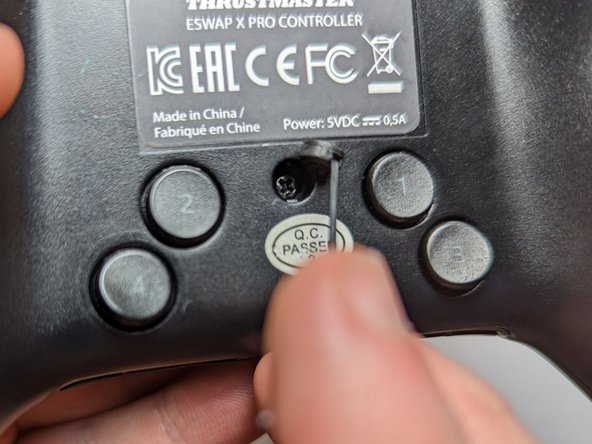
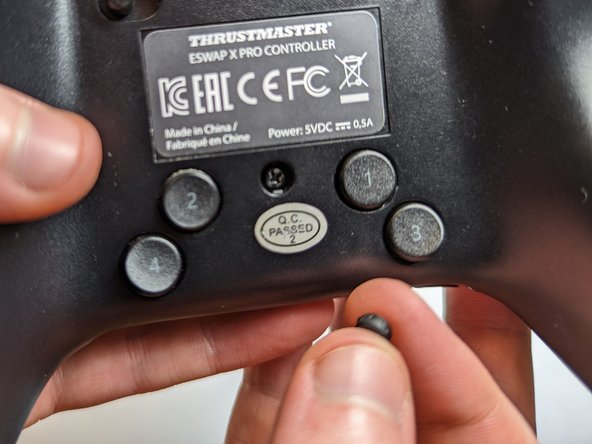
    • Flip the controller over again so the backside is facing up.

    • Use a spudger to remove five rubber screw covers.

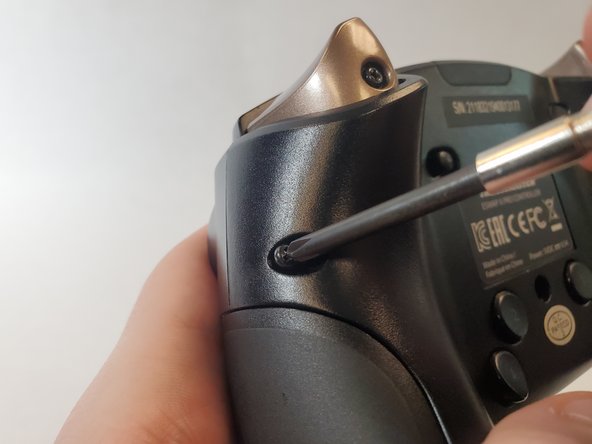
  4. How to Fix a Thrustmaster Eswap X Pro Controller Trigger: 4 단계, 이미지 3개 중 1개 How to Fix a Thrustmaster Eswap X Pro Controller Trigger: 4 단계, 이미지 3개 중 2개 How to Fix a Thrustmaster Eswap X Pro Controller Trigger: 4 단계, 이미지 3개 중 3개
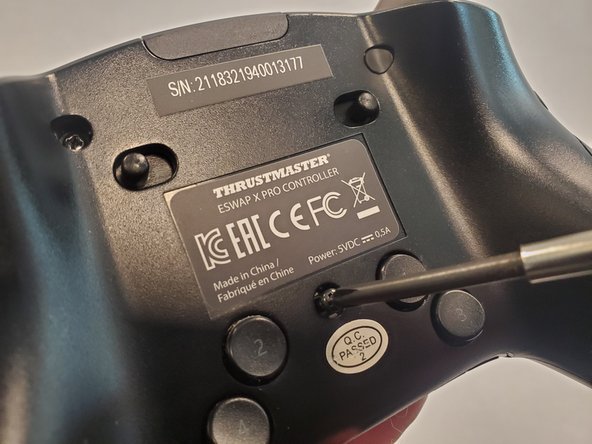
    • Use a Phillips #1 screwdriver to remove each of the 4.0 mm exposed screws.

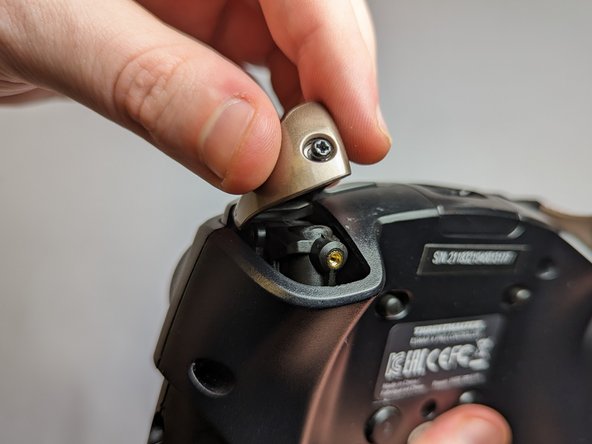
  5. How to Fix a Thrustmaster Eswap X Pro Controller Trigger: 5 단계, 이미지 2개 중 1개 How to Fix a Thrustmaster Eswap X Pro Controller Trigger: 5 단계, 이미지 2개 중 2개
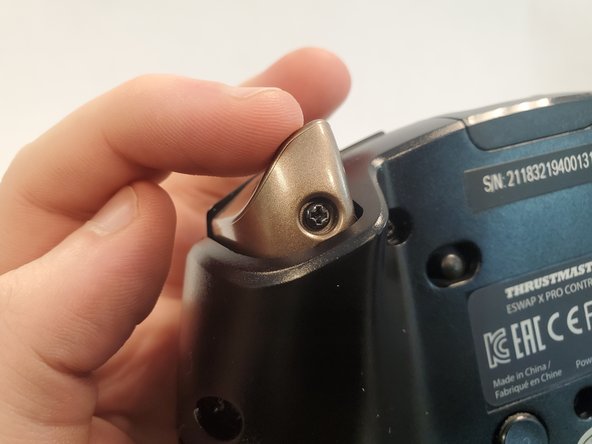
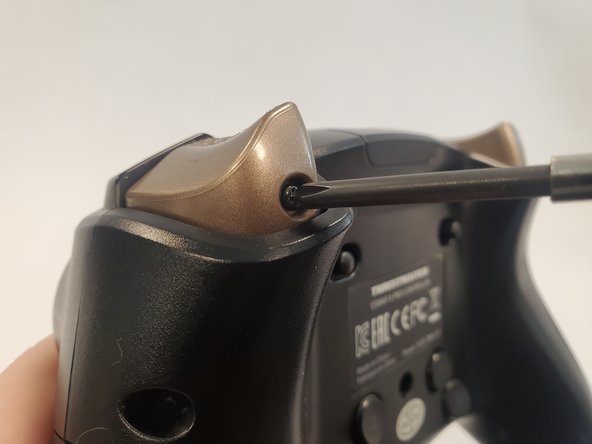
    • Use a Phillips #1 screwdriver to loosen the captive screw and remove the trigger button.

  6. How to Fix a Thrustmaster Eswap X Pro Controller Trigger: 6 단계, 이미지 3개 중 1개 How to Fix a Thrustmaster Eswap X Pro Controller Trigger: 6 단계, 이미지 3개 중 2개 How to Fix a Thrustmaster Eswap X Pro Controller Trigger: 6 단계, 이미지 3개 중 3개
    • Rotate the controller 90 degrees.

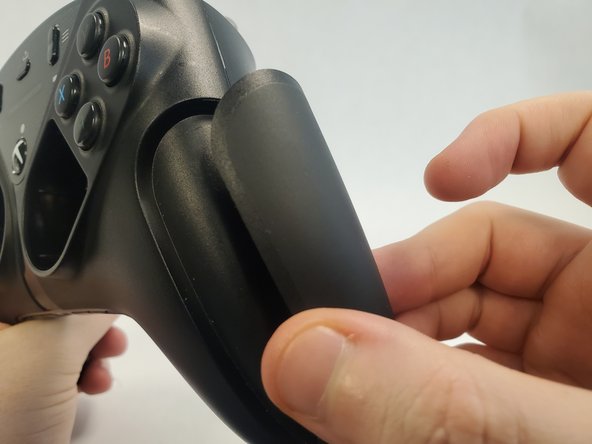
    • Pull off the magnetic side cover.

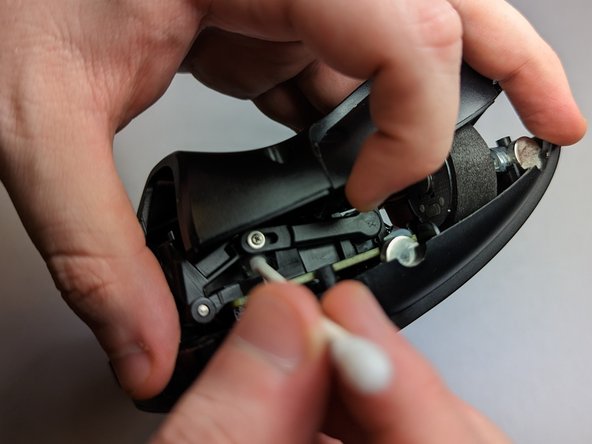
  7. How to Fix a Thrustmaster Eswap X Pro Controller Trigger: 7 단계, 이미지 3개 중 1개 How to Fix a Thrustmaster Eswap X Pro Controller Trigger: 7 단계, 이미지 3개 중 2개 How to Fix a Thrustmaster Eswap X Pro Controller Trigger: 7 단계, 이미지 3개 중 3개
    • Lift the back cover slightly from where you removed the trigger button.

    • Use a Q-tip dipped with isopropyl alcohol to clean the surrounding area.

    • Additionally, wipe down the top face of the trigger with a Q-tip.

  8. How to Fix a Thrustmaster Eswap X Pro Controller Trigger: 8 단계, 이미지 3개 중 1개 How to Fix a Thrustmaster Eswap X Pro Controller Trigger: 8 단계, 이미지 3개 중 2개 How to Fix a Thrustmaster Eswap X Pro Controller Trigger: 8 단계, 이미지 3개 중 3개
    • Reattach the trigger button onto the controller.

    • Use a Phillips #1 screwdriver to tighten the screw securing trigger button.

  9. How to Fix a Thrustmaster Eswap X Pro Controller Trigger: 9 단계, 이미지 3개 중 1개 How to Fix a Thrustmaster Eswap X Pro Controller Trigger: 9 단계, 이미지 3개 중 2개 How to Fix a Thrustmaster Eswap X Pro Controller Trigger: 9 단계, 이미지 3개 중 3개
    • Use a Phillips #1 screwdriver to reattach the 4.0 mm screws to the back of the controller.

  10. How to Fix a Thrustmaster Eswap X Pro Controller Trigger: 10 단계, 이미지 3개 중 1개 How to Fix a Thrustmaster Eswap X Pro Controller Trigger: 10 단계, 이미지 3개 중 2개 How to Fix a Thrustmaster Eswap X Pro Controller Trigger: 10 단계, 이미지 3개 중 3개
    • Notice that the notches on the rubber covers correspond with the notches on the screw hole.

    • Reattach the rubber covers above the screws.

  11. How to Fix a Thrustmaster Eswap X Pro Controller Trigger: 11 단계, 이미지 1개 중 1개
    • Place the joystick and the directional pad modules back in their respective spots.

  12. How to Fix a Thrustmaster Eswap X Pro Controller Trigger: 12 단계, 이미지 3개 중 1개 How to Fix a Thrustmaster Eswap X Pro Controller Trigger: 12 단계, 이미지 3개 중 2개 How to Fix a Thrustmaster Eswap X Pro Controller Trigger: 12 단계, 이미지 3개 중 3개
    • Reattach the magnetic side cover.

    • The controller is fixed!

결론

To reassemble your device, follow these instructions in reverse order.

다른 3명이 해당 안내서를 완성하였습니다.

작성자

4다른 기여자 명과 함께

Laurence Chan

회원 가입일: 01/26/23

268 평판

안내서 1개를 작성함

UC Davis, Team 2-3, Morris Winter 2023 UC Davis, Team 2-3, Morris Winter 2023 회원

UCD-MORRIS-W23S2G3

2 회원들

안내서 1개 작성

3가이드 댓글

The problem is it keeps happening after doing all these steps. is there any way or parts to replace the trigger sensor completely? Possibly with a nice hall effect sensor?

John Addington - 답글

You can remove the lever bar that goes from the screw to the sensor (the one you see on Step 7)

Spray a small amount of WD40 on the sensor and use a prong to rotate the part on its full range of motion several times, that will clean up the contact inside and it completely fixed the jitter on mine.

Alex L -

hi, i made an account here just to say this worked for me but on the thrustmaster eswap S pro controller, it's almost identical aside from the cover panels

Anna Fiore - 답글

댓글 쓰기

조회 통계:

지난 24시간: 3

지난 7일: 31

지난 30일: 122

전체 시간: 4,234