주요 콘텐츠로 건너뛰기

How to Fix an Xbox One Controller Stuck Button

필요한 것

  1. How to Fix an Xbox One Controller Stuck Button, How to Fix an Xbox One Controller Stuck Button: 1 단계, 이미지 3개 중 1개 How to Fix an Xbox One Controller Stuck Button, How to Fix an Xbox One Controller Stuck Button: 1 단계, 이미지 3개 중 2개 How to Fix an Xbox One Controller Stuck Button, How to Fix an Xbox One Controller Stuck Button: 1 단계, 이미지 3개 중 3개
    • Use an opening tool to remove the back panels of the controller.

  2. How to Fix an Xbox One Controller Stuck Button: 2 단계, 이미지 3개 중 1개 How to Fix an Xbox One Controller Stuck Button: 2 단계, 이미지 3개 중 2개 How to Fix an Xbox One Controller Stuck Button: 2 단계, 이미지 3개 중 3개
    • Remove the five screws from the back of the controller.

    • The 5th screw is behind the sticker in the battery compartment.

  3. How to Fix an Xbox One Controller Stuck Button: 3 단계, 이미지 3개 중 1개 How to Fix an Xbox One Controller Stuck Button: 3 단계, 이미지 3개 중 2개 How to Fix an Xbox One Controller Stuck Button: 3 단계, 이미지 3개 중 3개
    • Remove the front and back covers.

    • Remove the screws on the inside.

  4. How to Fix an Xbox One Controller Stuck Button: 4 단계, 이미지 3개 중 1개 How to Fix an Xbox One Controller Stuck Button: 4 단계, 이미지 3개 중 2개 How to Fix an Xbox One Controller Stuck Button: 4 단계, 이미지 3개 중 3개
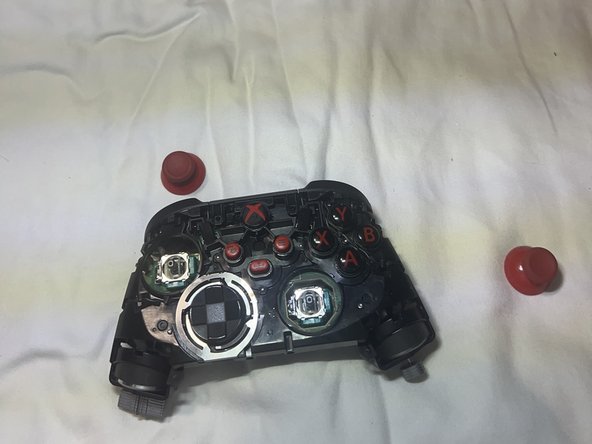
    • Remove the screws.

    • Flip the controller over and remove the joysticks.

  5. How to Fix an Xbox One Controller Stuck Button: 5 단계, 이미지 2개 중 1개 How to Fix an Xbox One Controller Stuck Button: 5 단계, 이미지 2개 중 2개
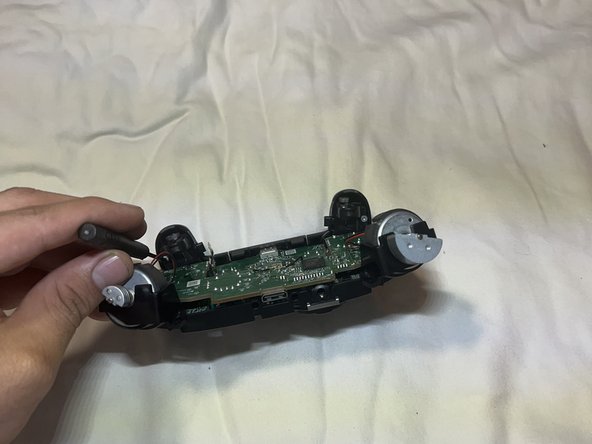
    • Remove both screws near the trigger.

  6. How to Fix an Xbox One Controller Stuck Button: 6 단계, 이미지 3개 중 1개 How to Fix an Xbox One Controller Stuck Button: 6 단계, 이미지 3개 중 2개 How to Fix an Xbox One Controller Stuck Button: 6 단계, 이미지 3개 중 3개
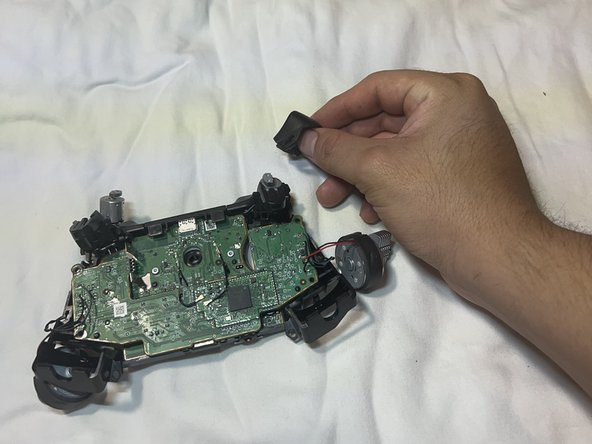
    • Remove the triggers to create more space.

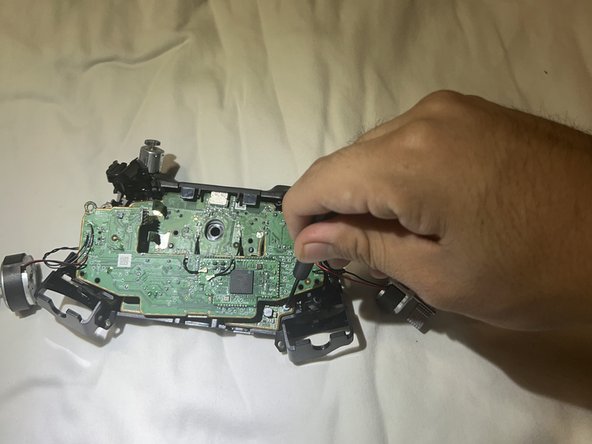
    • Remove the screws holding the motherboard.

  7. How to Fix an Xbox One Controller Stuck Button: 7 단계, 이미지 3개 중 1개 How to Fix an Xbox One Controller Stuck Button: 7 단계, 이미지 3개 중 2개 How to Fix an Xbox One Controller Stuck Button: 7 단계, 이미지 3개 중 3개
    • Remove the screws underneath the first chip board.

  8. How to Fix an Xbox One Controller Stuck Button: 8 단계, 이미지 3개 중 1개 How to Fix an Xbox One Controller Stuck Button: 8 단계, 이미지 3개 중 2개 How to Fix an Xbox One Controller Stuck Button: 8 단계, 이미지 3개 중 3개
    • Remove all screws holding the motherboard.

    • Pry open the top of the controller to release the motherboard.

  9. How to Fix an Xbox One Controller Stuck Button: 9 단계, 이미지 3개 중 1개 How to Fix an Xbox One Controller Stuck Button: 9 단계, 이미지 3개 중 2개 How to Fix an Xbox One Controller Stuck Button: 9 단계, 이미지 3개 중 3개
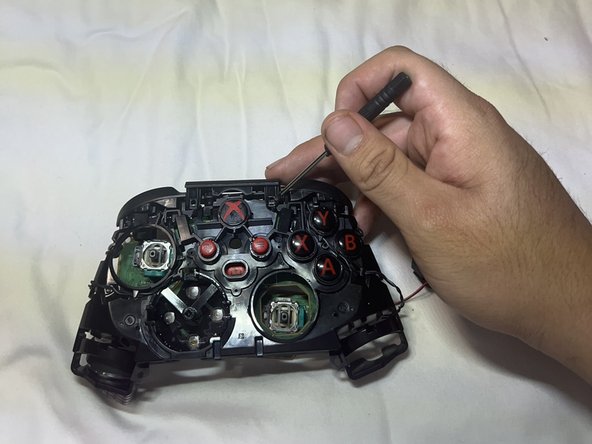
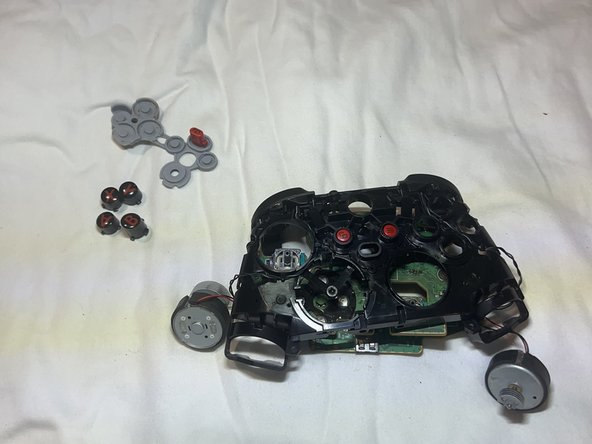
    • Remove the motherboard.

    • Remove the buttons.

  10. How to Fix an Xbox One Controller Stuck Button: 10 단계, 이미지 3개 중 1개 How to Fix an Xbox One Controller Stuck Button: 10 단계, 이미지 3개 중 2개 How to Fix an Xbox One Controller Stuck Button: 10 단계, 이미지 3개 중 3개
    • Clean the new buttons with rubbing alcohol for less friction.

    • Clean the controller frame holes.

결론

To reassemble your device, follow these instructions in reverse order.

다른 한 분이 해당 안내서를 완성하였습니다.

작성자

3다른 기여자 명과 함께

iAmChrisBro

회원 가입일: 10/27/23

218 평판

안내서 1개를 작성함

0가이드 댓글

댓글 쓰기

조회 통계:

지난 24시간: 4

지난 7일: 38

지난 30일: 228

전체 시간: 4,206