소개
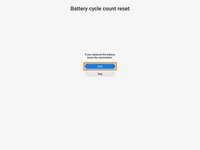
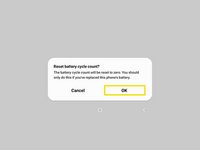
Use this guide to perform a battery cycle reset on your Samsung phone or tablet. You should perform this reset whenever you change the battery for your Samsung device.
Tested Devices (Samsung Remote Test Lab):
- Supported S Phones: S20, S20+, S20 Ultra, S21, S21+, S21 Ultra, S21 FE, S22, S22+, S22 Ultra, S23, S23+, S23 Ultra, S23 FE, S24, S24+, S24 Ultra
- Supported A Phones: A15, A25, A54
- Supported Fold Phones: Z Fold5
- Supported Flip Phones: Z Flip5
- Supported S Tablets: Tab S7+, Tab S9, Tab S9+, Tab S9 Ultra, Tab S9 FE, Tab S9 FE+
- Unsupported S Phones: S20 FE, S24 FE, S25, S25+, S25 Ultra
- Unsupported A Phones: A04, A05, A06, A13, A13 5G, A14, A16, A22, A23, A24, A31, A32, A32 5G, A33, A34, A35, A42 5G, A52s, A53, A55 5G, A72, A73, A82 5G
- Unsupported Note Phones: Note20, Note20 Ultra
- Unsupported Fold Phones: Z Fold1, Fold2, Fold3, Fold4, Fold6
- Unsupported Flip Phones: Z Flip1, Flip2, Flip3, Flip4, Flip6
- Unsupported Tablets: Tab S7, Tab S7 FE, Tab S8, Tab S8+, Tab S8 Ultra, Tab S10+, Tab S10 Ultra
For more information, refer to the Samsung Self-Repair document.
Note: the device used is a Samsung Galaxy Tab S7+, but the procedure is identical across all Samsung devices.
Note: Samsung account required.
-
-
Download the Self Repair Assistant app (2.0.12)here.
-
Open the "My Files" app.
-
Navigate to the "Installation files" tab on the left side of the screen.
-
-
-
Select the app on the right side of the screen.
-
Select "Install" to confirm the app's installation.
-
Skip the next two steps.
-
-
-
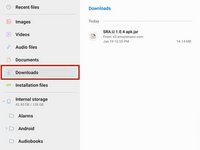
Navigate to the "Downloads" tab on the left side of the screen.
-
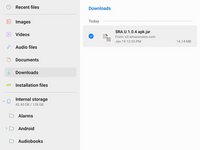
Long press the download file until an orange checkmark appears to the left of it.
-
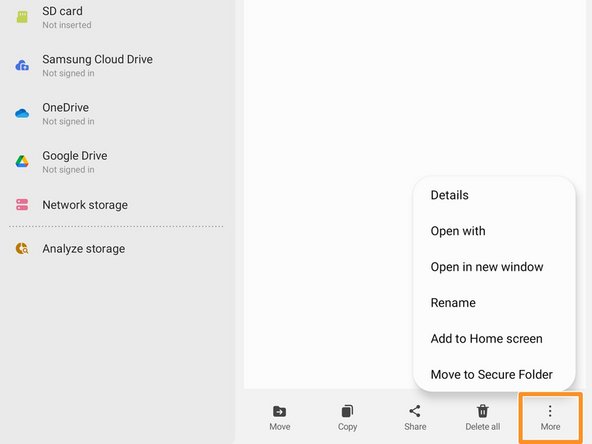
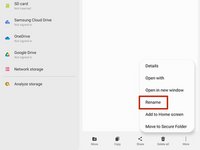
Navigate to the bottom of the screen and select the "More" option.
-
-










다른 15명이 해당 안내서를 완성하였습니다.



46가이드 댓글
Dead link to Samsung Self-Repair document.
Thanks for catching that! I fixed the link in the introduction.
I installed the galaxy cal app on an S20 and when opening the app I get a message to try again after getting new version
I have the same. Do you know how to fix this now?
simply change your phone date between 2021 and 2022.
