주요 콘텐츠로 건너뛰기

How to diagnose Samsung Galaxy A40 Charging Problems

동영상 개요

  1. How to diagnose Samsung Galaxy A40 Charging Problems, +5V line: 1 단계, 이미지 3개 중 1개 How to diagnose Samsung Galaxy A40 Charging Problems, +5V line: 1 단계, 이미지 3개 중 2개 How to diagnose Samsung Galaxy A40 Charging Problems, +5V line: 1 단계, 이미지 3개 중 3개
    • These photos depict the +5V line from the charging port to the motherboard.

  2. How to diagnose Samsung Galaxy A40 Charging Problems, Back cover removal.: 2 단계, 이미지 3개 중 1개 How to diagnose Samsung Galaxy A40 Charging Problems, Back cover removal.: 2 단계, 이미지 3개 중 2개 How to diagnose Samsung Galaxy A40 Charging Problems, Back cover removal.: 2 단계, 이미지 3개 중 3개
    • Heat the device to soften the adhesive.

    • Tools you may find of use include a playing card, suction cup, plastic tools such as picks and a spudger and isopropyl alcohol (preferably not rubbing alcohol - contains oils and perfumes).

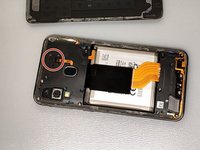
    • Remove the silver Phillips screws from the device's frame.

  3. How to diagnose Samsung Galaxy A40 Charging Problems, Fingerprint sensor: 3 단계, 이미지 3개 중 1개 How to diagnose Samsung Galaxy A40 Charging Problems, Fingerprint sensor: 3 단계, 이미지 3개 중 2개 How to diagnose Samsung Galaxy A40 Charging Problems, Fingerprint sensor: 3 단계, 이미지 3개 중 3개
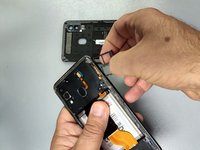
    • Remove the plastic cap from the fingerprint flex cable connector and disconnect the cable.

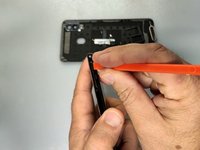
    • Remove the SIM Tray.

  4. How to diagnose Samsung Galaxy A40 Charging Problems, Middle frame removal: 4 단계, 이미지 3개 중 1개 How to diagnose Samsung Galaxy A40 Charging Problems, Middle frame removal: 4 단계, 이미지 3개 중 2개 How to diagnose Samsung Galaxy A40 Charging Problems, Middle frame removal: 4 단계, 이미지 3개 중 3개
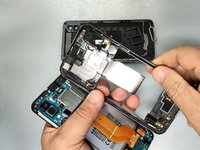
    • Use a plastic tool to separate the back cover from the frame. Start from the SIM tray hole.

    • Disconnect the battery.

  5. How to diagnose Samsung Galaxy A40 Charging Problems, Measurement: 5 단계, 이미지 3개 중 1개 How to diagnose Samsung Galaxy A40 Charging Problems, Measurement: 5 단계, 이미지 3개 중 2개 How to diagnose Samsung Galaxy A40 Charging Problems, Measurement: 5 단계, 이미지 3개 중 3개
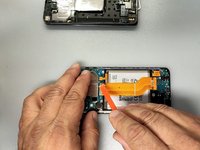
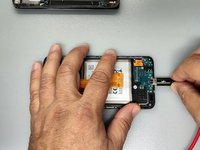
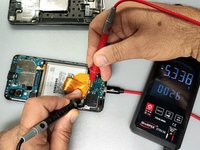
    • Disconnect the main flex cable and connect the charger.

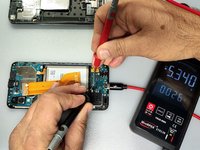
    • Use a multimeter to measure the voltages at the large end pins of the FPC connector of the charging board. (See the second image)

    • If the reading is okay (~5V) continue with the next step, if not - change the Charging board.

    • Attach the main flex cable and measure the large end pins of the Main flex FPC connector - pic.3.

    • If the reading is okay, continue with the next step, if not - change the Main flex cable.

  6. How to diagnose Samsung Galaxy A40 Charging Problems: 6 단계, 이미지 3개 중 1개 How to diagnose Samsung Galaxy A40 Charging Problems: 6 단계, 이미지 3개 중 2개 How to diagnose Samsung Galaxy A40 Charging Problems: 6 단계, 이미지 3개 중 3개
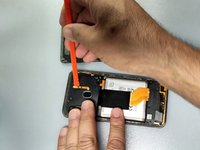
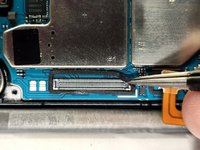
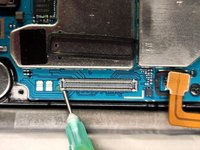
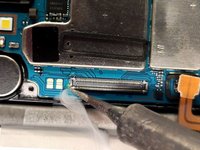
    • Remove the adhesive rubber around the main flex connector on the logic board.

    • Use some flux and a soldering iron to re-solder the first pin of the motherboard FPC.

결론

To reassemble your device, follow these instructions in reverse order.

다른 6명이 해당 안내서를 완성하였습니다.

작성자

7다른 기여자 명과 함께

ZFix

회원 가입일: 12/09/13

195,943 평판

안내서 330개를 작성함

Master Techs Master Techs 회원

Community

329 회원들

안내서 1,452개를 작성함

1가이드 댓글

How to fix samsung A50s with termometer logo on screen when charging

Den Bagoese - 답글

댓글 쓰기

조회 통계:

지난 24시간: 7

지난 7일: 37

지난 30일: 162

전체 시간: 11,958