주요 콘텐츠로 건너뛰기

How to fix the power button on a Synology DS212J

필요한 것

  1. How to fix the power button on a Synology DS212J, How to fix the power button on a Synology DS212J: 1 단계, 이미지 1개 중 1개
    • Power down the Synology.

    • Since the power button no longer works you can go to the web interface [https://IP_address:5001], log in and select shutdown from the menu in the top right.

  2. How to fix the power button on a Synology DS212J: 2 단계, 이미지 1개 중 1개
    • Remove two screws from the back.

    • Make sure to put these screws where you can find them, mine are long gone!

    • Slide the side of the enclosure forward.

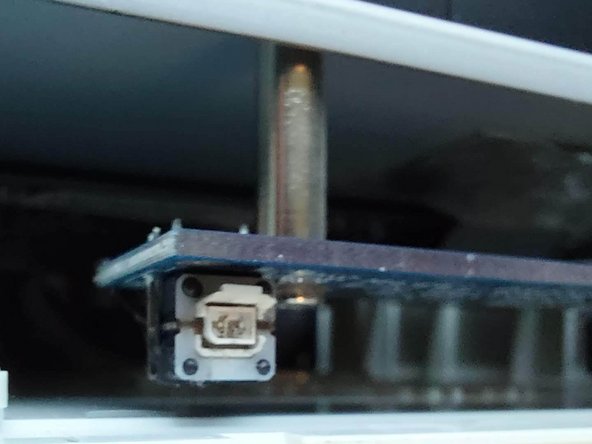
  3. How to fix the power button on a Synology DS212J: 4 단계, 이미지 1개 중 1개
    • As you can see the plastic of the power button has broken of.

    • I considered replacing the button but fabricobbled an easier fix.

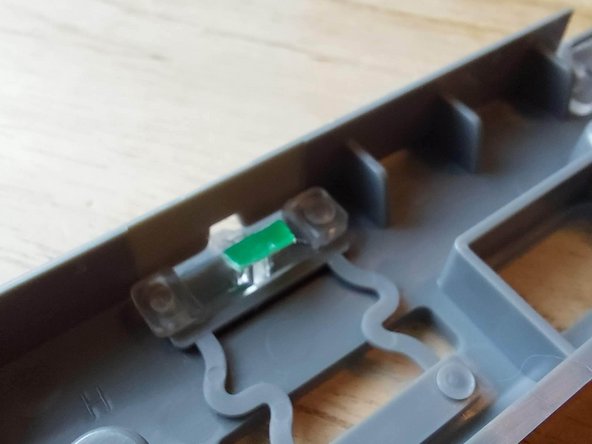
  4. How to fix the power button on a Synology DS212J: 5 단계, 이미지 1개 중 1개
    • Remove the gray front with 3 screws for easier access.

    • Cut a bit of thin plastic to the right dimensions. (About 3 x 1 mm)

    • Superglue the thin plastic on the cross of the power button.

    • Re-assemble and if all is well you have a working power button!

결론

To reassemble your device, follow these instructions in reverse order.

다른 한 분이 해당 안내서를 완성하였습니다.

작성자

1다른 기여자 명과 함께

Rogier Gerritse

회원 가입일: 01/17/22

160 평판

안내서 1개를 작성함

0가이드 댓글

댓글 쓰기

조회 통계:

지난 24시간: 2

지난 7일: 6

지난 30일: 29

전체 시간: 2,061