주요 콘텐츠로 건너뛰기

Imation Superdisk USB Drive Metal Casing Replacement

필요한 것

  1. Imation Superdisk USB Drive Metal Casing Replacement, Plastic Housing: 1 단계, 이미지 2개 중 1개 Imation Superdisk USB Drive Metal Casing Replacement, Plastic Housing: 1 단계, 이미지 2개 중 2개
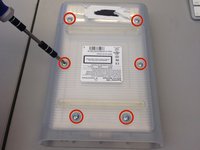
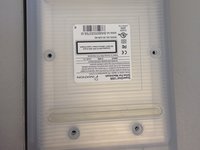
    • Flip the device over so the bottom is facing up.

    • You will know it is the bottom because there will be six silver screws visible.

  2. Imation Superdisk USB Drive Metal Casing Replacement: 2 단계, 이미지 2개 중 1개 Imation Superdisk USB Drive Metal Casing Replacement: 2 단계, 이미지 2개 중 2개
    • Remove the USB converter device by gently pulling it out.

    • Do not pull the converter device out by the cord.

  3. Imation Superdisk USB Drive Metal Casing Replacement: 3 단계, 이미지 2개 중 1개 Imation Superdisk USB Drive Metal Casing Replacement: 3 단계, 이미지 2개 중 2개
    • Remove the six silver screws using a small Phillips head screwdriver.

  4. Imation Superdisk USB Drive Metal Casing Replacement: 4 단계, 이미지 2개 중 1개 Imation Superdisk USB Drive Metal Casing Replacement: 4 단계, 이미지 2개 중 2개
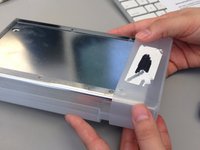
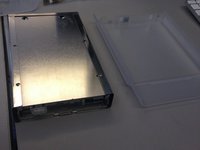
    • Slide the bottom plastic panel of the shell down so it is free of the end cap and the top panel.

    • Lift panel free of device.

  5. Imation Superdisk USB Drive Metal Casing Replacement: 5 단계, 이미지 2개 중 1개 Imation Superdisk USB Drive Metal Casing Replacement: 5 단계, 이미지 2개 중 2개
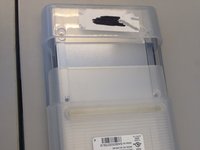
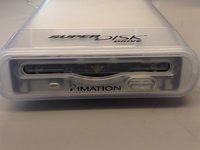
    • Identify the end cap by noting the label "SuperDisk Drive" above where you would insert a floppy disk.

    • Remove the plastic end cap by sliding it forward, freeing from the rest of the device.

  6. Imation Superdisk USB Drive Metal Casing Replacement: 6 단계, 이미지 2개 중 1개 Imation Superdisk USB Drive Metal Casing Replacement: 6 단계, 이미지 2개 중 2개
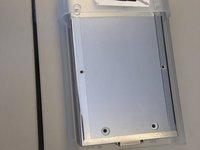
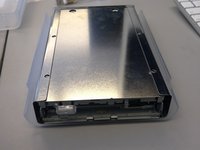
    • Slide the metal housing out of the plastic shell.

  7. Imation Superdisk USB Drive Metal Casing Replacement, Metal Casing: 7 단계, 이미지 2개 중 1개 Imation Superdisk USB Drive Metal Casing Replacement, Metal Casing: 7 단계, 이미지 2개 중 2개
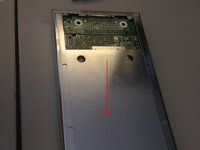
    • Slide metal panel out of the metal casing.

  8. Imation Superdisk USB Drive Metal Casing Replacement: 8 단계, 이미지 2개 중 1개 Imation Superdisk USB Drive Metal Casing Replacement: 8 단계, 이미지 2개 중 2개
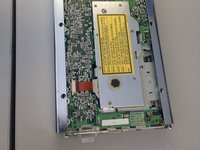
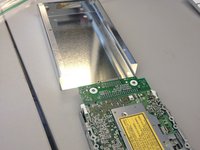
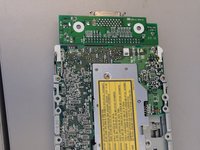
    • Slide disk drive out of metal casing.

결론

To reassemble your device, follow these instructions in reverse order.

작성자

4다른 기여자 명과 함께

Ryan

회원 가입일: 02/13/14

1 평판

안내서 1개를 작성함

Ohio State, Team 1-2, Buehl Spring 2014 Ohio State, Team 1-2, Buehl Spring 2014 회원

OSU-BUEHL-S14S1G2

4 회원들

안내서 14개를 작성함

0가이드 댓글

댓글 쓰기

조회 통계:

지난 24시간: 2

지난 7일: 3

지난 30일: 4

전체 시간: 471