주요 콘텐츠로 건너뛰기

Interlink VP4550 Circuit Board Replacement

필요한 것

  1. Interlink VP4550 Circuit Board Replacement, Case: 1 단계, 이미지 3개 중 1개 Interlink VP4550 Circuit Board Replacement, Case: 1 단계, 이미지 3개 중 2개 Interlink VP4550 Circuit Board Replacement, Case: 1 단계, 이미지 3개 중 3개
    • Turn the phone over to where the battery compartment resides.

    • Remove the battery compartment door by pushing down on the door with your thumbs and sliding the door off of the bottom of the device.

    • Remove battery.

  2. Interlink VP4550 Circuit Board Replacement: 2 단계, 이미지 3개 중 1개 Interlink VP4550 Circuit Board Replacement: 2 단계, 이미지 3개 중 2개 Interlink VP4550 Circuit Board Replacement: 2 단계, 이미지 3개 중 3개
    • Use a Phillips #0 screwdriver to remove the screw in the middle of the battery compartment.

    • Pry open the case body with the plastic opening tool. Start at the bottom of the device and work toward the top. You will hear a "click" sound as the sides open.

  3. Interlink VP4550 Circuit Board Replacement: 3 단계, 이미지 2개 중 1개 Interlink VP4550 Circuit Board Replacement: 3 단계, 이미지 2개 중 2개
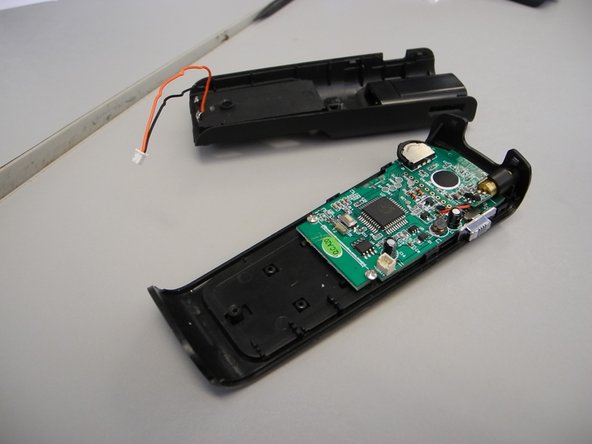
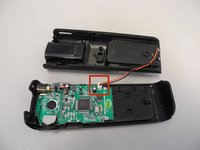
    • There is a wire connector linking the front and the back of the device.

    • Carefully pull the wire connectors out of the white connector gauge to completely separate the front and back pieces.

  4. Interlink VP4550 Circuit Board Replacement: 4 단계, 이미지 2개 중 1개 Interlink VP4550 Circuit Board Replacement: 4 단계, 이미지 2개 중 2개
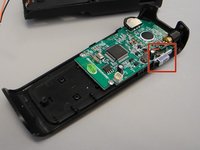
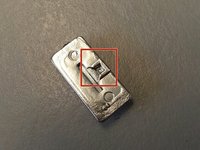
    • The power button may fall off when you separate the front and back of the device. This can simply be placed back when reassembling.

    • Find the lever on the right side of the back half of the device.

    • Insert the tip of the lever into the square indent on the underside of the button.

  5. Interlink VP4550 Circuit Board Replacement, Circuit Board: 5 단계, 이미지 1개 중 1개
    • Avoid picking up the front of the device as you work so that loose parts will not shift.

    • Use a Phillips #0 head screwdriver to remove two screws; one on either side of the circuit board.

  6. Interlink VP4550 Circuit Board Replacement: 6 단계, 이미지 1개 중 1개
    이 단계에 사용된 도구:
    Tweezers
    $4.99
    • Slide the circuit board down from the tab located underneath the top of the back half

    • The laser is attached to the circuit board and will slide out of its own housing as you slide out the circuit board.

    • Use tweezers to gently remove it if it doesn't come out.

결론

To reassemble your device, follow these instructions in reverse order.

작성자

12다른 기여자 명과 함께

custer78

회원 가입일: 02/11/14

24 평판

안내서 1개를 작성함

Ohio State, Team 1-1, Buehl Spring 2014 Ohio State, Team 1-1, Buehl Spring 2014 회원

OSU-BUEHL-S14S1G1

4 회원들

안내서 3개를 작성함

0가이드 댓글

댓글 쓰기

조회 통계:

지난 24시간: 0

지난 7일: 4

지난 30일: 14

전체 시간: 363