주요 콘텐츠로 건너뛰기

JBL Clip 3 Carabiner Clip Replacement

필요한 것

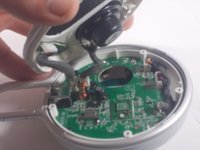
  1. JBL Clip 3 Carabiner Clip Replacement, Speaker Grill: 1 단계, 이미지 2개 중 1개 JBL Clip 3 Carabiner Clip Replacement, Speaker Grill: 1 단계, 이미지 2개 중 2개
    • Insert the iFixit opening tool between the speaker grill and speaker housing and pry around the entire perimeter of the device until the grill releases.

    • A strong adhesive attaches the grill to the housing, and requires some time and patience to break. Use mild heat to loosen the adhesive if necessary.

  2. JBL Clip 3 Carabiner Clip Replacement, Speaker Housing: 2 단계, 이미지 2개 중 1개 JBL Clip 3 Carabiner Clip Replacement, Speaker Housing: 2 단계, 이미지 2개 중 2개
    • Use a Phillips #1 screwdriver to remove the five 6.3 mm screws around the perimeter.

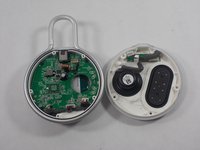
  3. JBL Clip 3 Carabiner Clip Replacement: 3 단계, 이미지 1개 중 1개
    • Separate the speaker housing from the rest of the body.

    • This requires minimal force; they are not glued together.

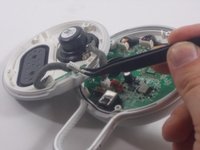
  4. JBL Clip 3 Carabiner Clip Replacement: 4 단계, 이미지 2개 중 1개 JBL Clip 3 Carabiner Clip Replacement: 4 단계, 이미지 2개 중 2개
    이 단계에 사용된 도구:
    Tweezers
    $4.99
    • Use tweezers to remove the 2 pin and 4 pin connectors from the motherboard.

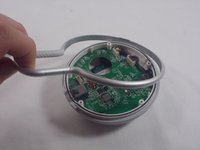
  5. JBL Clip 3 Carabiner Clip Replacement, Carabiner Clip: 5 단계, 이미지 2개 중 1개 JBL Clip 3 Carabiner Clip Replacement, Carabiner Clip: 5 단계, 이미지 2개 중 2개
    • Lift the metal carabiner clip from the speaker housing.

    • They are not glued together and should separate easily.

    • There are alignment tabs on the clip so the whole assembly will only reassemble in one orientation.

결론

To reassemble your device, follow these instructions in reverse order.

다른 2명이 해당 안내서를 완성하였습니다.

작성자

7다른 기여자 명과 함께

Tyler Molden

회원 가입일: 03/28/22

497 평판

안내서 4개를 작성함

UMass Dartmouth, Team 1-5, Petersen Spring 2022 UMass Dartmouth, Team 1-5, Petersen Spring 2022 회원

UMASSD-PETERSEN-S22S1G5

3 회원들

안내서 10개를 작성함

0가이드 댓글

댓글 쓰기

조회 통계:

지난 24시간: 5

지난 7일: 15

지난 30일: 58

전체 시간: 5,603