소개
This guide walks you through replacing the main speaker driver in a JBL Go 3. This may be necessary if your speaker is producing distorted sound, no audio, or rattling noises. Be prepared to handle delicate internal components and possibly perform some soldering.
필요한 것
-
-
Hold the power button until the JBL Go 3 shuts off
-
Disconnect any charging cables
-
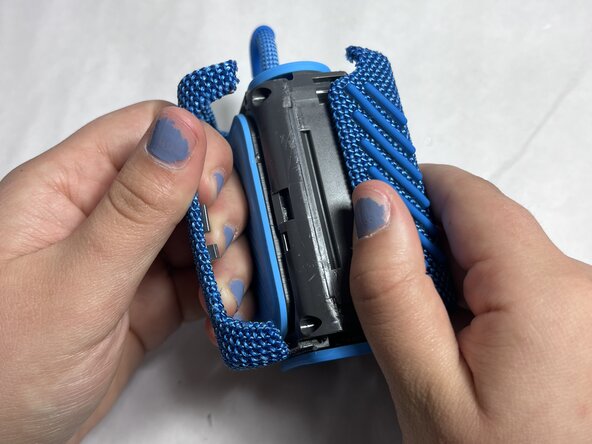
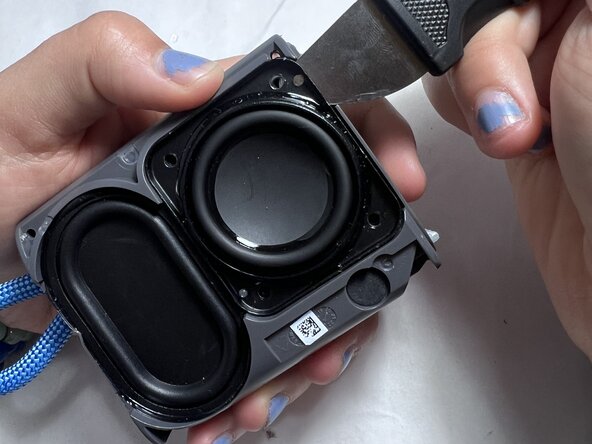
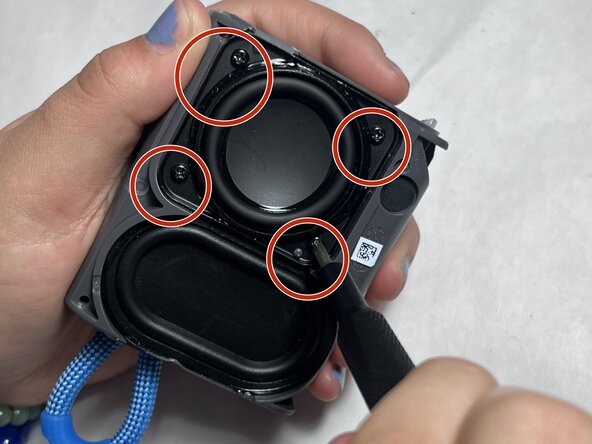
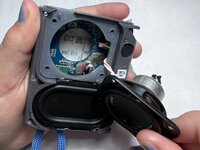
Use jimmy to remove the hard shell
-
Work your way around the edges slowly—be patient as it's glued or snapped in tightly
-





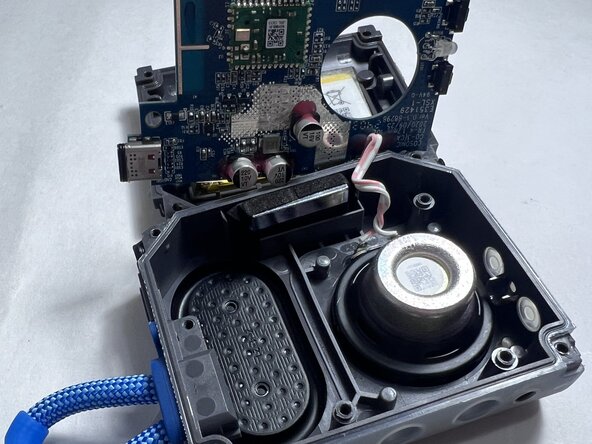
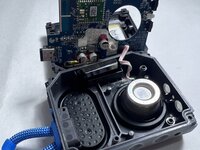
To reassemble your device, follow the above steps in reverse order.
Take your e-waste to an R2 or e-Stewards certified recycler.
Repair didn’t go as planned? Try some basic troubleshooting or ask our Answers community for help.


팀

UMass Dartmouth, Team 4-5, Konn Spring 2025 UMass Dartmouth, Team 4-5, Konn Spring 2025 회원
UMASSD-KONN-S25S4G5
4 회원들
안내서 5개를 작성함
