주요 콘텐츠로 건너뛰기

JBL L26 Speaker Replacement

필요한 것

  1. JBL L26 Speaker Replacement, Speaker: 1 단계, 이미지 1개 중 1개
    • Remove the four 6.4 mm Phillips #2 screws from the front of the speaker.

  2. JBL L26 Speaker Replacement: 2 단계, 이미지 1개 중 1개
    • Pull the speaker out of the frame and lay it onto the side.

  3. JBL L26 Speaker Replacement: 3 단계, 이미지 1개 중 1개
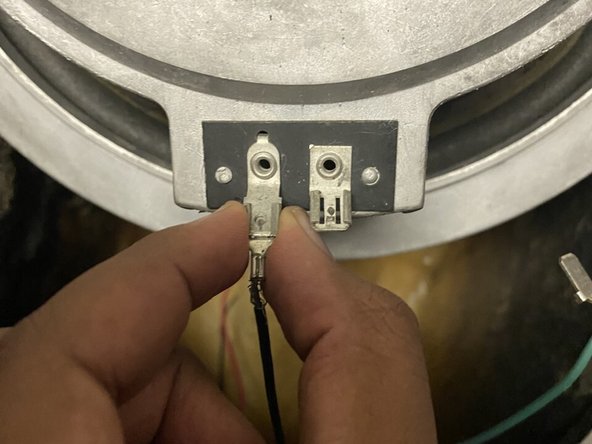
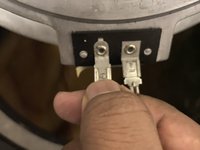
    • Unlatch the green wire by pulling on the terminal connector and not the wire.

  4. JBL L26 Speaker Replacement: 4 단계, 이미지 2개 중 1개 JBL L26 Speaker Replacement: 4 단계, 이미지 2개 중 2개
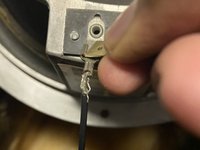
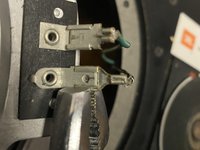
    • Use a small prying tool to pry the terminal connector off of the tap.

    • After you unlatched both edges, pull the black wire out.

  5. JBL L26 Speaker Replacement: 5 단계, 이미지 1개 중 1개
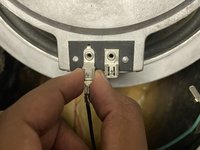
    • Get your replacement speaker and connect the green wire by pushing the terminal connector onto the tap.

  6. JBL L26 Speaker Replacement: 6 단계, 이미지 2개 중 1개 JBL L26 Speaker Replacement: 6 단계, 이미지 2개 중 2개
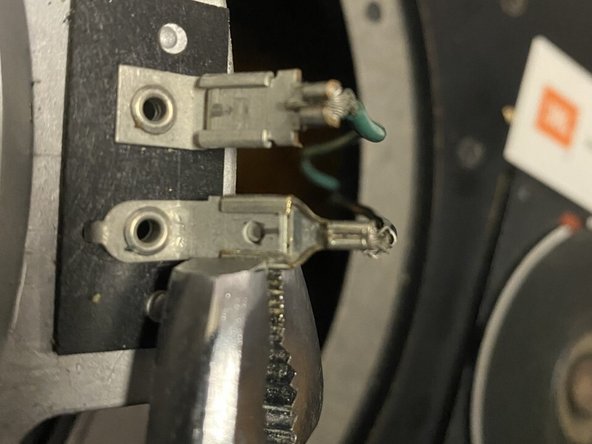
    • Connect the black wire by attaching the terminal connector onto the tap.

    • Use a clamping tool to clip the edges toward the tap.

    • Be careful not to clamp too hard so you don't damage the tap.

  7. JBL L26 Speaker Replacement: 7 단계, 이미지 1개 중 1개
    • Place the new speaker onto the frame and screw the four 6.4 mm Phillips #2 screws back in.

결론

To reassemble your device, follow these instructions in reverse order.

다른 한 분이 해당 안내서를 완성하였습니다.

작성자

1다른 기여자 명과 함께

Nathnael Dubale

회원 가입일: 09/20/20

269 평판

안내서 1개를 작성함

York University, Team S2-G45, Melo-Thaiss Fall 2020 York University, Team S2-G45, Melo-Thaiss Fall 2020 회원

YORK-MELO-THAISS-F20S2G45

1 회원

안내서 2개를 작성함

0가이드 댓글

댓글 쓰기

조회 통계:

지난 24시간: 0

지난 7일: 7

지난 30일: 25

전체 시간: 1,516