주요 콘텐츠로 건너뛰기

JVC GR-D72U Lateral Function Port Panel Replacement

필요한 것

  1. JVC GR-D72U Lateral Function Port Panel Replacement, Battery: 1 단계, 이미지 2개 중 1개 JVC GR-D72U Lateral Function Port Panel Replacement, Battery: 1 단계, 이미지 2개 중 2개
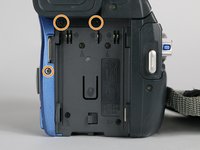
    • Locate button on bottom of camera.

    • Slide button to the right.

  2. JVC GR-D72U Lateral Function Port Panel Replacement: 2 단계, 이미지 1개 중 1개
    • Pull the battery towards the bottom of the camcorder while lifting battery .

  3. JVC GR-D72U Lateral Function Port Panel Replacement, Lateral Function Port Panel: 3 단계, 이미지 3개 중 1개 JVC GR-D72U Lateral Function Port Panel Replacement, Lateral Function Port Panel: 3 단계, 이미지 3개 중 2개 JVC GR-D72U Lateral Function Port Panel Replacement, Lateral Function Port Panel: 3 단계, 이미지 3개 중 3개
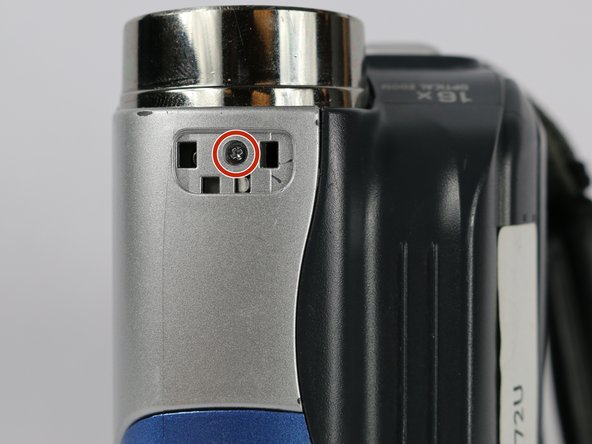
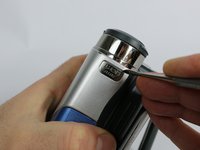
    • Remove silver plate that says “Auto Light” on the top of the camera using a metal spudger.

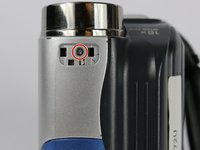
    • Remove the 3.1 mm screw.

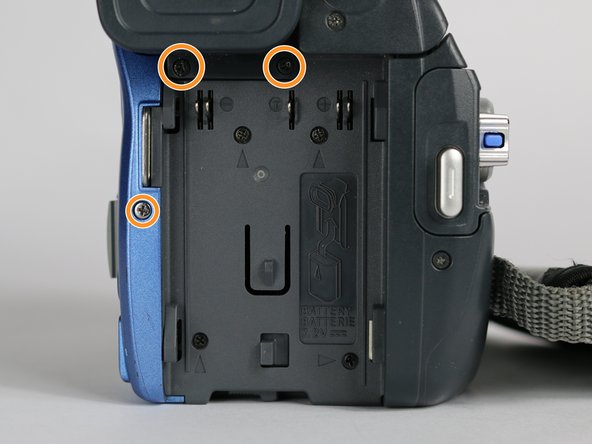
    • Remove the three 5.3 mm screws from the back of the camera.

  4. JVC GR-D72U Lateral Function Port Panel Replacement: 4 단계, 이미지 1개 중 1개
    • From the bottom of the camera remove the following four screws:

    • 5.3 mm

    • 3.1 mm

    • 5.1 mm

    • 3.5 mm

  5. JVC GR-D72U Lateral Function Port Panel Replacement: 5 단계, 이미지 1개 중 1개
    • Use the small plastic opening tool to remove the blue side cover piece.

  6. JVC GR-D72U Lateral Function Port Panel Replacement: 6 단계, 이미지 1개 중 1개
    • Remove the 3.1 mm screw on top of the camera, closest to the LCD monitor.

    • Remove the 5.4 mm screw next to the snapshot button.

  7. JVC GR-D72U Lateral Function Port Panel Replacement: 7 단계, 이미지 1개 중 1개
    • Remove the 3.1 mm screw next to the USB and DV inputs.

  8. JVC GR-D72U Lateral Function Port Panel Replacement: 8 단계, 이미지 1개 중 1개
    • Gently pull apart both halves of the camera to reveal the inner components.

  9. JVC GR-D72U Lateral Function Port Panel Replacement: 9 단계, 이미지 3개 중 1개 JVC GR-D72U Lateral Function Port Panel Replacement: 9 단계, 이미지 3개 중 2개 JVC GR-D72U Lateral Function Port Panel Replacement: 9 단계, 이미지 3개 중 3개
    이 단계에 사용된 도구:
    Tweezers
    $4.99
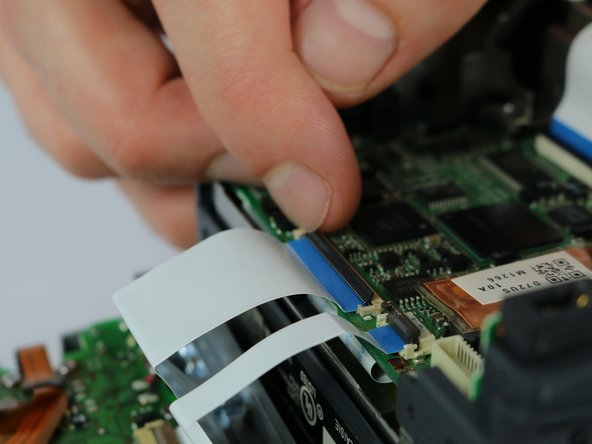
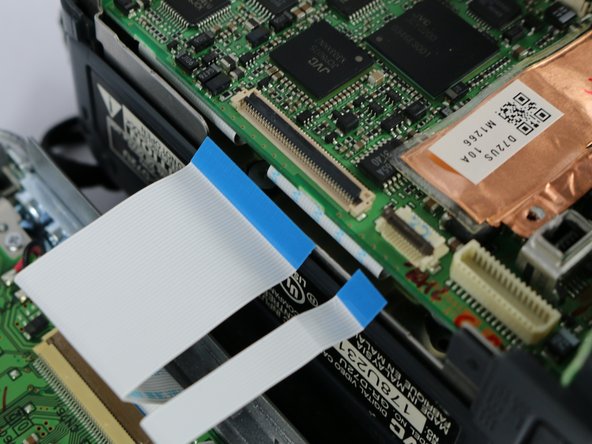
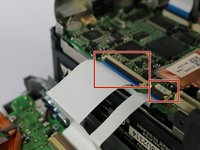
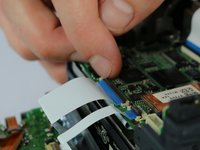
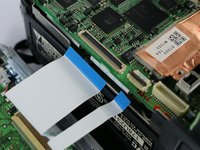
    • Flip the cable locks to the up-position and pull both cables connecting the lateral function port panel to the rest of the camera.

    • Insert the cables from the new port panel into their inputs and flip the locks to the down position.

    • It is easier to use tweezers when inserting the cable but not required.

결론

To reassemble your device, follow these instructions in reverse order.

다른 2명이 해당 안내서를 완성하였습니다.

작성자

3다른 기여자 명과 함께

Joshua Hatcherian

회원 가입일: 09/28/17

194 평판

안내서 1개를 작성함

USF Tampa, Team S2-G2, Nance Fall 2017 USF Tampa, Team S2-G2, Nance Fall 2017 회원

USFT-NANCE-F17S2G2

4 회원들

안내서 5개를 작성함

0가이드 댓글

댓글 쓰기

조회 통계:

지난 24시간: 0

지난 7일: 2

지난 30일: 12

전체 시간: 672