주요 콘텐츠로 건너뛰기

KK-82MS-B Battery Replacement

필요한 것

  1. KK-82MS-B Battery Replacement, Open the calculator.: 1 단계, 이미지 2개 중 1개 KK-82MS-B Battery Replacement, Open the calculator.: 1 단계, 이미지 2개 중 2개
    • Unscrew the back and open the calculator like a book. Open it carefully so you don't tear the battery wires.

  2. KK-82MS-B Battery Replacement, Remove battery wires.: 2 단계, 이미지 2개 중 1개 KK-82MS-B Battery Replacement, Remove battery wires.: 2 단계, 이미지 2개 중 2개
    • Lift and remove both wires connected to the battery. They are blue.

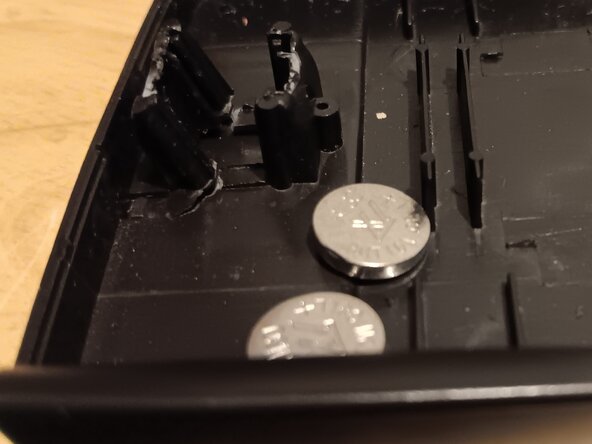
  3. KK-82MS-B Battery Replacement, Remove and replace the battery.: 3 단계, 이미지 2개 중 1개 KK-82MS-B Battery Replacement, Remove and replace the battery.: 3 단계, 이미지 2개 중 2개
    • Unfortunately, you cannot remove the battery without some sort of damage. The easiest way to do this is to break the top so the walls are still there to keep the battery in place.

    • This is very dangerous, there is a high chance of puncturing the battery.

    • Insert your new batteries into the same spot as the previous ones.

    • Slide the blue wires back into place.

결론

To reassemble your device, follow these instructions in reverse order.

다른 한 분이 해당 안내서를 완성하였습니다.

작성자

1다른 기여자 명과 함께

Kyeler W

회원 가입일: 03/04/25

2,782 평판

안내서 15개를 작성함

0가이드 댓글

댓글 쓰기

조회 통계:

지난 24시간: 1

지난 7일: 16

지난 30일: 54

전체 시간: 481