이 번역은 기계에 의해 생성된 것이며, 아직 사람이 검토하지 않았습니다. 이 언어를 아세요? 리뷰 보기.

LG Aristo MS210 스크린 교체

최종 수정일 2026년 8월 3일
조회수: 1.8만
통계 보기:
- 지난 24시간
- 3
- 지난 7일:
- 27
- 지난 30일:
- 107
- 전체 시간:
- 18,024
댓글: 13
3 comments on steps, 10 guide comments.
Go to guide comments완료함: 18 19
18명이 이 안내서를 "완료"로 표시했습니다. 다음은 귀하의 차례입니까?
19명이 이 안내서를 "완료"로 표시했습니다. 귀하를 포함해서요 — 수고하셨어요!
즐겨찾기: 9 10
9명이 이 가이드를 즐겨찾기 (및 구독) 했습니다. 다음은 귀하의 차례입니까?
10명이 이 가이드를 즐겨찾기 (및 구독) 했습니다 — 귀하를 포함해서요!
소개
1단계로 이동하기 ↓이 안내서는 LG Aristo MS210 모델의 스크린과 디지타이저를 올바르게 교체하는 방법을 설명하고 교육하기 위해 작성되었습니다.
필요한 것
도구
-
Spudger4.9


-
-
-
-
뒷면 플레이트를 다시 부착하세요.
-
미니 스크루드라이버를 사용하여 뒷면 플레이트 나사 10개를 단단히 조이세요.
-
SD 카드, SIM 카드, 배터리를 다시 장착하세요.
-
뒷면 커버를 다시 부착하세요.
-

 FixBot에 문의하기


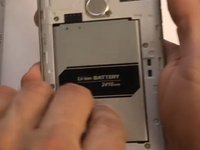
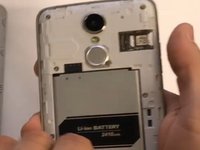


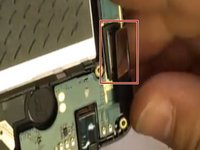
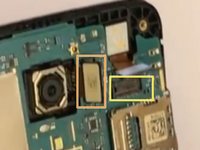


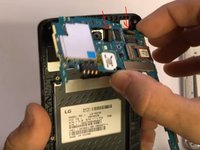
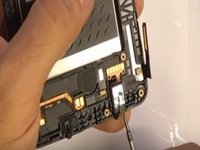
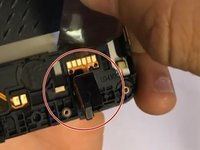


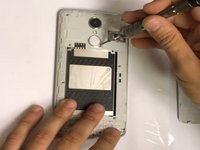
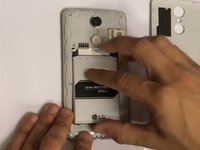
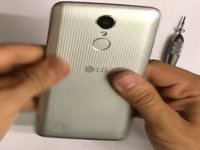

기기를 재조립하려면 이 지침을 역순으로 따르세요.
다른 18명이 해당 안내서를 완성하였습니다.

팀

Pasco Hernando, Team S4-G33, Prince Winter 2017 Pasco Hernando, Team S4-G33, Prince Winter 2017 회원
PHSC-PRINCE-W17S4G33
1 회원
안내서 12개를 작성함
10가이드 댓글
What if my touch screen doesn't work after replacement? I can see start up screen. It just doesn't respond to my touch. Please help!! Thanks
4 Possible answers to this:
1. The digitizer is bad - this is uncommon but not unheard of. Roughly %5 of the screens my shop gets in are bad. Most distributors accept returns on defective parts.
2. The digitizer isn’t plugged in to the board
3. The digitizer port on the motherboard is damaged - this can be tested by trying a known good screen.
4. Software issues. This is most common in iPhones, in my experience. So far as I understand, parts can have hardware identifiers similar to a MAC address. Suddenly changing the hardware can “confuse” the software. You can try a force reset or resetting the phone.
reconnect the motherboard and make sure its properly replaced
Travis Lasta - 답글 공유
I guess this is different than older phones where the digitizer and lcd were separate and when you cracked it you could just buy a new digitizer and replace it without having to buy the lcd with the digitizer.? am I correct in this fact because I see that you can buy the black or white Screen replacement with the lg logo without having to buy the lcd is the screen replacement just like a glass protector for the digitizer and lcd? Like a built in glass screen protector that you would normally add on to stop scratches and a cracked screen or is the screen replacement the digitizer like say the lg optimus f60 and the lg motion where the outer screen with the lg logo and the black part of the screen were part of the digitizer?
Steve Hill - 답글 공유
