주요 콘텐츠로 건너뛰기

Lenovo Legion Y530-15ICH Screen Replacement

필요한 것

  1. Lenovo Legion Y530-15ICH Screen Replacement, Screen: 1 단계, 이미지 1개 중 1개
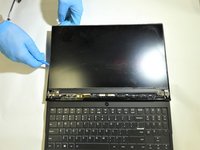
    • Ensure the laptop is powered off.

  2. Lenovo Legion Y530-15ICH Screen Replacement: 2 단계, 이미지 3개 중 1개 Lenovo Legion Y530-15ICH Screen Replacement: 2 단계, 이미지 3개 중 2개 Lenovo Legion Y530-15ICH Screen Replacement: 2 단계, 이미지 3개 중 3개
    • Firmly insert the opening pick under the plastic bezel surrounding the screen.

    • Work your way around the bezel until it is completely removeable.

    • Remove the bezel from the display.

  3. Lenovo Legion Y530-15ICH Screen Replacement: 3 단계, 이미지 2개 중 1개 Lenovo Legion Y530-15ICH Screen Replacement: 3 단계, 이미지 2개 중 2개
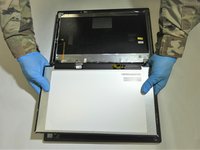
    • Carefully insert the plastic opening tool behind the screen to remove the adhesive.

  4. Lenovo Legion Y530-15ICH Screen Replacement: 4 단계, 이미지 3개 중 1개 Lenovo Legion Y530-15ICH Screen Replacement: 4 단계, 이미지 3개 중 2개 Lenovo Legion Y530-15ICH Screen Replacement: 4 단계, 이미지 3개 중 3개
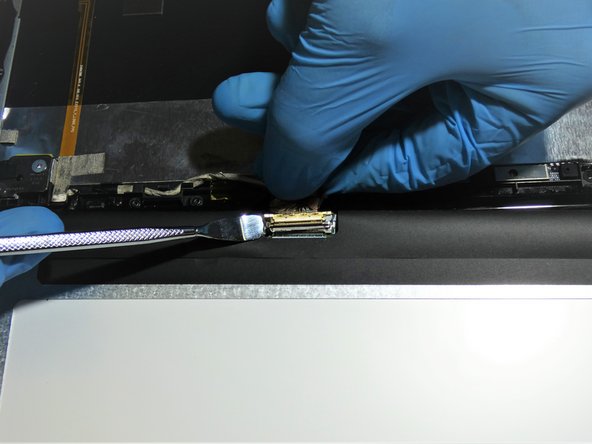
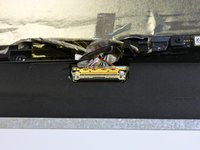
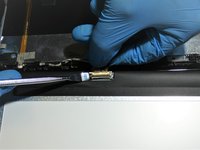
    • Using a small metal spudger, disconnet the LCD connector.

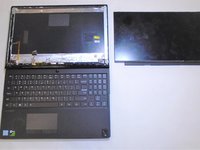
    • Carefully remove the screen from the device.

결론

To reassemble your device, follow these instructions in reverse order.

0가이드 댓글

댓글 쓰기

조회 통계:

지난 24시간: 3

지난 7일: 14

지난 30일: 49

전체 시간: 3,744