주요 콘텐츠로 건너뛰기

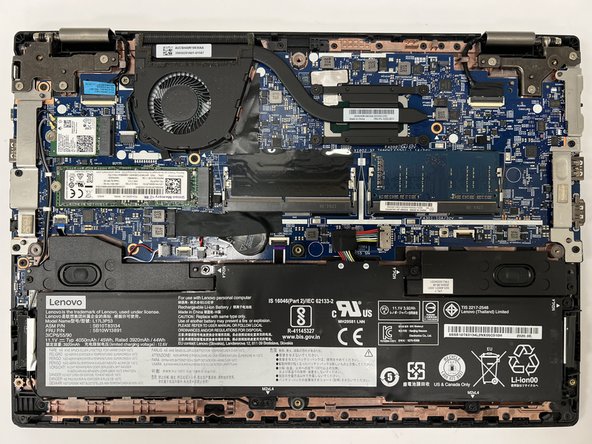
Lenovo ThinkPad L390 Lower Case Replacement

필요한 것

  1. Lenovo ThinkPad L390 Lower Case Replacement, Lower Case: 1 단계, 이미지 2개 중 1개 Lenovo ThinkPad L390 Lower Case Replacement, Lower Case: 1 단계, 이미지 2개 중 2개
    • Before you begin, discharge your laptop battery below 25%. A charged lithium-ion battery can catch fire and/or explode if accidentally punctured. Lay the device down with the lower case facing up.

    • Power off your laptop and disconnect the charger and any peripheries before beginning disassembly.

    • Unscrew the nine 5 mm Phillips #00 screws that secure the lower case.

  2. Lenovo ThinkPad L390 Lower Case Replacement: 2 단계, 이미지 2개 중 1개 Lenovo ThinkPad L390 Lower Case Replacement: 2 단계, 이미지 2개 중 2개
    • Insert an opening tool in the gap between the lower case and the chassis.

    • Pry around the entire perimeter of the lower case until it fully releases.

    • Lift the lower case up and off.

결론

To reassemble your device, follow these instructions in reverse order.

Connor Bassolino

회원 가입일: 03/29/22

18,168 평판

안내서 82개를 작성함

iFixit iFixit 회원

Staff

123 회원들

안내서 23,788개를 작성함

0가이드 댓글

댓글 쓰기

조회 통계:

지난 24시간: 0

지난 7일: 5

지난 30일: 16

전체 시간: 235