주요 콘텐츠로 건너뛰기

Lenovo ThinkPad L440 Back Panel Replacement

필요한 것

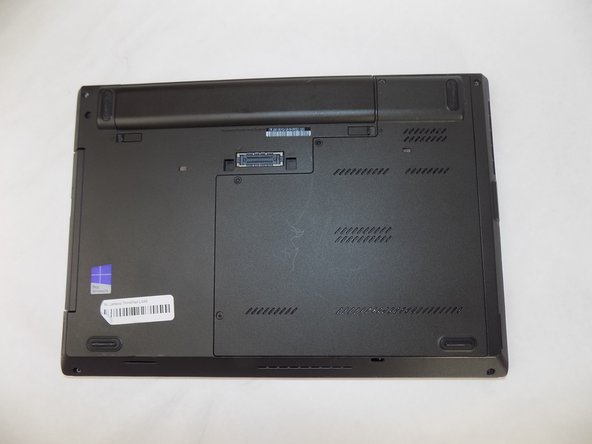
  1. Lenovo ThinkPad L440 Back Panel Replacement, Battery: 1 단계, 이미지 3개 중 1개 Lenovo ThinkPad L440 Back Panel Replacement, Battery: 1 단계, 이미지 3개 중 2개 Lenovo ThinkPad L440 Back Panel Replacement, Battery: 1 단계, 이미지 3개 중 3개
    • Open the laptop to access the power button.

    • Hold the power button in the top right until the computer powers off.

    • Turn the computer over so that the bottom of the computer is facing up

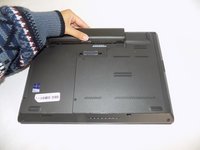
  2. Lenovo ThinkPad L440 Back Panel Replacement: 2 단계, 이미지 1개 중 1개
    • On the left side under the raised surface, move the tab to the left towards the unlocked symbol. Repeat this on the right side and move the tab to the right towards the unlocked symbol.

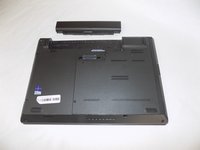
  3. Lenovo ThinkPad L440 Back Panel Replacement: 3 단계, 이미지 2개 중 1개 Lenovo ThinkPad L440 Back Panel Replacement: 3 단계, 이미지 2개 중 2개
    • From the top of the laptop, slide the raised surface away from the rest of the laptop and out of its slot to remove the battery from the computer.

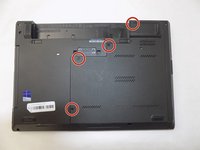
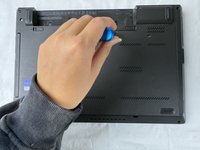
  4. Lenovo ThinkPad L440 Back Panel Replacement, Back Panel: 4 단계, 이미지 2개 중 1개 Lenovo ThinkPad L440 Back Panel Replacement, Back Panel: 4 단계, 이미지 2개 중 2개
    • Loosen the four retainer screws on the bottom of the laptop using a Phillips #0 screwdriver.

    • These four screws are attached to the panel with washers, so they will spin freely when they are loose and will come off with the panel.

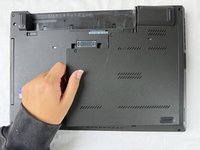
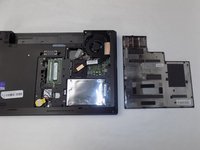
  5. Lenovo ThinkPad L440 Back Panel Replacement: 5 단계, 이미지 2개 중 1개 Lenovo ThinkPad L440 Back Panel Replacement: 5 단계, 이미지 2개 중 2개
    • With your fingers, lift up the back panel from the left side.

결론

To reassemble your device, follow these instructions in reverse order.

Kristen Gismondi

회원 가입일: 11/12/14

100,432 평판

안내서 258개를 작성함

iFixit iFixit 회원

Staff

123 회원들

안내서 23,788개를 작성함

0가이드 댓글

댓글 쓰기

조회 통계:

지난 24시간: 2

지난 7일: 7

지난 30일: 31

전체 시간: 249