주요 콘텐츠로 건너뛰기
수리 커뮤니티 가입 - 계정 만들기

Lenovo ThinkPad T440p Keyboard Replacement

필요한 것

  1. Lenovo ThinkPad T440p Keyboard Replacement, Battery: 1 단계, 이미지 1개 중 1개
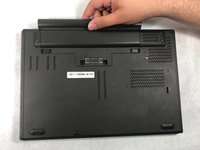
    • Flip the laptop so that the back is facing up.

  2. Lenovo ThinkPad T440p Keyboard Replacement: 2 단계, 이미지 2개 중 1개 Lenovo ThinkPad T440p Keyboard Replacement: 2 단계, 이미지 2개 중 2개
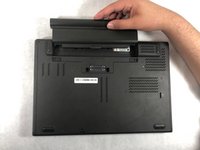
    • Slide the battery latches to the unlocked position.

  3. Lenovo ThinkPad T440p Keyboard Replacement: 3 단계, 이미지 2개 중 1개 Lenovo ThinkPad T440p Keyboard Replacement: 3 단계, 이미지 2개 중 2개
    • Slide the battery pack out of the battery slot.

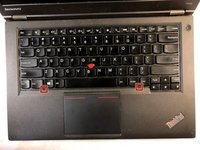
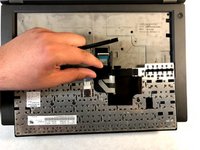
  4. Lenovo ThinkPad T440p Keyboard Replacement, Keyboard: 4 단계, 이미지 3개 중 1개 Lenovo ThinkPad T440p Keyboard Replacement, Keyboard: 4 단계, 이미지 3개 중 2개 Lenovo ThinkPad T440p Keyboard Replacement, Keyboard: 4 단계, 이미지 3개 중 3개
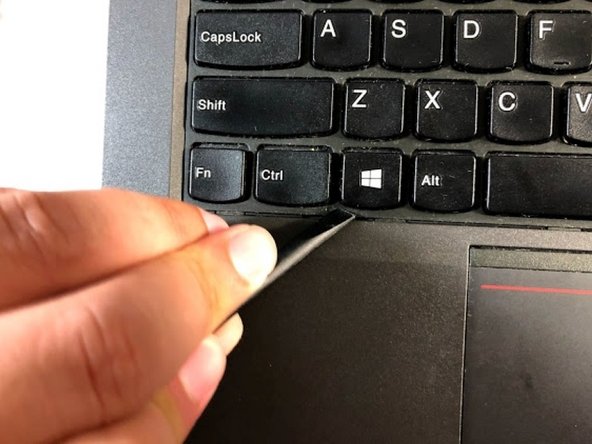
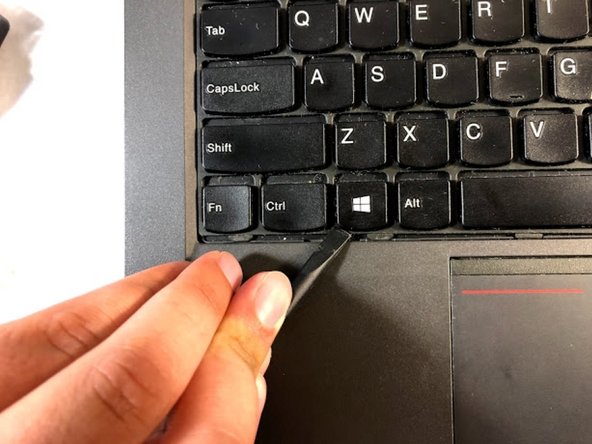
    • Using the spudger, move the plastic protector by pressing it down and forward in order to uncover the screws.

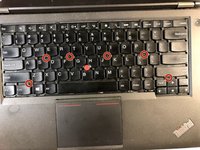
  5. Lenovo ThinkPad T440p Keyboard Replacement: 5 단계, 이미지 2개 중 1개 Lenovo ThinkPad T440p Keyboard Replacement: 5 단계, 이미지 2개 중 2개
    • Don't remove the screws; just loosen them.

    • Unscrew the six screws that are attached to the keyboard by using a Phillips #00 screwdriver.

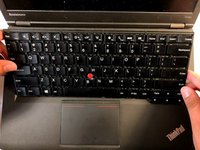
  6. Lenovo ThinkPad T440p Keyboard Replacement: 6 단계, 이미지 3개 중 1개 Lenovo ThinkPad T440p Keyboard Replacement: 6 단계, 이미지 3개 중 2개 Lenovo ThinkPad T440p Keyboard Replacement: 6 단계, 이미지 3개 중 3개
    • Use the spudger to lift the keyboard.

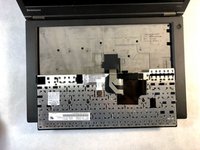
  7. Lenovo ThinkPad T440p Keyboard Replacement: 7 단계, 이미지 2개 중 1개 Lenovo ThinkPad T440p Keyboard Replacement: 7 단계, 이미지 2개 중 2개
    • Turn the keyboard over.

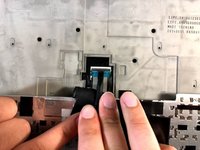
  8. Lenovo ThinkPad T440p Keyboard Replacement: 8 단계, 이미지 3개 중 1개 Lenovo ThinkPad T440p Keyboard Replacement: 8 단계, 이미지 3개 중 2개 Lenovo ThinkPad T440p Keyboard Replacement: 8 단계, 이미지 3개 중 3개
    • Use the spudger to detach the plastic protection.

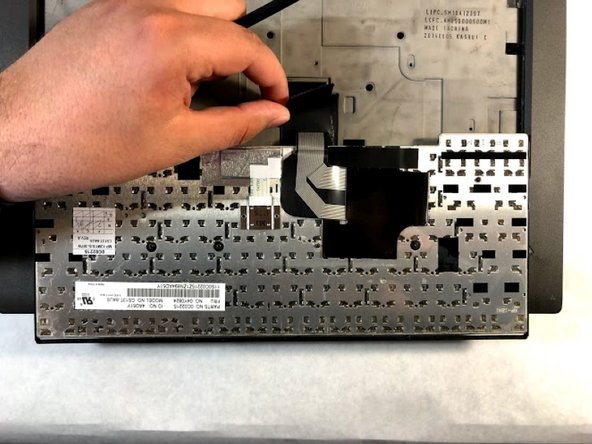
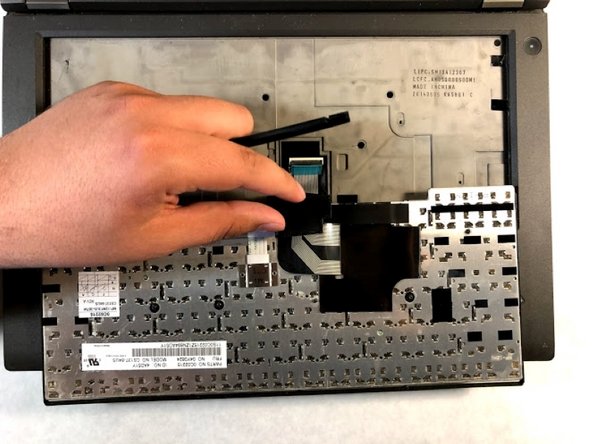
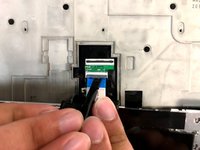
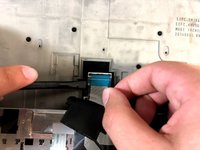
  9. Lenovo ThinkPad T440p Keyboard Replacement: 9 단계, 이미지 3개 중 1개 Lenovo ThinkPad T440p Keyboard Replacement: 9 단계, 이미지 3개 중 2개 Lenovo ThinkPad T440p Keyboard Replacement: 9 단계, 이미지 3개 중 3개
    • Use the spudger to disconnect the cables.

  10. Lenovo ThinkPad T440p Keyboard Replacement: 10 단계, 이미지 1개 중 1개
    • Remove the keyboard.

결론

To reassemble your device, follow these instructions in reverse order.

다른 11명이 해당 안내서를 완성하였습니다.

작성자

2다른 기여자 명과 함께

Christian Abad

회원 가입일: 03/20/19

1,679 평판

안내서 7개를 작성함

UMass Dartmouth, Team S6-G5, Peak Spring 2019 UMass Dartmouth, Team S6-G5, Peak Spring 2019 회원

UMASSD-PEAK-S19S6G5

3 회원들

안내서 10개를 작성함

1가이드 댓글

Thanks for the guide. I hate this part lol.

is it true if I slip and knock keys off, they can’t be lit in? I’m told this and it seems true :(

Josh Tree - 답글 공유

댓글 쓰기

조회 통계:

지난 24시간: 1

지난 7일: 14

지난 30일: 89

전체 시간: 8,718