소개
This guide will lead you through the steps to replace the charging port on the Lenovo ThinkPad X1 Extreme Generation 1. The charging port is how you plug your charger in to charge your device. Oftentimes the device will fail to charge if the charging port is damaged.
Check the charging port for dust and debris, as well as testing other chargers before beginning the steps of removal to confirm that you have a faulty charging port.
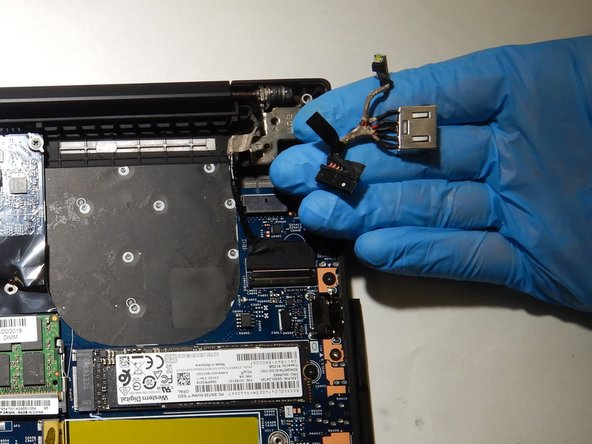
The removal of the charging port requires you to first remove the battery, then proceed to strip plastic covering from a set of wires. Make sure the device is turned off before you begin these steps.
필요한 것
-
-
Orient the laptop so that it is bottom up, and the trackpad is closest to you.
-
Unscrew the seven captive screws with a Phillips #00 screwdriver.
-
Slide a blue opening pick in the gap between the bottom panel and chassis, and pry off the one clip on each side.
-
Remove the back cover from the device.
-
-
이 단계에 사용된 도구:Phillips #00 Screwdriver$5.49
-
Unscrew the 3mm screw holding down the wireless adapter using a Phillips #00 screwdriver.
-
Slide the adapter out of its connector.
-
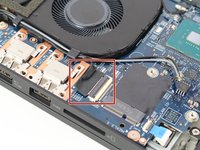
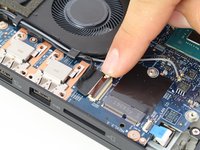
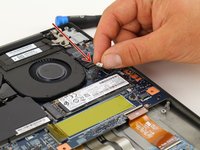
Detach the black and gray cables and separate them from the frame of the fan by gently pulling upwards.
-
-
-
-
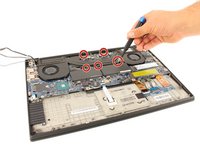
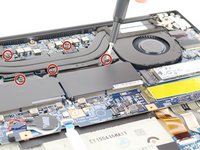
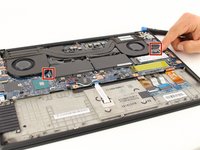
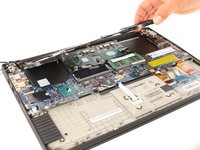
Using the Phillips #00 screwdriver, remove the two screws on the cover of the charging port.
-








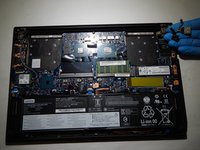
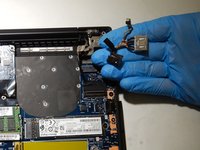
To reassemble your device, follow these instructions in reverse order.
다른 한 분이 해당 안내서를 완성하였습니다.


팀

The Citadel Military College of South Carolina, Team S2-G17, Eggleston Spring 2021 The Citadel Military College of South Carolina, Team S2-G17, Eggleston Spring 2021 회원
CMCSC-EGGLESTON-S21S2G17
3 회원들
안내서 3개를 작성함
