소개
This guide will lead you through the steps to replace the SSD card on the Lenovo ThinkPad X1 Extreme Generation 1. The SSD card, or solid-state drive, acts as extra storage for the device, however, oftentimes the SSD can wear out, or run slower with age.
The steps to replace the SSD card are simple, the hardest part being keeping track of all the screws while taking apart the device.
It is important to remember to turn off the device while replacing the SSD card.
필요한 것
-
-
Orient the laptop so that it is bottom up, and the trackpad is closest to you.
-
Unscrew the seven captive screws with a Phillips #00 screwdriver.
-
Slide a blue opening pick in the gap between the bottom panel and chassis, and pry off the one clip on each side.
-
Remove the back cover from the device.
-
-


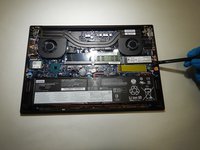
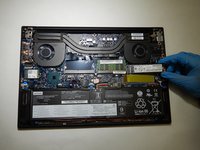
To reassemble your device, follow these instructions in reverse order.
다른 한 분이 해당 안내서를 완성하였습니다.


팀

The Citadel Military College of South Carolina, Team S2-G17, Eggleston Spring 2021 The Citadel Military College of South Carolina, Team S2-G17, Eggleston Spring 2021 회원
CMCSC-EGGLESTON-S21S2G17
3 회원들
안내서 3개를 작성함
