주요 콘텐츠로 건너뛰기

Lenovo Yoga Tab 3 8 Wifi Module Replacement

필요한 것

  1. Lenovo Yoga Tab 3 8 Wifi Module Replacement, Back Cover: 1 단계, 이미지 3개 중 1개 Lenovo Yoga Tab 3 8 Wifi Module Replacement, Back Cover: 1 단계, 이미지 3개 중 2개 Lenovo Yoga Tab 3 8 Wifi Module Replacement, Back Cover: 1 단계, 이미지 3개 중 3개
    이 단계에 사용된 도구:
    Tweezers
    $4.99
    • Open the kickstand by pressing the release button in the center.

    • Remove the identification sticker with a pair of tweezers to allow access to the two 2mm screws underneath.

  2. Lenovo Yoga Tab 3 8 Wifi Module Replacement: 2 단계, 이미지 1개 중 1개
    • Remove the three 2mm screws under the kickstand with a PH00 screwdriver.

    • The third 2mm screw to the right may have an S sticker covering it which you can scrape off.

  3. Lenovo Yoga Tab 3 8 Wifi Module Replacement: 3 단계, 이미지 3개 중 1개 Lenovo Yoga Tab 3 8 Wifi Module Replacement: 3 단계, 이미지 3개 중 2개 Lenovo Yoga Tab 3 8 Wifi Module Replacement: 3 단계, 이미지 3개 중 3개
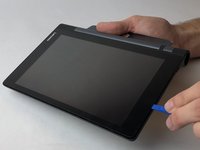
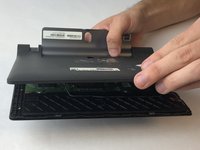
    • Starting along the edge opposite of the hinge, insert a plastic opening tool between the screen and the backing to begin separating the small clips holding the backing on.

    • Work along the edge and then up the sides, separating the clips with the plastic opening tool.

    • There is adhesive underneath the slot for the SD card so you will need to slowly apply some force to break the adhesive.

    • As the back is separated from the device, be careful to not lose the power button. It may come loose and fall out.

  4. Lenovo Yoga Tab 3 8 Wifi Module Replacement, Wifi Module: 4 단계, 이미지 1개 중 1개
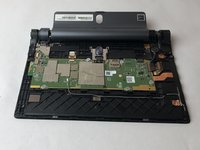
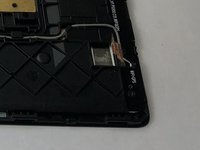
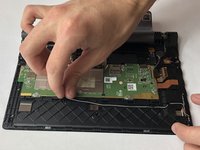
    • Locate the WiFi module connection on the motherboard by following the grey wire along the bottom. Use a spudger to gently pry it off.

  5. Lenovo Yoga Tab 3 8 Wifi Module Replacement: 5 단계, 이미지 2개 중 1개 Lenovo Yoga Tab 3 8 Wifi Module Replacement: 5 단계, 이미지 2개 중 2개
    이 단계에 사용된 도구:
    Tweezers
    $4.99
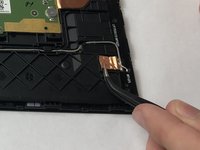
    • Locate the copper foil holding down the WiFi module near where the grey wire connects. Use tweezers to carefully lift up and separate the copper foil.

  6. Lenovo Yoga Tab 3 8 Wifi Module Replacement: 6 단계, 이미지 1개 중 1개
    • Remove the three 2mm screws holding the wifi module to the device using a PH00 screwdriver.

  7. Lenovo Yoga Tab 3 8 Wifi Module Replacement: 7 단계, 이미지 2개 중 1개 Lenovo Yoga Tab 3 8 Wifi Module Replacement: 7 단계, 이미지 2개 중 2개
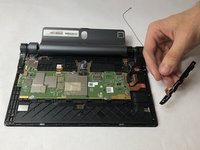
    • Remove the grey wire from the channel holding it by gently lifting it up with your fingers.

    • Lift the wifi module out of the device with your fingers.

결론

To reassemble your device, follow these instructions in reverse order.

작성자

5다른 기여자 명과 함께

Nicklaus Krems

회원 가입일: 09/25/17

1,073 평판

안내서 8개를 작성함

USF Tampa, Team S16-G2, Eyestone Fall 2017 USF Tampa, Team S16-G2, Eyestone Fall 2017 회원

USFT-EYESTONE-F17S16G2

4 회원들

안내서 16개를 작성함

0가이드 댓글

댓글 쓰기

조회 통계:

지난 24시간: 0

지난 7일: 0

지난 30일: 9

전체 시간: 2,097