주요 콘텐츠로 건너뛰기

Logitech G Pro X Superlight Scroll Wheel Replacement

필요한 것

  1. Logitech G Pro X Superlight Scroll Wheel Replacement, Scroll Wheel: 1 단계, 이미지 3개 중 1개 Logitech G Pro X Superlight Scroll Wheel Replacement, Scroll Wheel: 1 단계, 이미지 3개 중 2개 Logitech G Pro X Superlight Scroll Wheel Replacement, Scroll Wheel: 1 단계, 이미지 3개 중 3개
    이 단계에 사용된 도구:
    Tweezers
    $4.99
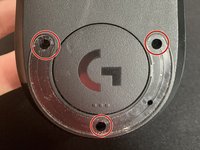
    • Mouse skates will be damaged during this process. Having a new pair of mouse skates is STRONGLY recommended.

    • Use tweezers to peel off the mouse skates on the underside of the mouse.

  2. Logitech G Pro X Superlight Scroll Wheel Replacement: 2 단계, 이미지 2개 중 1개 Logitech G Pro X Superlight Scroll Wheel Replacement: 2 단계, 이미지 2개 중 2개
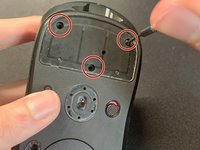
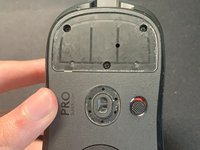
    • Unscrew the six screws using a 1.6mm Phillips screwdriver on the top and bottom side of the mouse.

  3. Logitech G Pro X Superlight Scroll Wheel Replacement: 3 단계, 이미지 2개 중 1개 Logitech G Pro X Superlight Scroll Wheel Replacement: 3 단계, 이미지 2개 중 2개
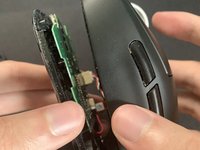
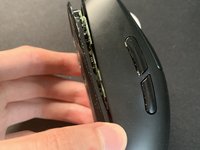
    • Open the bottom shell with your hands.

    • Use caution, as wires are still intact.

    • The bottom shell should come off easily without applying any force.

  4. Logitech G Pro X Superlight Scroll Wheel Replacement: 4 단계, 이미지 2개 중 1개 Logitech G Pro X Superlight Scroll Wheel Replacement: 4 단계, 이미지 2개 중 2개
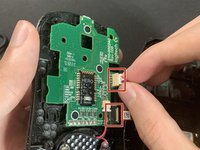
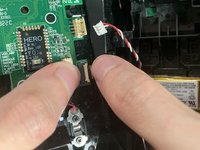
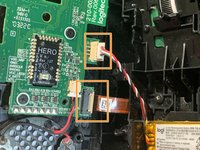
    • Disconnect the wires and cables in contact with the sensor's motherboard.

    • Pull and shake evenly on the cable to make sure cables are not strained. Avoid pulling heavily.

  5. Logitech G Pro X Superlight Scroll Wheel Replacement: 5 단계, 이미지 2개 중 1개 Logitech G Pro X Superlight Scroll Wheel Replacement: 5 단계, 이미지 2개 중 2개
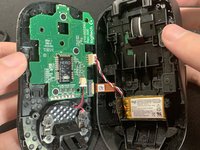
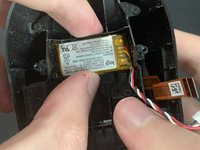
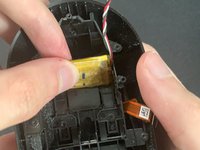
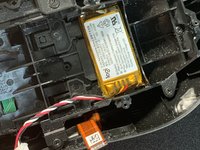
    • Take out the battery located at the back of the mouse.

    • Flipping it upside down helps when removing it.

  6. Logitech G Pro X Superlight Scroll Wheel Replacement: 6 단계, 이미지 2개 중 1개 Logitech G Pro X Superlight Scroll Wheel Replacement: 6 단계, 이미지 2개 중 2개
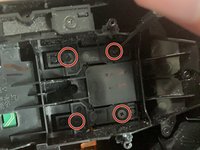
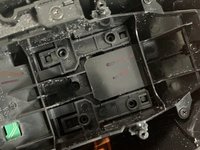
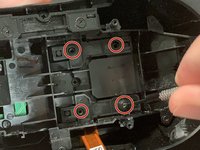
    • Remove four screws at the bottom part of the mouse with a 1.6mm screwdriver.

  7. Logitech G Pro X Superlight Scroll Wheel Replacement: 7 단계, 이미지 2개 중 1개 Logitech G Pro X Superlight Scroll Wheel Replacement: 7 단계, 이미지 2개 중 2개
    • Carefully take out the left and right mouse buttons.

  8. Logitech G Pro X Superlight Scroll Wheel Replacement: 8 단계, 이미지 2개 중 1개 Logitech G Pro X Superlight Scroll Wheel Replacement: 8 단계, 이미지 2개 중 2개
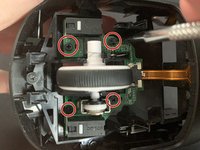
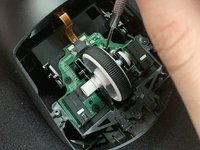
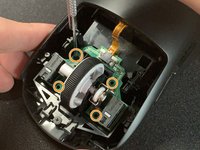
    • Remove the four screws attached to the scroll wheel.

  9. Logitech G Pro X Superlight Scroll Wheel Replacement: 9 단계, 이미지 2개 중 1개 Logitech G Pro X Superlight Scroll Wheel Replacement: 9 단계, 이미지 2개 중 2개
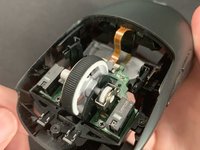
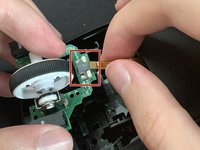
    • Apply pressure and shake evenly to remove the attached cable.

    • The scroll wheel comes off easily without using too much pressure.

    • Insert the new scroll wheel and line up against the sensor.

  10. Logitech G Pro X Superlight Scroll Wheel Replacement: 10 단계, 이미지 3개 중 1개 Logitech G Pro X Superlight Scroll Wheel Replacement: 10 단계, 이미지 3개 중 2개 Logitech G Pro X Superlight Scroll Wheel Replacement: 10 단계, 이미지 3개 중 3개
    • Reattach the cable.

    • Refasten the four screws.

  11. Logitech G Pro X Superlight Scroll Wheel Replacement: 11 단계, 이미지 3개 중 1개 Logitech G Pro X Superlight Scroll Wheel Replacement: 11 단계, 이미지 3개 중 2개 Logitech G Pro X Superlight Scroll Wheel Replacement: 11 단계, 이미지 3개 중 3개
    • Use a pair of tweezers to reinsert the four screws at the bottom half of the mouse and tighten with a screwdriver.

    • Attach the battery back on the bottom half of the mouse.

    • Reattach the two cables.

  12. Logitech G Pro X Superlight Scroll Wheel Replacement: 12 단계, 이미지 3개 중 1개 Logitech G Pro X Superlight Scroll Wheel Replacement: 12 단계, 이미지 3개 중 2개 Logitech G Pro X Superlight Scroll Wheel Replacement: 12 단계, 이미지 3개 중 3개
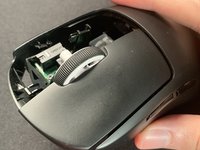
    • Line up the bottom shell with the top shell and connect them together.

    • Reapply the four screws back onto the mouse.

  13. Logitech G Pro X Superlight Scroll Wheel Replacement: 13 단계, 이미지 1개 중 1개
    • Put on your new mouse skates.

    • Apply pressure so that they stick to the mouse, leaving no air gap.

결승점

다른 5명이 해당 안내서를 완성하였습니다.

작성자

5다른 기여자 명과 함께

Zane

회원 가입일: 07/27/23

361 평판

안내서 1개를 작성함

6가이드 댓글

Thanks for publishing this!
Do you replace only plastic part of wheel or plastic wheel + PCB?
Where do you order new wheel?

Andriy Legayev - 답글
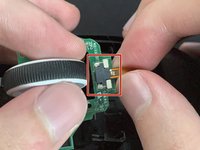
https://ausmodshop.com/products/modded-l... pricy, but they have full replacement pcbs with all the parts installed for you so you

Daniel G -
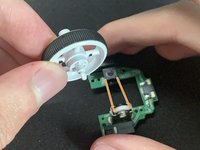
I don't think the soft black part is separable for the original wheel. Ordered an 'original' (or mostly original 🙂) wheel at one famous giant Chinese marketplace for 6 USD, item id 1005006217893341 - couldn't find any difference

V S -

Thanks for the guide. Didn't need a new scroll wheel, but the disassembly guide was great.

Uber Beast - 답글

Thanks for the guide. Some steps are not necessary if your purpose is just to change the wheel

V S - 답글

댓글 쓰기

조회 통계:

지난 24시간: 32

지난 7일: 320

지난 30일: 1,808

전체 시간: 73,244