주요 콘텐츠로 건너뛰기

Logitech G602 Side Motherboard Replacement

필요한 것

  1. Logitech G602 Side Motherboard Replacement, Side Motherboard: 1 단계, 이미지 1개 중 1개
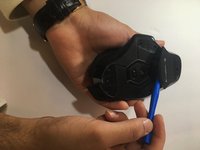
    • Use a blue spudger to pry all 4 mice feet from the bottom of the mouse.

  2. Logitech G602 Side Motherboard Replacement: 2 단계, 이미지 1개 중 1개
    • Use a Phillips #00 screwdriver to unscrew all 6 screws (3x5mm) from underneath the mice feet.

  3. Logitech G602 Side Motherboard Replacement: 3 단계, 이미지 2개 중 1개 Logitech G602 Side Motherboard Replacement: 3 단계, 이미지 2개 중 2개
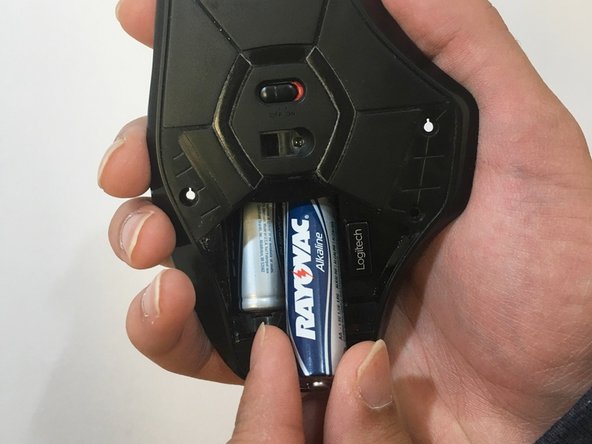
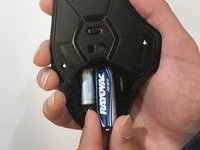
    • Use the blue spudger to prop open the bottom battery port.

    • Remove the AA batteries.

  4. Logitech G602 Side Motherboard Replacement: 4 단계, 이미지 1개 중 1개
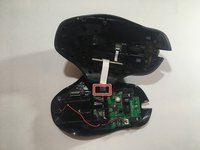
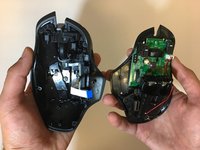
    • Lift the top of the mouse from the base of the mouse (separate the mouse in half) to expose the internal hardware.

  5. Logitech G602 Side Motherboard Replacement: 5 단계, 이미지 2개 중 1개 Logitech G602 Side Motherboard Replacement: 5 단계, 이미지 2개 중 2개
    이 단계에 사용된 도구:
    Tweezers
    $4.99
    • Use tweezers to grip and pull the white ribbon cable from the motherboard.

  6. Logitech G602 Side Motherboard Replacement: 6 단계, 이미지 1개 중 1개
    • Use a Phillips #00 screwdriver to remove both screws (3x5mm ) from above the side motherboard.

  7. Logitech G602 Side Motherboard Replacement: 7 단계, 이미지 1개 중 1개
    • Use a Phillips #00 screwdriver and unscrew both screws from the side motherboard.

    • We used a set of pliers and a Phillips #00 screw bit because the screwdriver couldn't fit into the side of the device.

  8. Logitech G602 Side Motherboard Replacement: 8 단계, 이미지 1개 중 1개
    • Use a black spudger and your fingers to loosen and remove the side motherboard.

결론

To reassemble your device, follow these instructions in reverse order.

다른 2명이 해당 안내서를 완성하였습니다.

작성자

4다른 기여자 명과 함께

Matthew Ross

회원 가입일: 01/17/18

193 평판

안내서 1개를 작성함

2가이드 댓글

Is the white momentary switch the middle click button?

I have a couple of G602's that have failing middle click buttons, and if it's the momentary switch, it looks like an easy fix.

Agit - 답글

G5 Button was sticking. Followed guide, I did not need spudger. Brushed board and buttons with toothbrush and alcohol. Button works now, thanks!

P Kemp - 답글

댓글 쓰기

조회 통계:

지난 24시간: 4

지난 7일: 13

지난 30일: 53

전체 시간: 4,687