주요 콘텐츠로 건너뛰기

Logitech Harmony 1100 Screen Replacement

필요한 것

  1. Logitech Harmony 1100 Screen Replacement, How to Open Logitech Harmony 1100: 1 단계, 이미지 2개 중 1개 Logitech Harmony 1100 Screen Replacement, How to Open Logitech Harmony 1100: 1 단계, 이미지 2개 중 2개
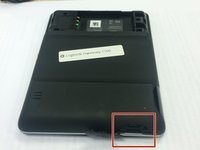
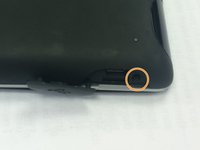
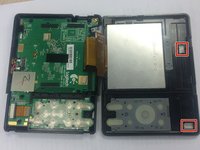
    • Remove the battery cover by pushing down on the circled areas and pushing outward.

    • Remove the battery by lifting up the battery on the corner exposed by the indent in the case

  2. Logitech Harmony 1100 Screen Replacement: 2 단계, 이미지 1개 중 1개
    • Use a J0 screwdriver head

    • Remove the 3 screws from battery compartment

  3. Logitech Harmony 1100 Screen Replacement: 3 단계, 이미지 2개 중 1개 Logitech Harmony 1100 Screen Replacement: 3 단계, 이미지 2개 중 2개
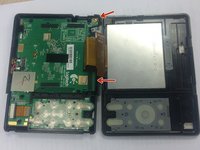
    • Open the connector port on the side.

    • Remove screw with a PH00 screwdriver head.

  4. Logitech Harmony 1100 Screen Replacement: 4 단계, 이미지 3개 중 1개 Logitech Harmony 1100 Screen Replacement: 4 단계, 이미지 3개 중 2개 Logitech Harmony 1100 Screen Replacement: 4 단계, 이미지 3개 중 3개
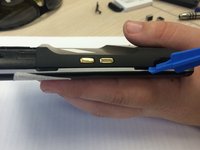
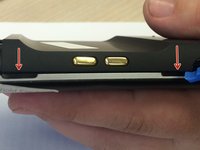
    • Use plastic opening tool to pry at the open slits on the side.

    • One or two silver foam cubes may pop out of the device. These belong in the slots shown in the third picture. They do not need to go back until reassembly.

    • The plastic connector door will fall off. It will need to be put back upon reassembly.

  5. Logitech Harmony 1100 Screen Replacement, Screen: 5 단계, 이미지 1개 중 1개
    • Pop out the plastic screen backing on front of device.

    • Loosen the screen backing by pushing back on the plastic clips that hold the screen backing in place.

  6. Logitech Harmony 1100 Screen Replacement: 6 단계, 이미지 2개 중 1개 Logitech Harmony 1100 Screen Replacement: 6 단계, 이미지 2개 중 2개
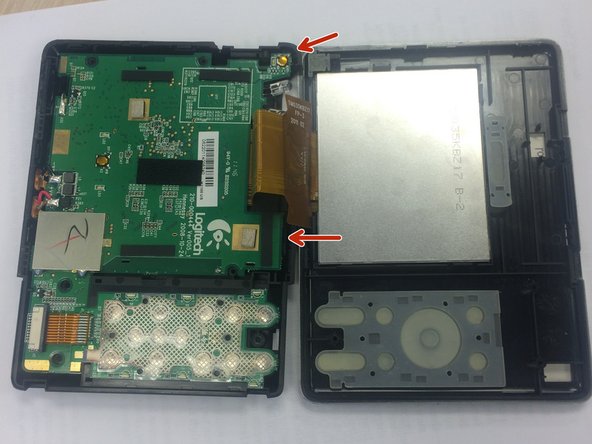
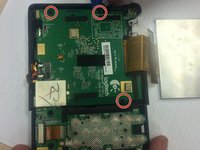
    • Use the PH00 Phillips head from the iFixit Tool Kit to remove the 3 screws from the circuit on the back half of the device.

    • Use the edge of the larger circuit board to flip the board over to the left.

    • The connector port in the top right corner may make removal difficult. Lift the logic board above the screw ports, and the connector port should slide out easily.

  7. Logitech Harmony 1100 Screen Replacement: 7 단계, 이미지 2개 중 1개 Logitech Harmony 1100 Screen Replacement: 7 단계, 이미지 2개 중 2개
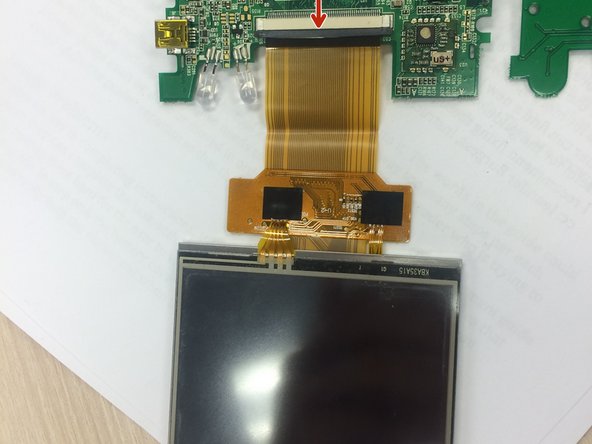
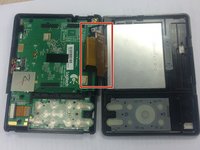
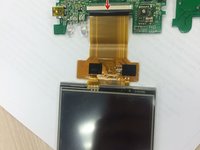
    • Find the wire that attaches to the screen.

    • Push the dark grey bar that is used to lock the screen in place, outward from the beige bar to disconnect it.

    • Remove the screen wire.

결승점

다른 3명이 해당 안내서를 완성하였습니다.

작성자

8다른 기여자 명과 함께

Alex Turissini

회원 가입일: 02/11/16

28 평판

안내서 1개를 작성함

Ohio State, Team 1-5, Burgess Spring 2016 Ohio State, Team 1-5, Burgess Spring 2016 회원

OSU-BURGESS-S16S1G5

4 회원들

안내서 2개를 작성함

0가이드 댓글

댓글 쓰기

조회 통계:

지난 24시간: 0

지난 7일: 2

지난 30일: 10

전체 시간: 1,588