주요 콘텐츠로 건너뛰기

Logitech Harmony Companion Remote Motherboard Replacement

필요한 것

  1. Logitech Harmony Companion Remote Motherboard Replacement, Remote Battery: 1 단계, 이미지 1개 중 1개
    • Hold the remote with the Logitech label toward you.

  2. Logitech Harmony Companion Remote Motherboard Replacement: 2 단계, 이미지 1개 중 1개
    • Push the battery cover upward.

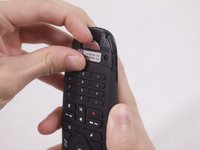
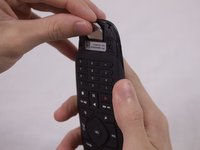
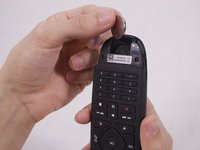
  3. Logitech Harmony Companion Remote Motherboard Replacement: 3 단계, 이미지 3개 중 1개 Logitech Harmony Companion Remote Motherboard Replacement: 3 단계, 이미지 3개 중 2개 Logitech Harmony Companion Remote Motherboard Replacement: 3 단계, 이미지 3개 중 3개
    • Use your finger to lift the battery out of the compartment.

    • When the battery has lifted, push it up to remove it.

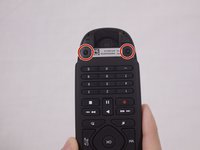
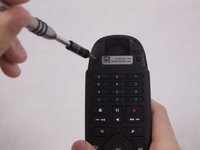
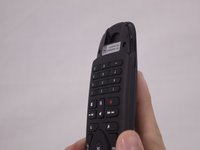
  4. Logitech Harmony Companion Remote Motherboard Replacement, Remote Motherboard: 4 단계, 이미지 2개 중 1개 Logitech Harmony Companion Remote Motherboard Replacement, Remote Motherboard: 4 단계, 이미지 2개 중 2개
    • Remove the two 5.0 mm Phillips #0 screws.

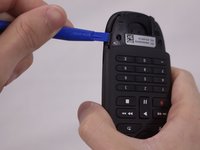
  5. Logitech Harmony Companion Remote Motherboard Replacement: 5 단계, 이미지 2개 중 1개 Logitech Harmony Companion Remote Motherboard Replacement: 5 단계, 이미지 2개 중 2개
    • Use the plastic opening tool to pry open the back cover of the remote.

    • It is recommended to have the point of the opening tool facing the back of the remote.

    • Insert the opening tool on each side of the bottom of the remote, and pull up until you hear the cover click open.

    • Pry the back cover off by sliding the plastic opening tool down each side.

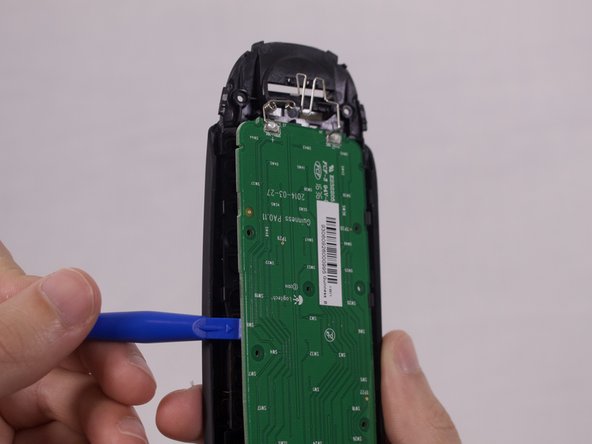
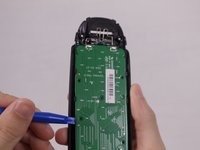
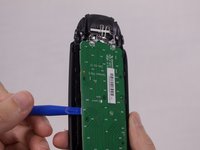
  6. Logitech Harmony Companion Remote Motherboard Replacement: 6 단계, 이미지 2개 중 1개 Logitech Harmony Companion Remote Motherboard Replacement: 6 단계, 이미지 2개 중 2개
    • Use the plastic opening tool to remove the motherboard.

결론

To reassemble your device, follow these instructions in reverse order.

다른 6명이 해당 안내서를 완성하였습니다.

작성자

3다른 기여자 명과 함께

Cassidy Wardlow

회원 가입일: 09/28/17

716 평판

안내서 4개를 작성함

USF Tampa, Team S1-G3, Nance Fall 2017 USF Tampa, Team S1-G3, Nance Fall 2017 회원

USFT-NANCE-F17S1G3

3 회원들

안내서 4개를 작성함

1가이드 댓글

Any source on that motherboard? I've got two dead buttons and replacement remotes are expensive and hard to come by.

Karl Wooster - 답글

댓글 쓰기

조회 통계:

지난 24시간: 0

지난 7일: 11

지난 30일: 73

전체 시간: 7,335