주요 콘텐츠로 건너뛰기

Logitech Harmony Smart Keyboard Ribbon Flex Cable Replacement

필요한 것

  1. Logitech Harmony Smart Keyboard Ribbon Flex Cable Replacement, Back Panel: 1 단계, 이미지 2개 중 1개 Logitech Harmony Smart Keyboard Ribbon Flex Cable Replacement, Back Panel: 1 단계, 이미지 2개 중 2개
    • Turn keyboard over to the backside.

  2. Logitech Harmony Smart Keyboard Ribbon Flex Cable Replacement: 2 단계, 이미지 3개 중 1개 Logitech Harmony Smart Keyboard Ribbon Flex Cable Replacement: 2 단계, 이미지 3개 중 2개 Logitech Harmony Smart Keyboard Ribbon Flex Cable Replacement: 2 단계, 이미지 3개 중 3개
    • Press and slide up on the upper battery latch, using both thumbs.

  3. Logitech Harmony Smart Keyboard Ribbon Flex Cable Replacement: 3 단계, 이미지 1개 중 1개
    • Remove the two AA batteries and set them aside.

  4. Logitech Harmony Smart Keyboard Ribbon Flex Cable Replacement: 4 단계, 이미지 2개 중 1개 Logitech Harmony Smart Keyboard Ribbon Flex Cable Replacement: 4 단계, 이미지 2개 중 2개
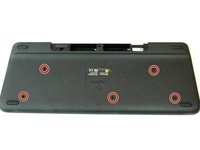
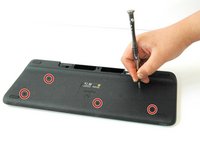
    • Unscrew all five 4.0 mm screws, using Phillips #1 screwdriver.

  5. Logitech Harmony Smart Keyboard Ribbon Flex Cable Replacement: 5 단계, 이미지 2개 중 1개 Logitech Harmony Smart Keyboard Ribbon Flex Cable Replacement: 5 단계, 이미지 2개 중 2개
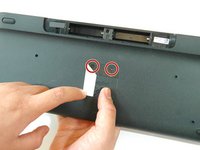
    • Peel off the center sticker to reveal two hidden 4.0 mm screws.

    • Unscrew these two screws with a Phillips #1 screwdriver.

  6. Logitech Harmony Smart Keyboard Ribbon Flex Cable Replacement: 6 단계, 이미지 3개 중 1개 Logitech Harmony Smart Keyboard Ribbon Flex Cable Replacement: 6 단계, 이미지 3개 중 2개 Logitech Harmony Smart Keyboard Ribbon Flex Cable Replacement: 6 단계, 이미지 3개 중 3개
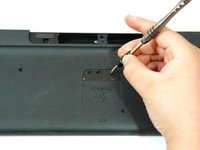
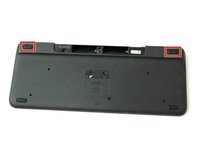
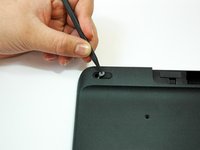
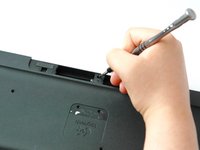
    • Lift both top left and top right rubber stickers halfway, using the sharp end of the plastic spudger.

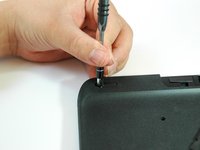
    • Unscrew a total of two 4.0 mm screws, under the rubber stickers, using a Phillips #1 screwdriver.

  7. Logitech Harmony Smart Keyboard Ribbon Flex Cable Replacement: 7 단계, 이미지 2개 중 1개 Logitech Harmony Smart Keyboard Ribbon Flex Cable Replacement: 7 단계, 이미지 2개 중 2개
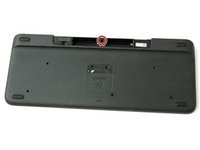
    • Unscrew the top center 4.0 mm screw, in the battery compartment, using the Phillips #1 screwdriver.

    • Now, you should have a total of ten 4.0 mm screws set aside.

  8. Logitech Harmony Smart Keyboard Ribbon Flex Cable Replacement: 8 단계, 이미지 3개 중 1개 Logitech Harmony Smart Keyboard Ribbon Flex Cable Replacement: 8 단계, 이미지 3개 중 2개 Logitech Harmony Smart Keyboard Ribbon Flex Cable Replacement: 8 단계, 이미지 3개 중 3개
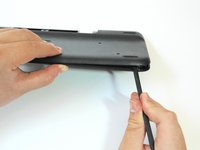
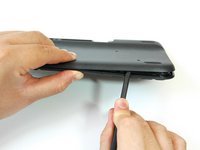
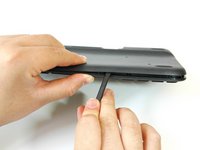
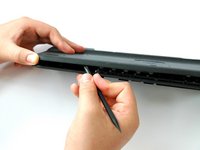
    • Wedge the flat end of the spudger between the back panel and front panel.

    • Slide the flat end of the spudger from right to left to pry the two panels apart.

  9. Logitech Harmony Smart Keyboard Ribbon Flex Cable Replacement: 9 단계, 이미지 3개 중 1개 Logitech Harmony Smart Keyboard Ribbon Flex Cable Replacement: 9 단계, 이미지 3개 중 2개 Logitech Harmony Smart Keyboard Ribbon Flex Cable Replacement: 9 단계, 이미지 3개 중 3개
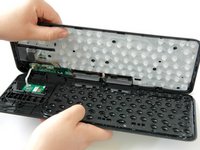
    • Separate the back panel from the front panel completely, using both hands.

    • A white ribbon flex cable will remain connected to both panels.

    • Pull the panels apart slowly and gently, or the white ribbon flex cable may be unsafely removed.

  10. Logitech Harmony Smart Keyboard Ribbon Flex Cable Replacement, Ribbon Flex Cable: 10 단계, 이미지 3개 중 1개 Logitech Harmony Smart Keyboard Ribbon Flex Cable Replacement, Ribbon Flex Cable: 10 단계, 이미지 3개 중 2개 Logitech Harmony Smart Keyboard Ribbon Flex Cable Replacement, Ribbon Flex Cable: 10 단계, 이미지 3개 중 3개
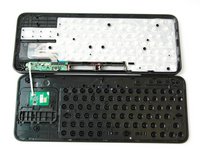
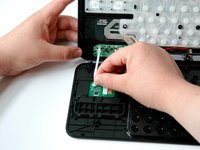
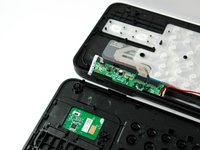
    • Grip the lower end of the ribbon flex cable (white band) using your thumb and index finger.

    • Then slide the strip out toward yourself in a scooping motion.

    • Now, you should have two completely separated panel pieces.

  11. Logitech Harmony Smart Keyboard Ribbon Flex Cable Replacement: 11 단계, 이미지 3개 중 1개 Logitech Harmony Smart Keyboard Ribbon Flex Cable Replacement: 11 단계, 이미지 3개 중 2개 Logitech Harmony Smart Keyboard Ribbon Flex Cable Replacement: 11 단계, 이미지 3개 중 3개
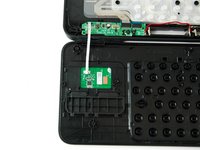
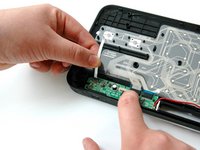
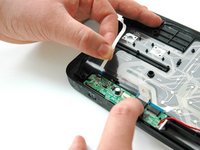
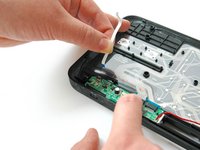
    • Grip the other lower end of the ribbon flex cable using your thumb and index finger.

    • Gently slide the cable up and out of the green card.

결론

To reassemble your device, follow these instructions in reverse order.

작성자

4다른 기여자 명과 함께

Hayley Nichols

회원 가입일: 09/05/17

525 평판

안내서 4개를 작성함

CSU Fullerton, Team S1-G2, Bruce Fall 2017 CSU Fullerton, Team S1-G2, Bruce Fall 2017 회원

CSUF-BRUCE-F17S1G2

3 회원들

안내서 10개를 작성함

1가이드 댓글

Where can I get a replacement flex ribbon cable, the same as shown here?

Eman - 답글

댓글 쓰기

조회 통계:

지난 24시간: 0

지난 7일: 7

지난 30일: 37

전체 시간: 1,081