주요 콘텐츠로 건너뛰기

Logitech M185 Wireless Mouse Motherboard Replacement

필요한 것

  1. Logitech M185 Wireless Mouse Motherboard Replacement, Motherboard: 1 단계, 이미지 3개 중 1개 Logitech M185 Wireless Mouse Motherboard Replacement, Motherboard: 1 단계, 이미지 3개 중 2개 Logitech M185 Wireless Mouse Motherboard Replacement, Motherboard: 1 단계, 이미지 3개 중 3개
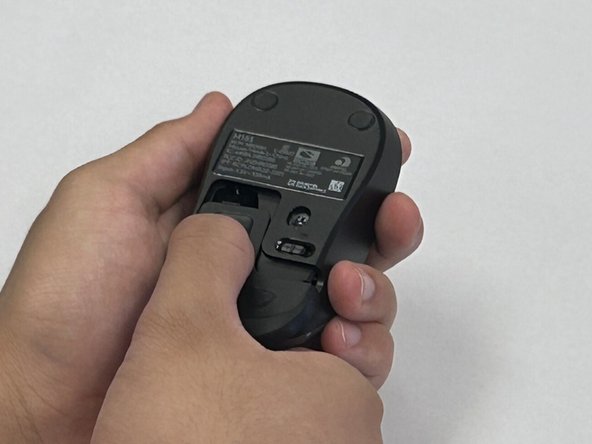
    • Flip the mouse over so the bottom is facing up and you can see the power switch.

    • Before you begin, flip the power switch on the bottom to the "Off" position.

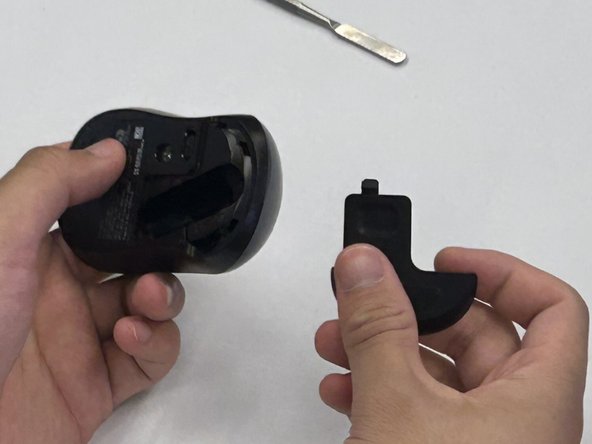
    • Press down on the battery cover.

    • Slide the battery cover off.

  2. Logitech M185 Wireless Mouse Motherboard Replacement: 2 단계, 이미지 2개 중 1개 Logitech M185 Wireless Mouse Motherboard Replacement: 2 단계, 이미지 2개 중 2개
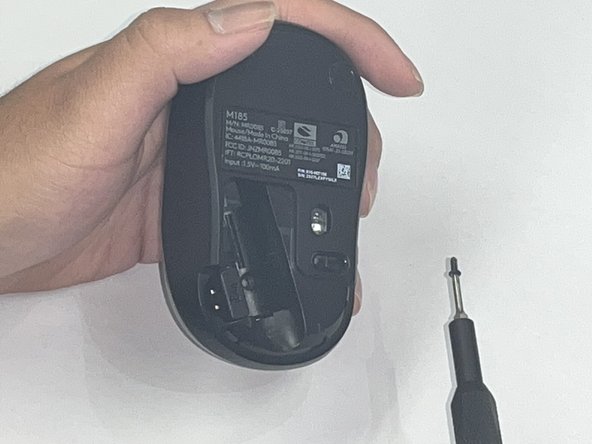
    • There is not a battery in our mouse. However, it is necessary to remove the battery to access the screw beneath.

    • Use a Phillips #00 screwdriver and remove the single screw from the battery compartment.

  3. Logitech M185 Wireless Mouse Motherboard Replacement: 3 단계, 이미지 1개 중 1개
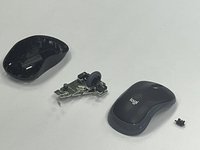
    • Use a black nylon spudger to pry off the shell.

    • Work your way along the seam to release the tabs connecting the top and bottom of the mouse.

    • Do not use a metal spudger for prying, as it may damage internal components, such as the main circuit board, that are not visible.

    • Gently squeeze the sides of the mouse while using the spudger to pry the top case away from the bottom. The pressure will cause the mouse to open.

  4. Logitech M185 Wireless Mouse Motherboard Replacement: 4 단계, 이미지 1개 중 1개
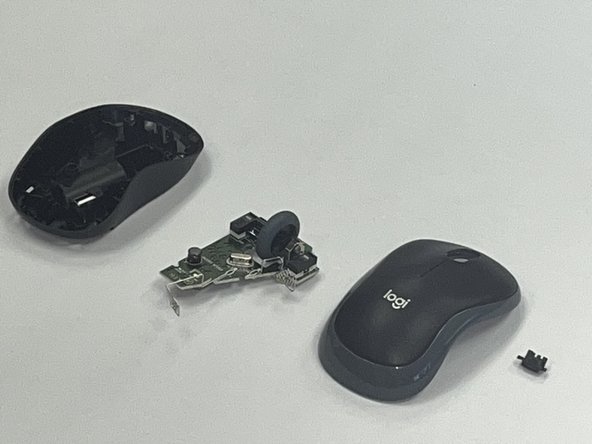
    • Use a black nylon spudger to pry out the motherboard and remove it from the bottom case.

    • Don't use a metal spudger on the internals of your device as displayed in the photo, it can cause damage.

    • Be careful when handling the motherboard. If you don't have any gloves, do not touch the motherboard with your hands. Only hold it by the edges.

  5. Logitech M185 Wireless Mouse Motherboard Replacement: 5 단계, 이미지 2개 중 1개 Logitech M185 Wireless Mouse Motherboard Replacement: 5 단계, 이미지 2개 중 2개
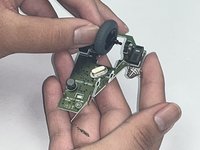
    • Remove the scroll wheel from the motherboard.

    • Before you insert your new motherboard, remember to attach the scroll wheel to it.

결론

To reassemble your device, follow these instructions in reverse order. Take your e-waste to an R2 or e-Stewards certified recycler.

다른 한 분이 해당 안내서를 완성하였습니다.

작성자

2다른 기여자 명과 함께

Robert

회원 가입일: 09/09/24

186 평판

안내서 1개를 작성함

CSU Los Angeles, Team 2-5, Kershman Fall 2024 CSU Los Angeles, Team 2-5, Kershman Fall 2024 회원

CSULA-KERSHMAN-F24S2G5

4 회원들

안내서 1개 작성

0가이드 댓글

댓글 쓰기

조회 통계:

지난 24시간: 2

지난 7일: 7

지난 30일: 54

전체 시간: 926