소개
For this replacement you do not need any tools, however a prying tool may make the replacement easier.
Make sure that the mouse is turned off before replacing the battery. This will reduce the chance of damaging internal components with a surge of power from the new battery.
필요한 것
-
-
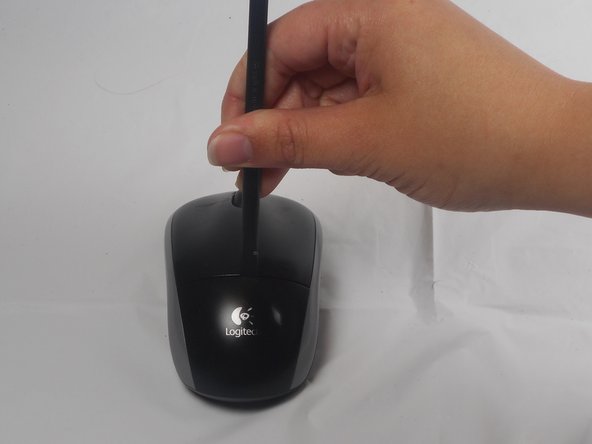
The battery compartment cover is located on the top of the mouse. The seam running horizontally across the mouse is the top of the cover.
-
There is a button to pop off the cover. It is located on the bottom of the mouse. you may need to press hard on this button to pop the cover.
-
If the button does not work, you will need to pry off the cover. You can use your fingernails or a prying tool in order to do this, as seen in the third image.
-
-
-
-
Remember to insert the new battery in the same orientation as the old one. The positive (plus) end should be facing away from the buttons.
-




To reassemble your device, follow these instructions in reverse order.
다른 28명이 해당 안내서를 완성하였습니다.


팀

USF Tampa, Team 1-1, Watkins Winter 2015 USF Tampa, Team 1-1, Watkins Winter 2015 회원
USFT-WATKINS-W15S1G1
4 회원들
안내서 28개를 작성함
10가이드 댓글
I disassembled this exactly as stated and now I can't get the cover back on?
I am a electronic technologist and this is a poor design for a mouse. No wonder the later version is different.
Thanks for the information. It worked perfectly for me. Easy removal. Images and instructions were very helpful.
The green battery light went on, although the lazar light did not. What should I do?
