소개
The following guide will show you how to replace the Logitech UE MegaBoom 3's USB port. If your speaker is having trouble charging, you’ve come to the right place. The Micro USB is used for various applications, such as powering and charging smaller devices to transmitting data between them. The port is often used as a fast-charging cable connecting smartphones and other compact devices to chargers.
This guide will provide you with step-by-step instructions for how to replace the speaker’s USB Port which is used to provide charge to the device. Before starting make sure your device is powered off and is not plugged in. Its important to note that after you have started disassembling your device, the speaker is no longer waterproof, therefore your device may suffer damages if placed in water. There are no special skills needed to complete this guide besides the knowledge of how to use a screwdriver.
필요한 것
-
-
To access all internal components, first flip the speaker upwards to where you can see the base.
-
Place your blue iFixit opening picks inside the gap between the speaker and the base to act as a lever when opening the speaker.
-
-
-
-
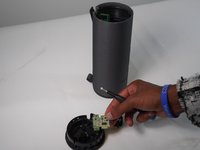
To remove the plastic frame that’s covering the charging board, use a Phillips #0 to remove both 2.4 mm screws.
-
Replace the charging port.
-


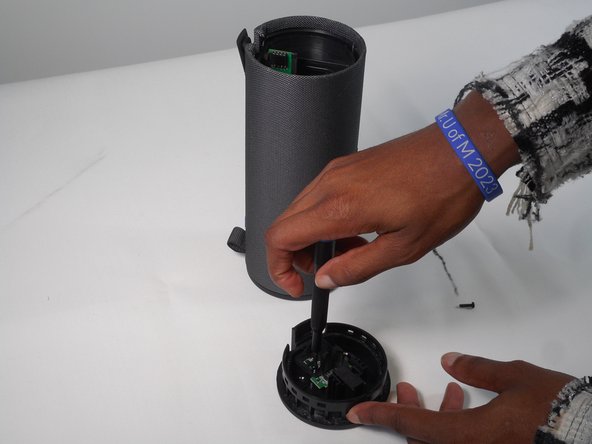
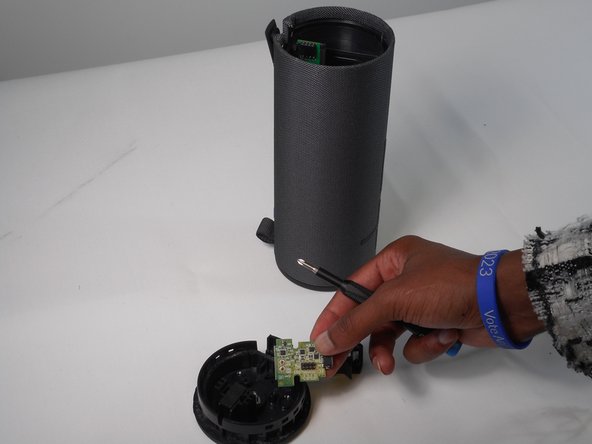
To reassemble your device, follow these instructions in reverse order.
다른 2명이 해당 안내서를 완성하였습니다.



팀

University of Memphis, Team 1-2, Sneed Fall 2023 University of Memphis, Team 1-2, Sneed Fall 2023 회원
UM-SNEED-F23S1G2
4 회원들
안내서 12개를 작성함
3가이드 댓글
Thanks for the guide, this was very helpful!
How easy/hard would it be to upgrade the charging port to usb-c?
This would be nearly impossible because micro-usb and usb type-c use different pinout (different number of pins...) and require different layout of the connection points on the charging PCB. And also the size of the usb-c socket is different.⏎
To do such modification it would require altering the charging PCB board, speaker housing (hole for the charging socket) and jumping (soldering very thin enamelled wires) from the usb-c connector to the different points on the charging PCB board.
Also this wouldn't increase the maximum charging speed, it would just be for the convenience of using one type-c cable with different modern devices.
Simon -
