주요 콘텐츠로 건너뛰기

MSI GE62 6QF Apache Pro Bottom Case Replacement

필요한 것

  1. MSI GE62 6QF Apache Pro Bottom Case Replacement, Optical Drive: 1 단계, 이미지 1개 중 1개
    • Use a Phillips screwdriver to remove the 5mm screw securing the optical drive to the bottom case.

  2. MSI GE62 6QF Apache Pro Bottom Case Replacement: 2 단계, 이미지 1개 중 1개
    • Slide Optical Drive out of the computer.

  3. MSI GE62 6QF Apache Pro Bottom Case Replacement, Bottom Case: 3 단계, 이미지 1개 중 1개
    • Use a Phillips screwdriver to remove the fourteen 5mm screws on the back of the laptop.

    • One of these screws is hidden under a sticker.

  4. MSI GE62 6QF Apache Pro Bottom Case Replacement: 4 단계, 이미지 3개 중 1개 MSI GE62 6QF Apache Pro Bottom Case Replacement: 4 단계, 이미지 3개 중 2개 MSI GE62 6QF Apache Pro Bottom Case Replacement: 4 단계, 이미지 3개 중 3개
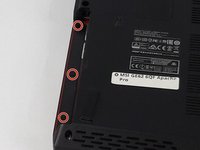
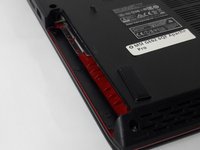
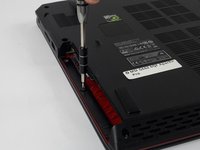
    • Remove the three PH #0 2mm screws that were hidden underneath the optical drive.

  5. MSI GE62 6QF Apache Pro Bottom Case Replacement: 5 단계, 이미지 2개 중 1개 MSI GE62 6QF Apache Pro Bottom Case Replacement: 5 단계, 이미지 2개 중 2개
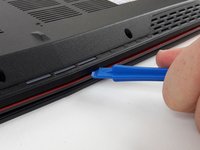
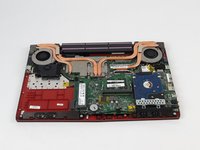
    • Use an opening tool to run along the seam of the case where the upper and bottom case meet.

    • Pry the bottom case and remove from the upper part.

결론

To reassemble your device, follow these instructions in reverse order.

다른 2명이 해당 안내서를 완성하였습니다.

작성자

4다른 기여자 명과 함께

Justice Owens

회원 가입일: 09/26/17

604 평판

안내서 4개를 작성함

USF Tampa, Team S2-G3, Passmore Fall 2017 USF Tampa, Team S2-G3, Passmore Fall 2017 회원

USFT-PASSMORE-F17S2G3

3 회원들

안내서 5개를 작성함

0가이드 댓글

댓글 쓰기

조회 통계:

지난 24시간: 0

지난 7일: 13

지난 30일: 28

전체 시간: 5,289