주요 콘텐츠로 건너뛰기
수리 커뮤니티 가입 - 계정 만들기

Mac mini Late 2014 PCIe SSD Cable Replacement

필요한 것

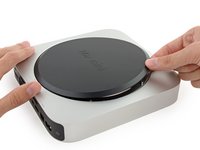
  1. Mac mini Late 2014 PCIe SSD Cable Replacement, Bottom Cover: 1 단계, 이미지 1개 중 1개
    • The bottom cover is clipped onto three screw posts.

    • Pry near, but not right on the screw posts.

    댓글 쓰기

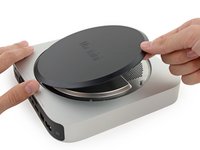
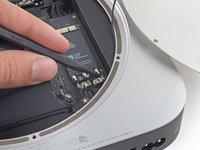
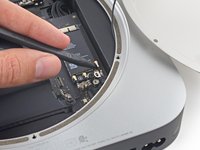
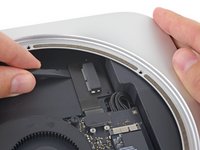
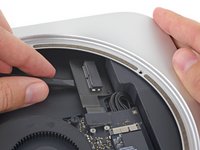
  2. Mac mini Late 2014 PCIe SSD Cable Replacement: 2 단계, 이미지 3개 중 1개 Mac mini Late 2014 PCIe SSD Cable Replacement: 2 단계, 이미지 3개 중 2개 Mac mini Late 2014 PCIe SSD Cable Replacement: 2 단계, 이미지 3개 중 3개
    • Use the plastic opening tool to pry the bottom cover up off of the Mac mini.

    댓글 쓰기

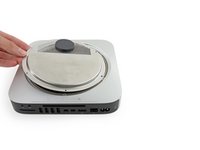
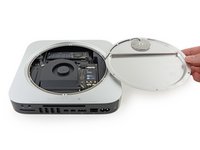
  3. Mac mini Late 2014 PCIe SSD Cable Replacement: 3 단계, 이미지 2개 중 1개 Mac mini Late 2014 PCIe SSD Cable Replacement: 3 단계, 이미지 2개 중 2개
    • Lift and remove the bottom cover.

    댓글 쓰기

  4. Mac mini Late 2014 PCIe SSD Cable Replacement, Antenna Plate: 4 단계, 이미지 1개 중 1개
    • Remove the following TR6 screws from the antenna plate:

    • Three 4.1 mm screws

    • Three 1.9 mm screws

    댓글 쓰기

  5. Mac mini Late 2014 PCIe SSD Cable Replacement: 5 단계, 이미지 2개 중 1개 Mac mini Late 2014 PCIe SSD Cable Replacement: 5 단계, 이미지 2개 중 2개
    • Do not completely remove the antenna plate; it is still connected to the Mac mini by an antenna cable.

    • With the I/O ports facing you, flip the antenna plate to the right to allow access to the antenna cable connector.

    댓글 쓰기

  6. Mac mini Late 2014 PCIe SSD Cable Replacement: 6 단계, 이미지 1개 중 1개
    • Remove the single 3.4 mm T6 screw and washer from the antenna cable.

    • Be careful not to lose the washer when removing the screw.

    댓글 쓰기

  7. Mac mini Late 2014 PCIe SSD Cable Replacement: 7 단계, 이미지 2개 중 1개 Mac mini Late 2014 PCIe SSD Cable Replacement: 7 단계, 이미지 2개 중 2개
    • Use the point of a spudger to lift the antenna connector straight up off its socket on the airport card.

    댓글 쓰기

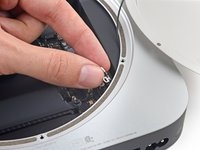
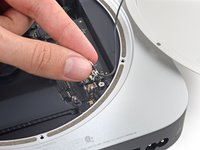
  8. Mac mini Late 2014 PCIe SSD Cable Replacement: 8 단계, 이미지 2개 중 1개 Mac mini Late 2014 PCIe SSD Cable Replacement: 8 단계, 이미지 2개 중 2개
    • Carefully pull the antenna cable out from the gap between the power supply and case.

    댓글 쓰기

  9. Mac mini Late 2014 PCIe SSD Cable Replacement: 9 단계, 이미지 1개 중 1개
    • Remove the antenna plate from the Mac mini.

    댓글 쓰기

  10. Mac mini Late 2014 PCIe SSD Cable Replacement, SSD: 10 단계, 이미지 1개 중 1개
    • Remove the 5 mm T5 screw securing the SSD.

    댓글 쓰기

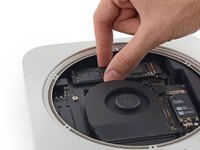
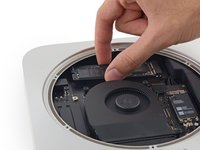
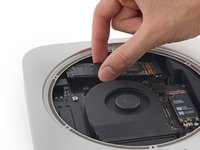
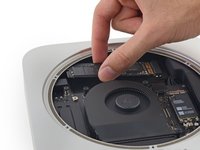
  11. Mac mini Late 2014 PCIe SSD Cable Replacement: 11 단계, 이미지 3개 중 1개 Mac mini Late 2014 PCIe SSD Cable Replacement: 11 단계, 이미지 3개 중 2개 Mac mini Late 2014 PCIe SSD Cable Replacement: 11 단계, 이미지 3개 중 3개
    • Lift the free end of the SSD up slightly and pull it out of its socket.

    댓글 쓰기

  12. Mac mini Late 2014 PCIe SSD Cable Replacement: 12 단계, 이미지 3개 중 1개 Mac mini Late 2014 PCIe SSD Cable Replacement: 12 단계, 이미지 3개 중 2개 Mac mini Late 2014 PCIe SSD Cable Replacement: 12 단계, 이미지 3개 중 3개
    • Carefully lift the SSD out of the case without scratching or touching the gold contacts.

    댓글 쓰기

  13. Mac mini Late 2014 PCIe SSD Cable Replacement, PCIe SSD Cable: 13 단계, 이미지 1개 중 1개
    • Remove the two 2.6 mm T6 screws securing the PCIe SSD cable bracket.

    댓글 쓰기

  14. Mac mini Late 2014 PCIe SSD Cable Replacement: 14 단계, 이미지 2개 중 1개 Mac mini Late 2014 PCIe SSD Cable Replacement: 14 단계, 이미지 2개 중 2개
    • Remove the PCIe SSD cable bracket.

    댓글 쓰기

  15. Mac mini Late 2014 PCIe SSD Cable Replacement: 15 단계, 이미지 2개 중 1개 Mac mini Late 2014 PCIe SSD Cable Replacement: 15 단계, 이미지 2개 중 2개
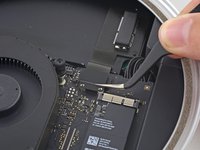
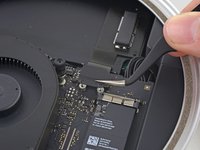
    • Use the flat end of a spudger to lift the PCIe SSD connector straight up off of its connector on the logic board.

    • Be careful not to pry up on the socket itself.

    댓글 쓰기

  16. Mac mini Late 2014 PCIe SSD Cable Replacement: 16 단계, 이미지 2개 중 1개 Mac mini Late 2014 PCIe SSD Cable Replacement: 16 단계, 이미지 2개 중 2개
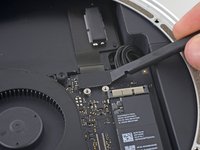
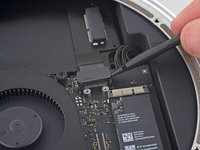
    • Slip the flat end of a spudger under the SSD cable to lift it off the adhesive holding it to the Mac mini.

    댓글 쓰기

  17. Mac mini Late 2014 PCIe SSD Cable Replacement: 17 단계, 이미지 1개 중 1개
    • Remove the PCIe SSD cable from the Mac mini.

    댓글 쓰기

결론

To reassemble your device, follow these instructions in reverse order.

취소: 해당 안내서를 완성하지 않았습니다.

다른 29명이 해당 안내서를 완성하였습니다.

작성자

5다른 기여자 명과 함께

Sam Goldheart

회원 가입일: 10/18/12

477,528 평판

안내서 538개를 작성함

iFixit iFixit 회원

Staff

122 회원들

안내서 26,514개를 작성함

8가이드 댓글

Where i can buy the PCIe SSD card?

melvin suarez - 답글 공유
Where i can buy the PCIe SSD card, someone?

Claudio Vargas - 답글 공유
I can supply these cables. Please reply to this thread.

Thomas Hall - 답글 공유

I found the ssd kit on eBay for $69ish. However, it doesn't include the ssd. Is it mPCI-e or is it an M.2 module?

Angelo - 답글 공유

The SSD is neither, I believe. It is the same as the SSDs in the 2014 and up MacBook Pros. Pin format is 12+16

Daniel Abdulla - 답글 공유

댓글 쓰기

조회 통계:

지난 24시간: 7

지난 7일: 35

지난 30일: 181

전체 시간: 65,161