주요 콘텐츠로 건너뛰기

Mattel Barbie Boombox BE-466 Antenna Replacement

필요한 것

  1. Mattel Barbie Boombox BE-466 Antenna Replacement, Antenna: 1 단계, 이미지 2개 중 1개 Mattel Barbie Boombox BE-466 Antenna Replacement, Antenna: 1 단계, 이미지 2개 중 2개
    • Flip radio upside down.

    • This radio is missing the lid for the battery compartment. If you have a battery cover, you must use a screwdriver to remove the screws before you can take off the cover.

    • Remove the batteries.

  2. Mattel Barbie Boombox BE-466 Antenna Replacement: 2 단계, 이미지 1개 중 1개
    • Flip radio so the back facing up.

    • The radio shown is missing the power cord. The power cord is a black cord attached to the back.

    • Unplug power cord.

  3. Mattel Barbie Boombox BE-466 Antenna Replacement: 3 단계, 이미지 2개 중 1개 Mattel Barbie Boombox BE-466 Antenna Replacement: 3 단계, 이미지 2개 중 2개
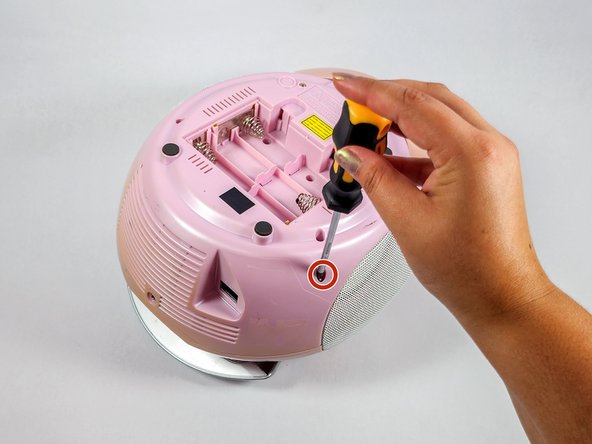
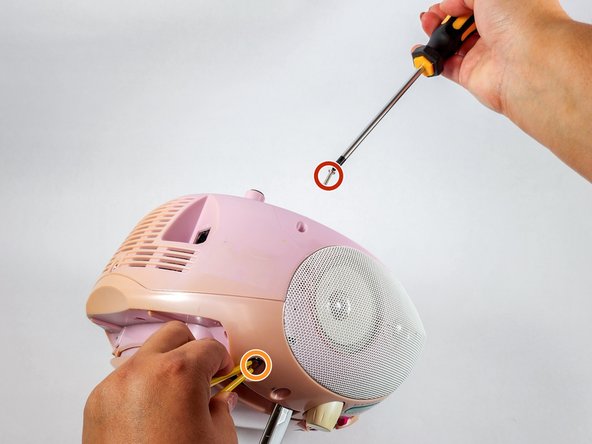
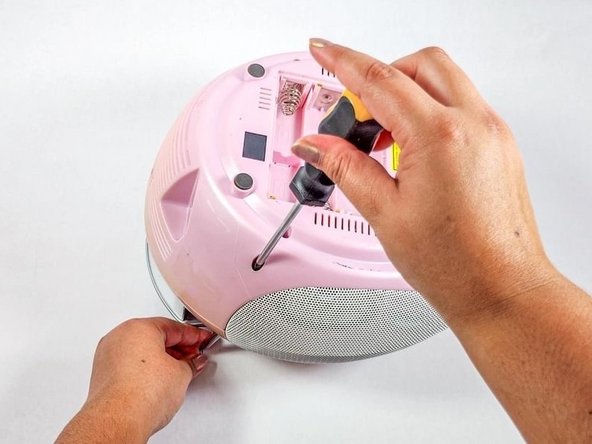
    • Flip the radio over so the bottom of the radio is facing up.

    • Insert the Philips #2 screwdriver into the antenna screw hole.

  4. Mattel Barbie Boombox BE-466 Antenna Replacement: 4 단계, 이미지 3개 중 1개 Mattel Barbie Boombox BE-466 Antenna Replacement: 4 단계, 이미지 3개 중 2개 Mattel Barbie Boombox BE-466 Antenna Replacement: 4 단계, 이미지 3개 중 3개
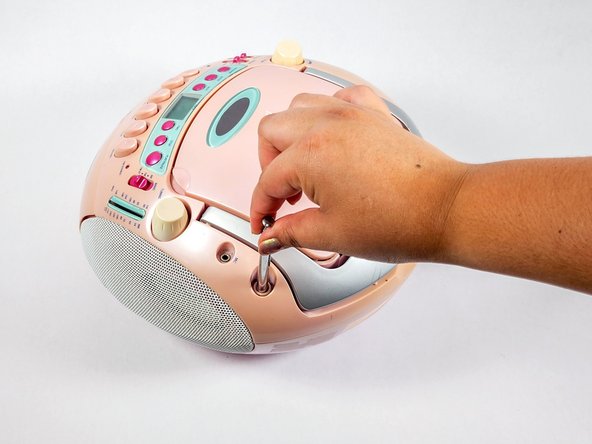
    • Use a Phillips #2 screwdriver to remove the screw securing the antenna.

    • Remove the antenna.

    • Use tweezers/pliers if your antenna is broken off or too short to hold.

  5. Mattel Barbie Boombox BE-466 Antenna Replacement: 5 단계, 이미지 2개 중 1개 Mattel Barbie Boombox BE-466 Antenna Replacement: 5 단계, 이미지 2개 중 2개
    • Insert the new antenna into the antenna hole on top of the device.

  6. Mattel Barbie Boombox BE-466 Antenna Replacement: 6 단계, 이미지 3개 중 1개 Mattel Barbie Boombox BE-466 Antenna Replacement: 6 단계, 이미지 3개 중 2개 Mattel Barbie Boombox BE-466 Antenna Replacement: 6 단계, 이미지 3개 중 3개
    • The new antenna is slightly bigger than the original. Use a 2.5mm x 8mm Phillips screw instead of the original screw.

    • Hold the antenna and insert the screw into the antenna screw hole.

    • Use the Phillips #2 screwdriver to secure the screw.

결론

To reassemble your device, follow steps 1 and 2 in reverse order.

작성자

3다른 기여자 명과 함께

Sarah Nguyen

회원 가입일: 04/25/24

133 평판

안내서 1개를 작성함

UC Davis, Team 4-4, Whithaus Spring 2024 UC Davis, Team 4-4, Whithaus Spring 2024 회원

UCD-WHITHAUS-S24S4G4

3 회원들

안내서 1개 작성

0가이드 댓글

댓글 쓰기

조회 통계:

지난 24시간: 1

지난 7일: 5

지난 30일: 34

전체 시간: 280