주요 콘텐츠로 건너뛰기

Midas Pro 2C CMOS Battery Replacement

필요한 것

  1. Midas Pro 2C CMOS Battery Replacement, CMOS Battery: 1 단계, 이미지 1개 중 1개
    • Turn the Midas Pro 2C off and ensure your work area is clear.

  2. Midas Pro 2C CMOS Battery Replacement: 2 단계, 이미지 2개 중 1개 Midas Pro 2C CMOS Battery Replacement: 2 단계, 이미지 2개 중 2개
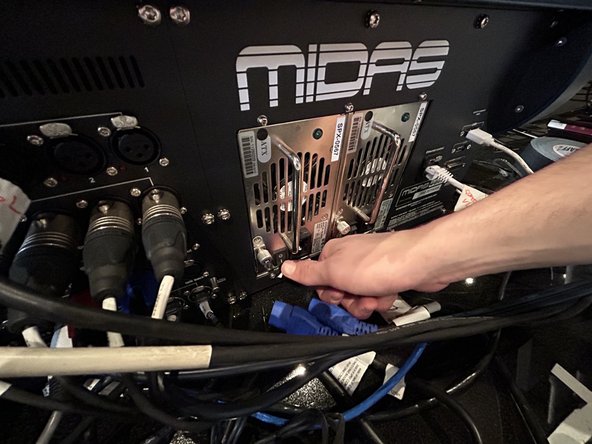
    • Flip the switches connected to the two power supply units (PSU) to the off position.

  3. Midas Pro 2C CMOS Battery Replacement: 3 단계, 이미지 2개 중 1개 Midas Pro 2C CMOS Battery Replacement: 3 단계, 이미지 2개 중 2개
    • Carefully remove the cords from both PSU’s.

  4. Midas Pro 2C CMOS Battery Replacement: 4 단계, 이미지 2개 중 1개 Midas Pro 2C CMOS Battery Replacement: 4 단계, 이미지 2개 중 2개
    • Flip both PSU switches back to the on position.

    • Leave the PSUs on for 30 seconds to ensure that the power is fully discharged from the units.

  5. Midas Pro 2C CMOS Battery Replacement: 5 단계, 이미지 2개 중 1개 Midas Pro 2C CMOS Battery Replacement: 5 단계, 이미지 2개 중 2개
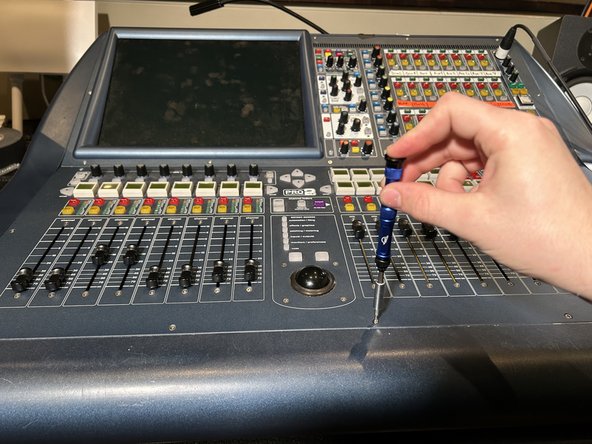
    • Remove the twelve 10 mm T10 Torx screws from the cover of the console.

  6. Midas Pro 2C CMOS Battery Replacement: 6 단계, 이미지 2개 중 1개 Midas Pro 2C CMOS Battery Replacement: 6 단계, 이미지 2개 중 2개
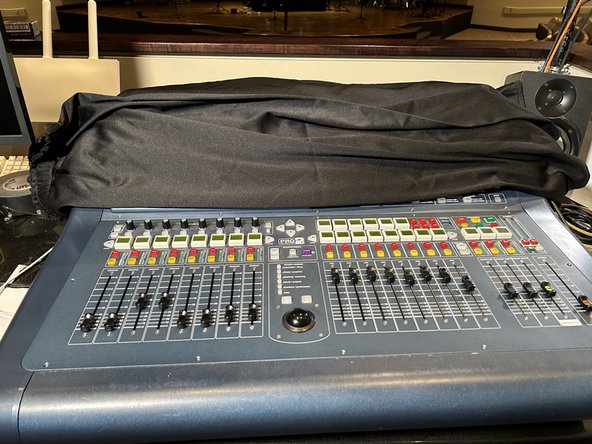
    • Set a cloth down over the top half of the console to protect it from damage in the following steps.

  7. Midas Pro 2C CMOS Battery Replacement: 7 단계, 이미지 3개 중 1개 Midas Pro 2C CMOS Battery Replacement: 7 단계, 이미지 3개 중 2개 Midas Pro 2C CMOS Battery Replacement: 7 단계, 이미지 3개 중 3개
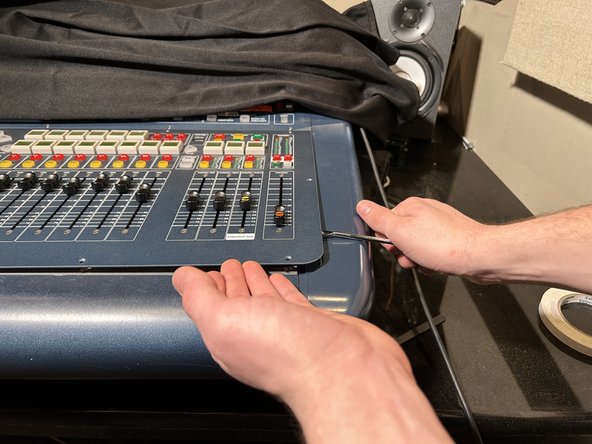
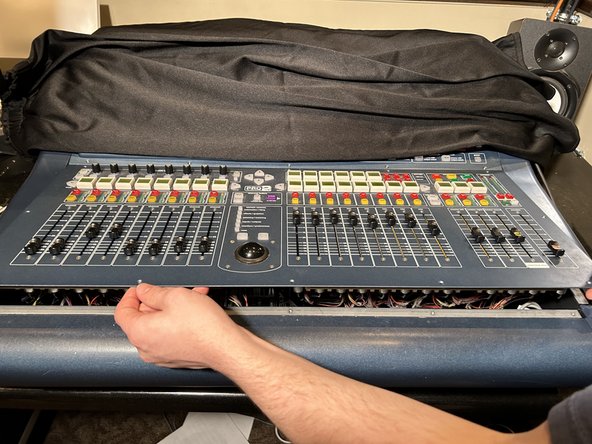
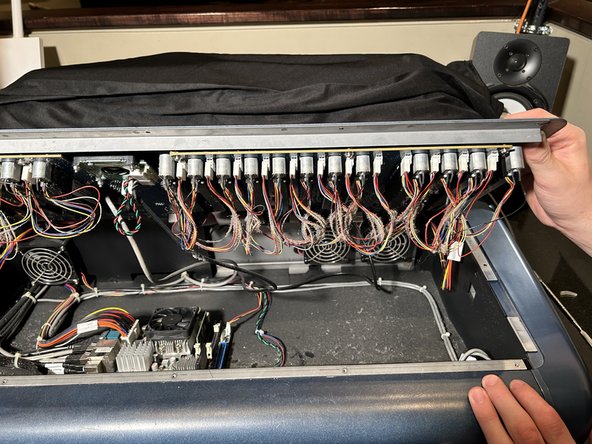
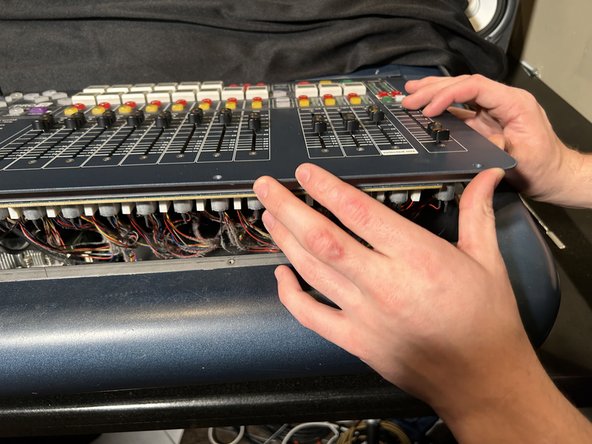
    • Use a metal spudger to carefully pry the control panel from the console.

    • Work your way around the perimeter with the spudger to undo the clips securing the control panel and remove it from the console.

    • Keep your hand in constant contact with the panel, dropping it may damage the unit.

    • Lift the panel very slowly and ensure none of the fader's cables get stuck on the inside edge of the console.

  8. Midas Pro 2C CMOS Battery Replacement: 8 단계, 이미지 3개 중 1개 Midas Pro 2C CMOS Battery Replacement: 8 단계, 이미지 3개 중 2개 Midas Pro 2C CMOS Battery Replacement: 8 단계, 이미지 3개 중 3개
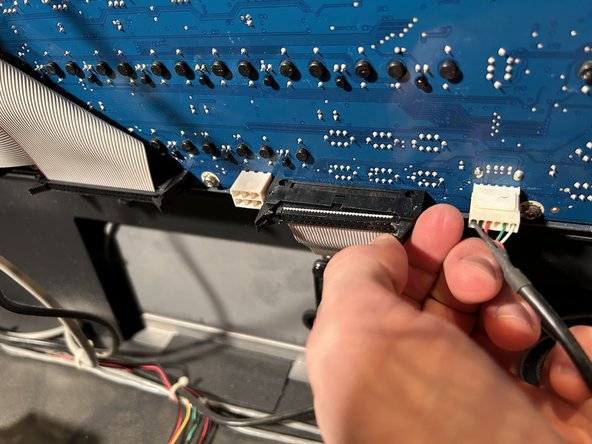
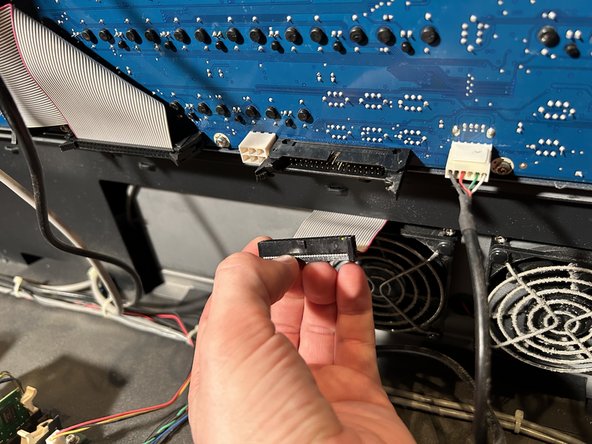
    • Disconnect the ribbon cable from the control panel by moving the two black latches outward, away from the cable.

    • Pull out the cable.

    • Lay the panel against the material you used to cover the top section of board but make sure panel doesn't slide or fall.

  9. Midas Pro 2C CMOS Battery Replacement: 9 단계, 이미지 3개 중 1개 Midas Pro 2C CMOS Battery Replacement: 9 단계, 이미지 3개 중 2개 Midas Pro 2C CMOS Battery Replacement: 9 단계, 이미지 3개 중 3개
    이 단계에 사용된 도구:
    Tweezers
    $4.99
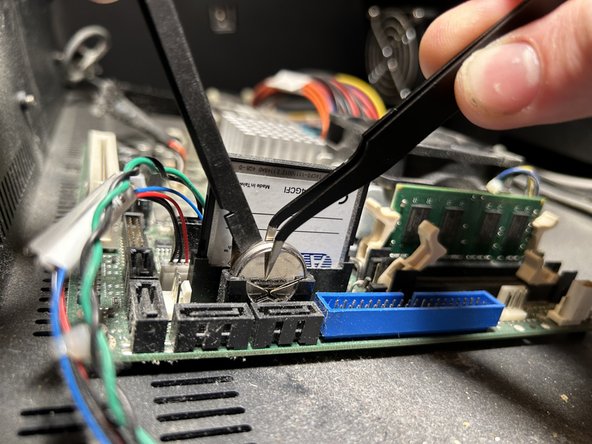
    • Identify the CMOS battery to the right of the circuit board.

    • To remove the battery, push the metal tab out of the way, and use the tweezers to pull out the old battery.

    • Check with your local battery recycling guidelines to discard the old battery.

  10. Midas Pro 2C CMOS Battery Replacement: 10 단계, 이미지 2개 중 1개 Midas Pro 2C CMOS Battery Replacement: 10 단계, 이미지 2개 중 2개
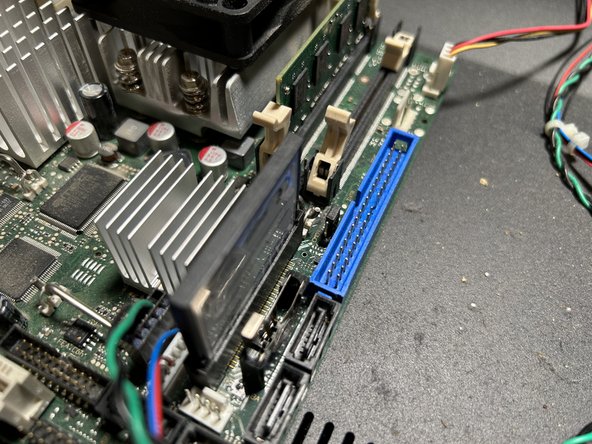
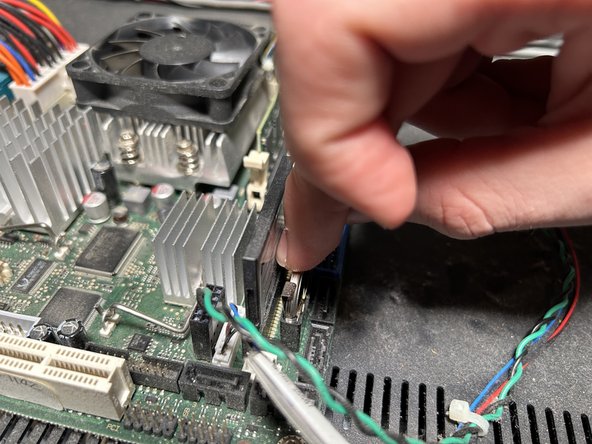
    • To insert the new 2032 battery, push the tab back and slide in the new battery.

    • Make sure the new battery is oriented the same way as the old battery.

  11. Midas Pro 2C CMOS Battery Replacement: 11 단계, 이미지 3개 중 1개 Midas Pro 2C CMOS Battery Replacement: 11 단계, 이미지 3개 중 2개 Midas Pro 2C CMOS Battery Replacement: 11 단계, 이미지 3개 중 3개
    • Reattach the ribbon cable to the control panel.

    • Secure the locking latches by pushing them towards the cable.

    • Carefully lower the panel back onto the console, make sure the wires aren’t being pinched as you set the panel back down.

    • Replace the screws to attach the control panel to the the console.

  12. Midas Pro 2C CMOS Battery Replacement: 12 단계, 이미지 3개 중 1개 Midas Pro 2C CMOS Battery Replacement: 12 단계, 이미지 3개 중 2개 Midas Pro 2C CMOS Battery Replacement: 12 단계, 이미지 3개 중 3개
    • Make sure both PSUs are off, then plug the UPC cables back in.

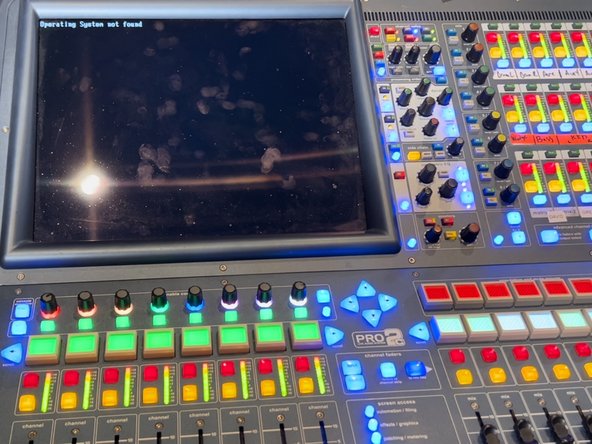
    • Turn both the PSU units on, this should switch the console on.

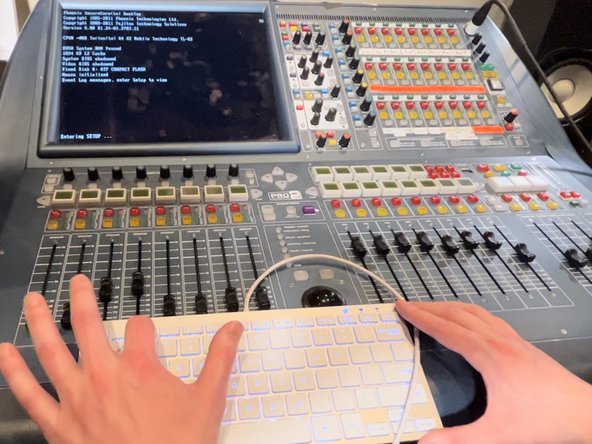
    • As the console turns on and boots up, press F2 frequently until the console enters into the set-up menu.

  13. Midas Pro 2C CMOS Battery Replacement: 13 단계, 이미지 1개 중 1개
    • Read directions on the console to navigate through the set up menu.

    • Change the date and time they are correct.

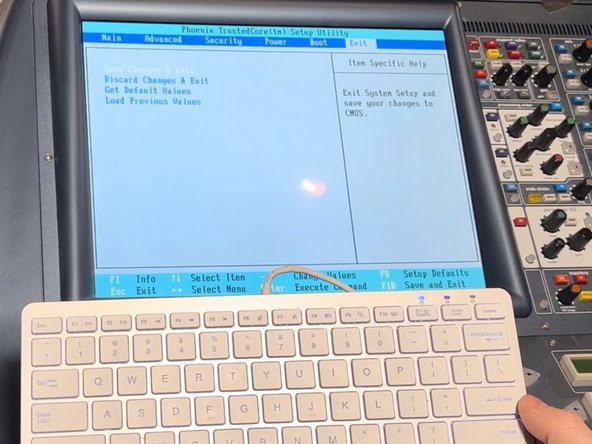
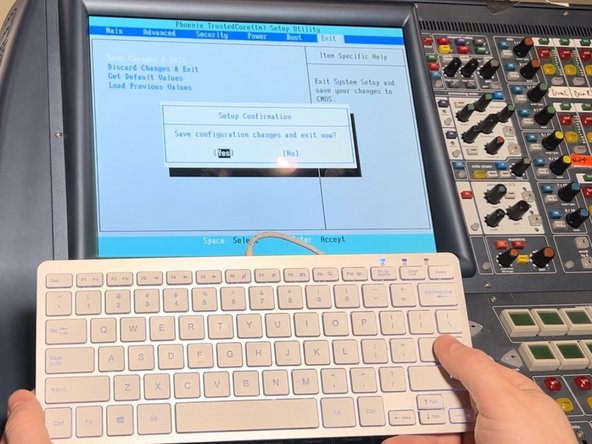
  14. Midas Pro 2C CMOS Battery Replacement: 14 단계, 이미지 3개 중 1개 Midas Pro 2C CMOS Battery Replacement: 14 단계, 이미지 3개 중 2개 Midas Pro 2C CMOS Battery Replacement: 14 단계, 이미지 3개 중 3개
    • Click down with arrow key to the "excluded from boot order list".

    • Press the X key while “ATP Compact Flash” is highlighted in white.

    • This adds the operating system back to the order.

    • Navigate to the exit.

    • Arrow key down to save and exit.

    • Confirm changes by selecting yes.

  15. Midas Pro 2C CMOS Battery Replacement: 15 단계, 이미지 1개 중 1개
    • The console should reboot back into the operating system.

    • Ensure the console date and time is set correctly and if not repeat steps 12 through 14.

결론

To reassemble your device, follow these instructions in reverse order.

다른 5명이 해당 안내서를 완성하였습니다.

작성자

4다른 기여자 명과 함께

David Braese

회원 가입일: 02/10/23

331 평판

안내서 1개를 작성함

0가이드 댓글

댓글 쓰기

조회 통계:

지난 24시간: 1

지난 7일: 30

지난 30일: 138

전체 시간: 6,522